



Recruiting top talent can be a time-consuming and challenging process, but with the help of ChatGPT, you can speed it up by hours and even days.
As previously explained, the faster you blend your recruitment efforts with AI, the better you will be as a recruiter. Embrace it.
In this guide, we’ll show you how to use ChatGPT for recruitment from start to finish, automating almost every step of recruitment.
Some choose to use AI recruitment agents like AI Recruiter instead of prompting ChatGPT, but if you're curious about how you can use ChatGPT as a recruitment tool this blog is for you.
- Creating job descriptions
- Setting up ChatGPT for screening
- Engaging with candidates
- Engaging with clients
- FAQs
1. Creating job descriptions
You’ve just onboarded a new ‘client’ in Amsterdam who is in need of a Frontend Developer to help build out their new browser extension. It's time to start the search, but before that, you need to make sure you have the essentials to create a job description.
Identifying key requirements
Before you begin crafting your job description prompt, you’ll first need to identify the 3 main requirements for the position (or any position):
- Candidate’s level of experience
- Qualifications, i.e Degree in Computer Science
- Necessary skills, i.e React, etc
If you, like most recruiters, don’t have a background working in your specific recruitment niche, you can use ChatGPT to help you learn and break down technical jargon by prompting something along the lines of: Describe the difference between a software developer and a software engineer in a way that’s easy to understand for someone with no technical knowledge.
How to prompt
ChatGPT can help you create detailed job descriptions and generate key responsibilities, required skills and qualifications, and other necessary information. You just need to focus on your prompts. The more you put in, the better the result.
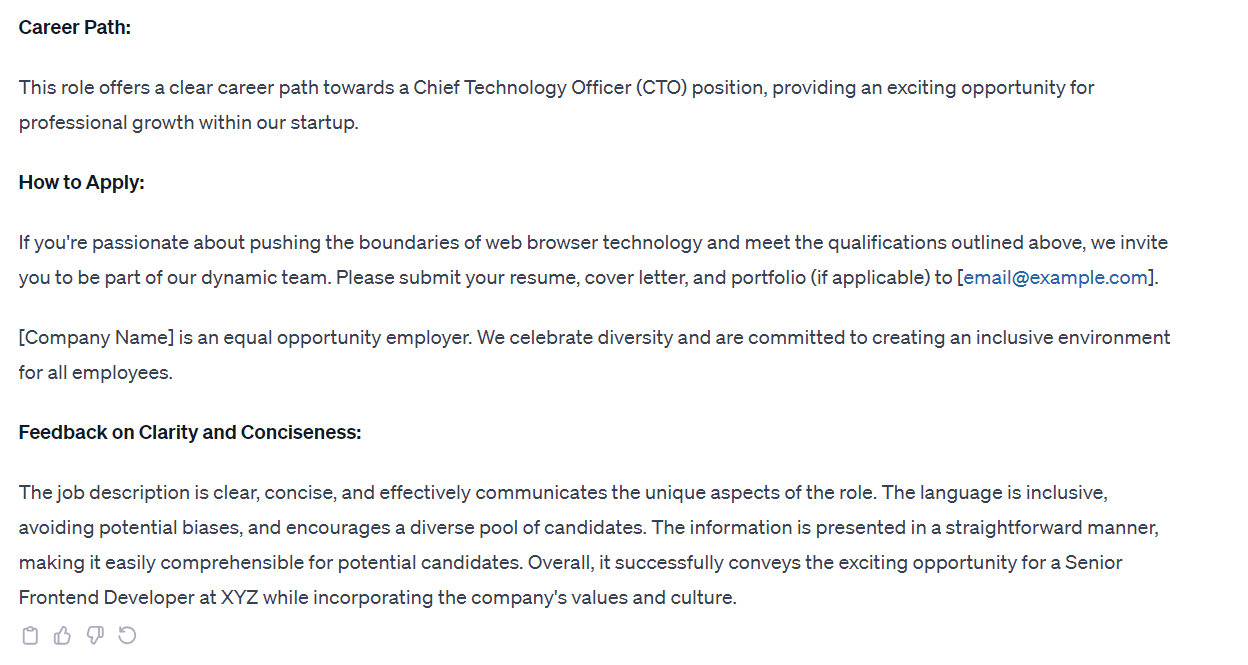
For example: Instead of prompting a generic “Please write a job description for a Frontend Developer” and then doing a bunch of edits, we took the time to write as much information as possible that we needed from it. See below
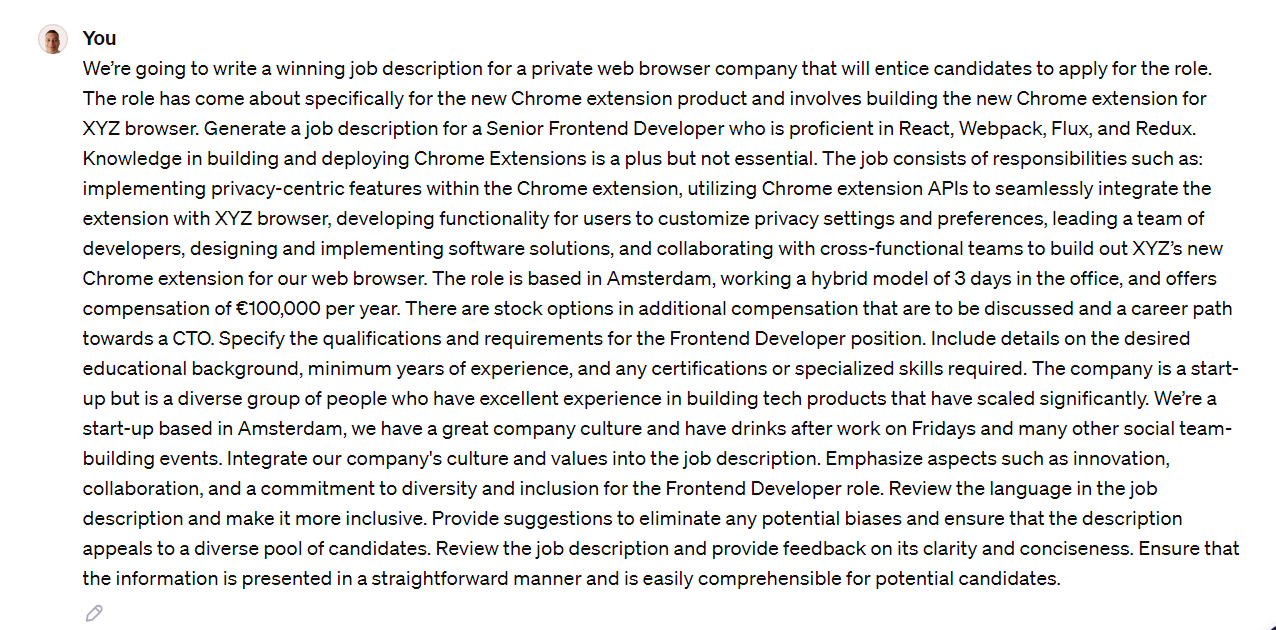
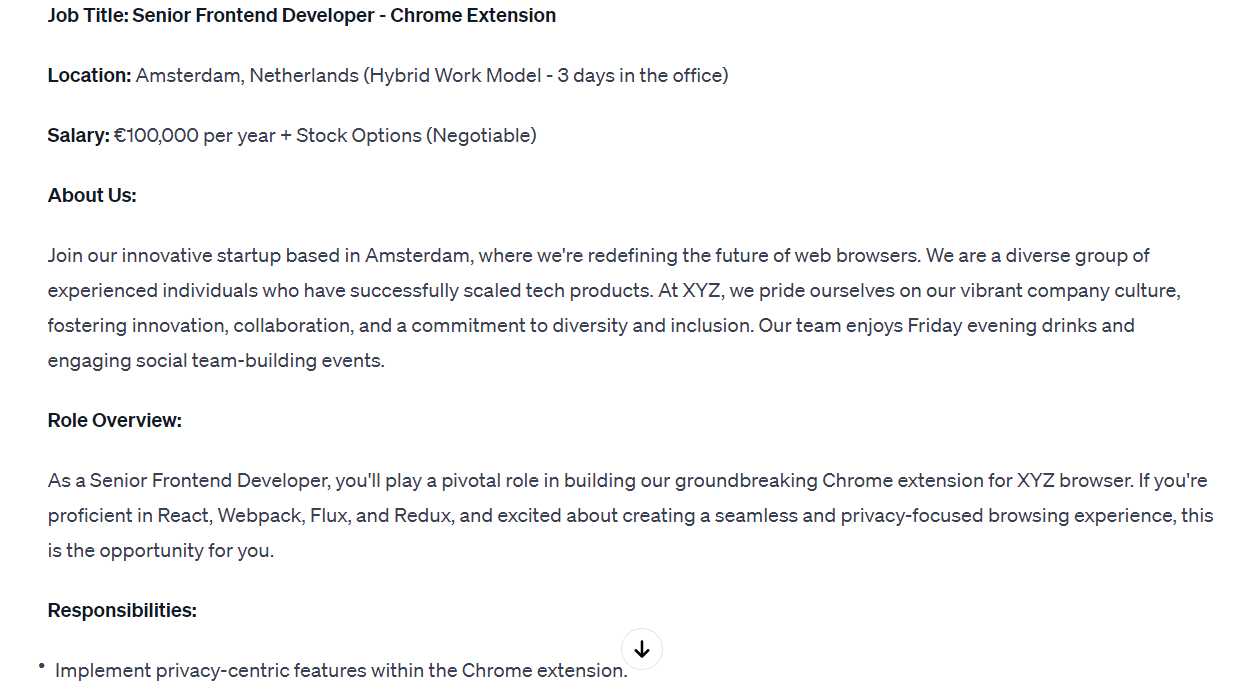
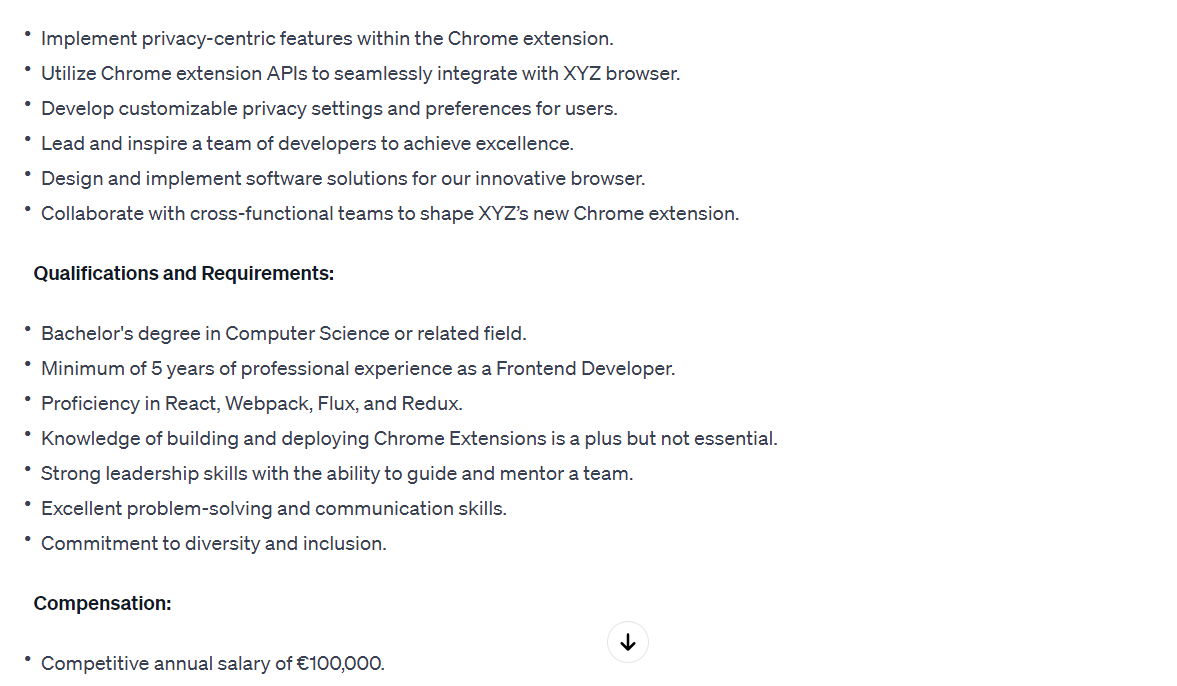
Using this formula, our result was informative, formatted perfectly, and captivating to candidates.
So when prompting for job descriptions, keep these key things in mind:
Be specific: Specify the information that you want to receive, not just the information that you put into your prompt.
Give it feedback: Don’t be afraid to tell the AI exactly what you were expecting and how it missed. One caveat worth knowing, because a lot of guides get this wrong: that correction only lives inside the conversation you are in. Open a fresh chat tomorrow and you are back to square one. If you want your house style to stick permanently, put it in Custom Instructions, or set up a Project for the client and keep the brief in there, so every new chat inherits it.
Break it down into steps: Often, the AI can be overwhelmed with all the information you put into it and like a child, learns better when you break it down into small steps. If you’re prompting a large paragraph of say, 600 words, break it down and prompt it in 4-6 steps.
Prompt Example: I will tell you to create a job description in steps. Step 1: Generate the job title, Step 2: Write about the job responsibilities, Step 3: Highlight the compensation.