


Drafting a message manually every time you want to reach out takes a lot of time. Many recruiters are still manually writing outreach messages and copying and pasting details of candidates in the messages.
This is all wasted time that you don’t have to spend. By working with the right tools you can cut out most of the time spent on writing your outreach messages.
There are obviously message templates available online, but even with templates you can waste a lot of time personalizing those templates to the details of the candidate you want to reach out to.
What we’re looking for here is a way in which you can generate messages automatically that already include the information of the candidate so you don’t have to do that manually yourself.
The reason this is worth automating is that personalization is what actually earns replies. Smaller, well-targeted sends reply at roughly 5.8% versus about 2.1% for high-volume blasts, and layering a few follow-ups on top of a personalized first message can lift positive reply rates by around 68% - Metaview. In other words, the minutes you save by generating messages automatically only pay off if those messages still read like they were written for one person.
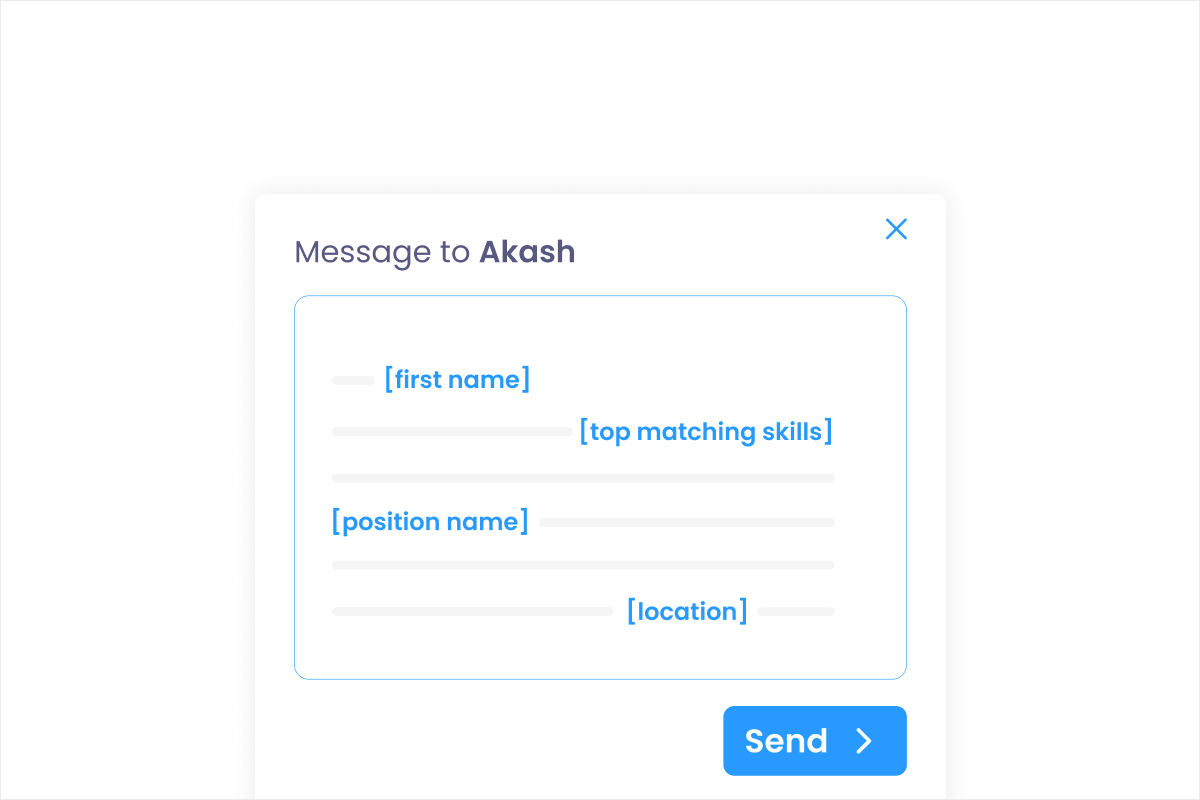
Like in this example:
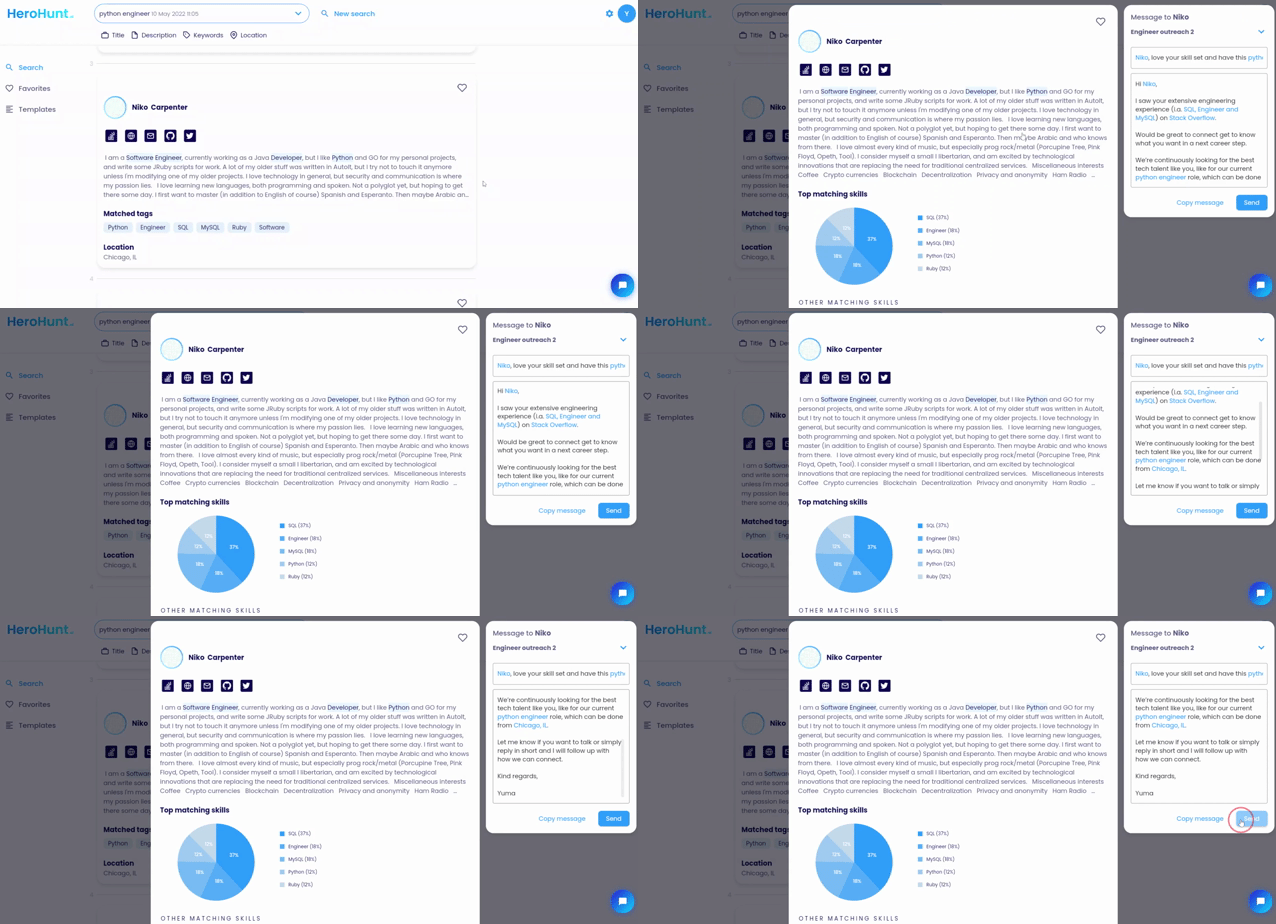
Here’s how to generate personalized candidate outreach messages:
1. Choose a generic message template (optional)
Choose a message that you have been using before and has already proven to work for your candidate target group or experiment with a new message. You probably have some messages you used earlier for reaching out to candidates that you can reuse.
Include the message in a tool like HeroHunt.ai so the tool can generate a personalized version of your template message later.
You can also start from scratch and create a new message.
Keep the base template short and skimmable. Brief, focused messages tend to get read and answered more often than long ones, so aim for a few tight sentences and let the personalized details carry the relevance rather than a wall of text.
2. Include a personalized subject
To show the candidate that you care about them and that you know who you’re talking to, it can be very effective to include personalizations in your message.
In HeroHunt.ai you can use personalizations in the subtitle and content of your message.
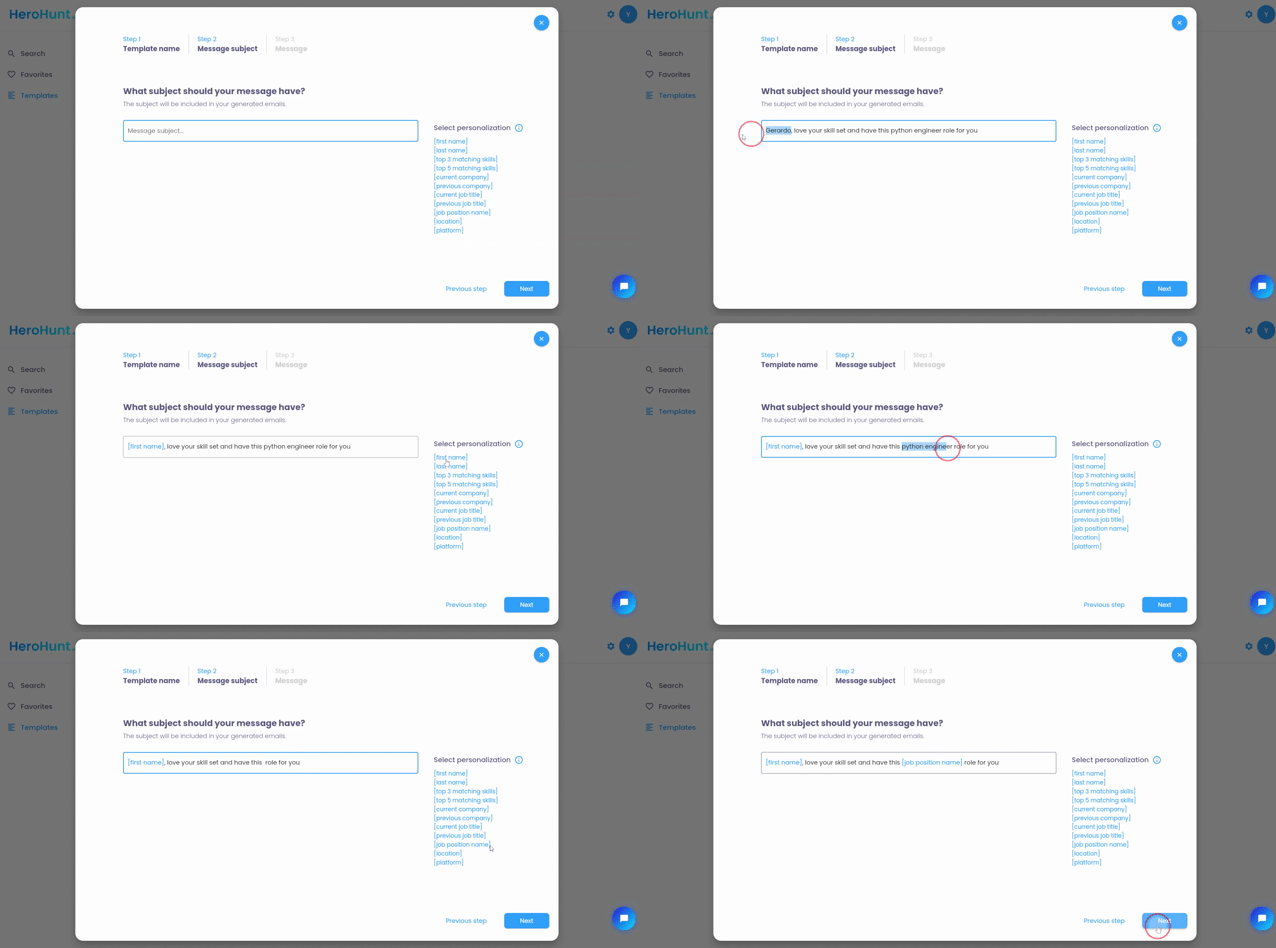
Personalizations include:
- First name
- Last name
- Top 3 matching skills
- Top 5 matching skills
- Current company
- Previous company
- Current job title
- Previous job title
- Job position name
- Candidate location
- Platform where you found the candidate on
For the subject line you can use a subject line that you have used before that worked. Most important here is that the subject line you choose encourages the receiver (the candidate) to open your email and read it.
Not every personalization token carries the same weight. A first name on its own reads as a mail merge, whereas a specific current company plus a matching skill signals that you actually looked at the profile. Lead with the tokens that prove relevance (current company, current job title, top matching skills) rather than stacking every variable you happen to have available.
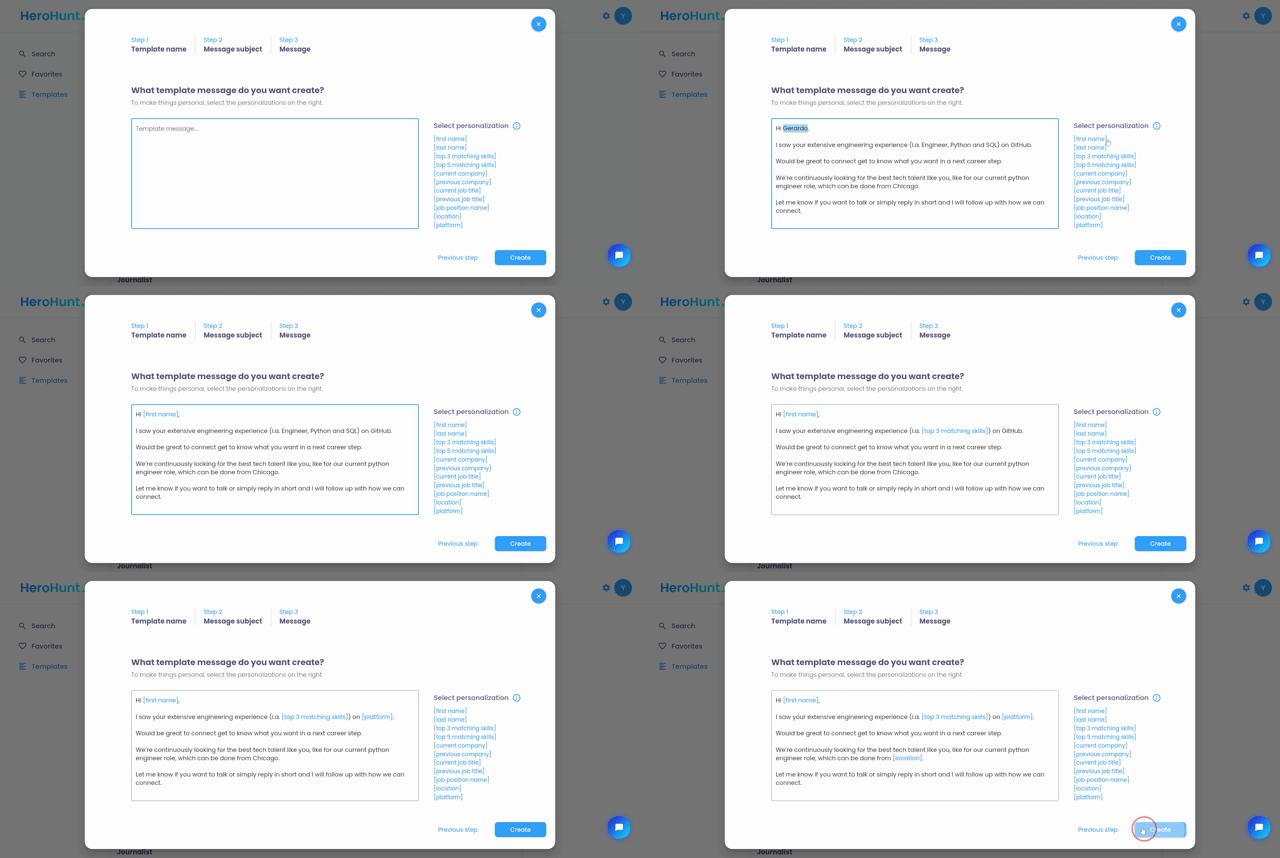
3. Include personalized message content
Now include the personalizations that you want to have auto generated in your messages. You can include the same personalization as in the subject line. The most simple way to do this is to copy and paste a message that you already used before and then click personalizations so they are included in your message. Click 'Create' to save the message template.
Resist the urge to fill every sentence with a variable. Two or three well-placed personalizations read as genuine attention; five or six read as a form letter and can feel off when a field is missing or formats oddly. Preview a generated message against a couple of real profiles before you send at scale, so you catch any token that renders awkwardly.
4. Auto generate message and send
Now just click a profile of a candidate that you like. You see now that your own personalized version is automatically generated. You only have to click the ‘Send’ button to send the message to the candidate (HeroHunt.ai also already found the contact details for you).
One message is rarely the whole story. A large share of the responses in any outreach effort comes from follow-ups, so plan a short sequence rather than a single send. A personalized first message followed by two or three light, spaced follow-ups consistently beats a one-shot blast, which is why it is worth building sequencing into your workflow from the start rather than chasing non-repliers by hand later.
Make automation feel personal, not automated
Automating your outreach is about removing the copy-and-paste busywork, not removing the judgment. The tool fills in the name, company, and matching skills in seconds; your job is to choose a template that sounds like a human wrote it and to pick the personalizations that actually prove you looked at the person. Done well, you get the speed of a bulk send with reply rates closer to a message you wrote by hand.
If you want the sourcing, contact-finding, and personalized outreach to happen in one place, that is what HeroHunt.ai is built for: it finds candidates from over a billion profiles, generates a personalized message for each one, and surfaces their contact details so you can review and send.
Written by Yuma Heymans (@yumahey), who built HeroHunt.ai, the world's first AI Recruiter, now used by 15,000+ recruiters to source candidates and generate personalized outreach on autopilot.