


Short answer: the best recruiting subject line is specific, honest and short. Name the role and what is in it for the candidate, for example "Jane, love your developer skills and have this back-end developer role for you". If you are the candidate emailing a recruiter, put the job title, your full name and any job ID in the subject, with the key words first, because mobile devices only display 25 to 30 characters of it. Judge any line by replies, not opens: Apple clients generated 62.26% of tracked opens in July 2026.
In a competitive recruiting market, it’s more important than ever to make sure your emails stand out in a candidate’s crowded inbox. The subject line is your first and best chance to do that. But with so many options and so little time, it can be tough to know where to start in writing a great subject line.
33% of email recipients decide to open an email based on only the subject line. And even though it’s only one line of text, there are many factors influencing whether an email subject line is contributing to being opened or not.
Emails with personalized subject lines get 50% higher open rates. And short and concise email subject lines with specific information about the content of the email also perform better than vague, too long or commercial email subject lines.
The perfect recruitment email subject line doesn’t exist though. The best subject line to use is dependent on the type of organization, candidate target market, the recruiter’s preferences and the information available about the candidate prospect.
But some subject lines simply show a higher open rate than others.
One caveat before the examples, because it changes how you should read every number on this page. The open-rate research above was measured with tracking pixels, and tracking pixels have been largely broken since 2021. Apple’s Mail Privacy Protection downloads remote content in the background the moment a message arrives instead of when someone reads it, so your pixel fires whether or not a human ever saw the subject line. Treat the open-rate studies as directional evidence about what makes a line work, and judge your own subject lines on replies. Section 3 covers exactly how.
In this blog we’ll share:
- Tips for your subject line
- Best recruitment subject line examples
- How to measure whether a subject line actually works
- How to automate personalized subject lines
Tips for your subject line
Even though the email subject line Is just one line of text, there's a lot that can go wrong in writing the subject line and risking the receivers not to open your email.
Below are things to keep in mind while writing your subject line:
1. Keep it short and sweet
The average person only spends a few seconds scanning an email before deciding whether or not to open it. So, you need to make sure your subject line is short and to the point. Otherwise you risk losing the attention of your target candidate before you even have a chance to make your pitch. Indeed notes that mobile devices only display 25 to 30 characters of a subject line, so put the essential words first.
2. Personalize
Personalization is a proven way to increase open rates of emails. In a 2017 study of more than 7 billion marketing emails, Yes Lifecycle Marketing found that emails with personalized subject lines got 50% higher open rates, and Woodpecker's own data shows that emails with advanced personalization (custom snippets beyond a first name or company) average 17 to 18% reply rates against 7 to 9% for basic or no personalization. Address recipients by name in your subject line so they feel like you're speaking directly to them and include personal details like their current job title, location or current company name. Doing this by hand stops scaling somewhere around the fiftieth candidate, which is why sequencing platforms like Apollo.io and Reply.io fill in {{first_name}} and {{company}} tokens for you. Section 4 covers how to set that up, including the fallback rules that stop "Hi {{first_name}}" from landing in an inbox as "Hi ,".
3. Be specific
Vague subject lines like "Just checking in" or "Quick question" are unlikely to have candidate prospects open your email. Be specific about what you want to achieve and why the recipient should care. For example, "[first name], saw your [top 3 skills] and have this [job title] job for you” is much more likely to get opened than "Quick question".
4. Use numbers if relevant
Woodpecker's benchmark report puts the open-rate lift from numbers in subject lines at 113% on average, though it flags that Apple's privacy pre-loading inflates open rates, so treat that as directional. Yesware's cold email subject line analysis makes the same case in plainer terms: numbers stand out and hard numbers build credibility. If relevant, use numbers to indicate for example salary, benefits, amount employees or employer review scores.
5. Be clear about what you're offering
Your subject line should give candidates a clear idea of what you have to offer them, whether it's a job opportunity, an informational interview or insights into their industry of interest. With a full mailbox, emails without a subject line that communicates the proposed value is like to be deprioritized.
Best recruitment subject line examples
We have looked at which subject lines have proven to show high open rates and high engagement. Some emails are entirely ignored just because of a bad subject line, others are opened the moment the candidate prospect receives them.
These are the best recruiting subject lines:
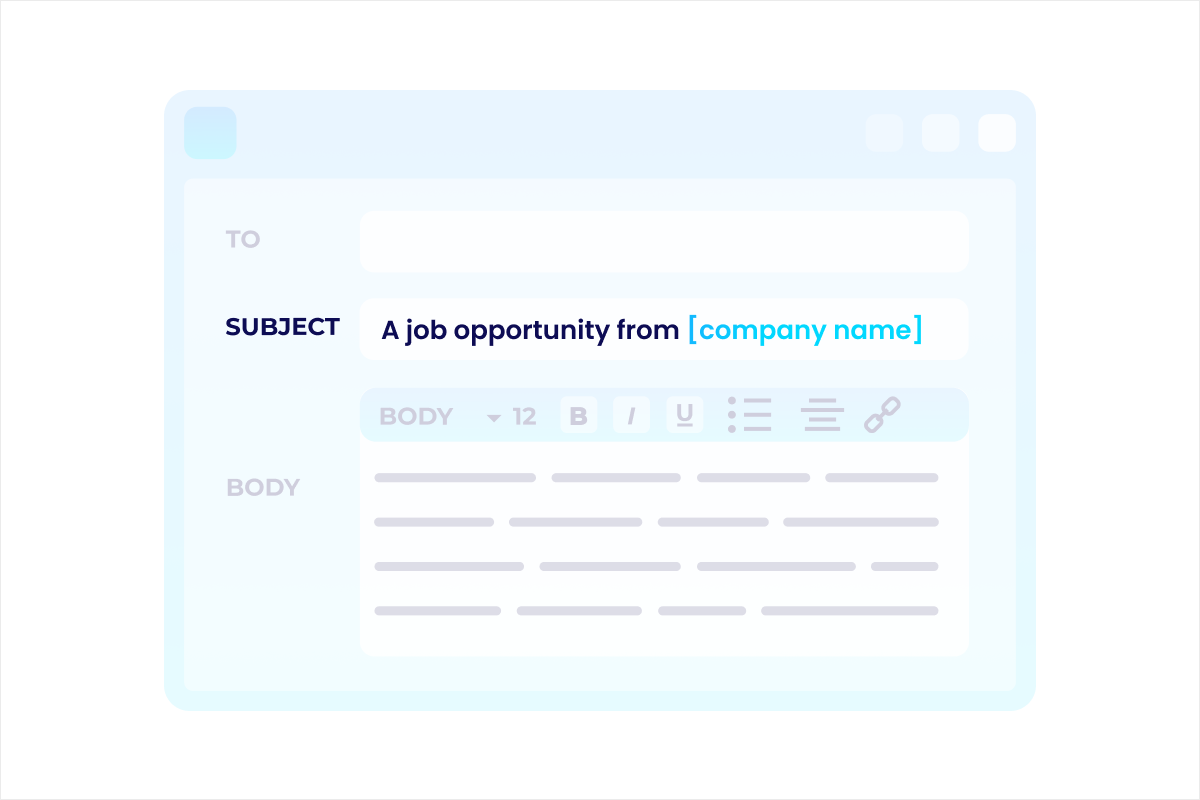
1. A job opportunity from [company name] for [first name]
This subject line is simple, clear, and to the point. Candidates know what they can expect before they even open it. Because this is still a relatively generic subject line, it’s most powerful for companies with a strong and recognizable brand.
Example: "A job opportunity from Google for Benno"
2. [first name], love your [domain] skills and have this [job title name] role for you
This subject line draws the attention to the skills of the candidate and then also clearly communicates the offer (a job). This subject line can be used for any company but needs some work (or automation) to get the personalizations right (especially the domain personalization).
Example: “Jane, love your developer skills and have this back-end developer role for you”
3. [Company Name] is now hiring [job title]s in [location]!
This subject line leaves no room for confusion: the candidate knows exactly what the email is about and what you want from them. Plus, it injects a sense of urgency that may prompt the candidate to act fast if they're interested in the position. Mainly useful for volume hiring like hiring delivery riders.
Example: "Getir is now hiring delivery riders in Amsterdam!"
4. We're impressed with your [top skills] [first name]
This subject line gives a compliment to the prospective candidate and shows that you have researched their skill set and background, which requires the right data for personalization but when available is very effective. The compliment has to be genuine so it’s not recommended to send this in bulk. This subject line is particularly powerful for hard to find (niche) talent where the required skills are very specific.
Example: "We're impressed with your blockchain development skills Anna"
5. We want you to join us [first name] to [mission - short]
This subject line refers to the company mission with the goal of making candidate prospects excited about the opportunity to become part of that mission. This is especially useful for companies where it is the mission that attracts a lot of talent like sustainability companies have for example.
Example: "We want you to join us Marcus to reduce fortune 500 footprint"
6. You're invited to interview for [job position name]
This is a more formal subject line that has an official flavour to it. Mainly useful for industries where the hiring organizations follow a more strict and formal procedure for job application like government, healthcare, military or space industry positions.
Example: "You're invited to interview for our Head of Department"
7. The [company name] team is excited to meet you [first name] 😃
This a very informal subject line that emphasizes the team factor of the company. Subject lines like these can also include emojis. Typically useful for smaller informal teams like startup teams and for more generic job positions like sales.
Example: "The HeroHunt team is excited to meet you Luna 😃"
8. [first name], want to join best place to work [company name]?
This is a subject line that emphasizes the company’s employee experience rating. Some companies score very high on for example Glassdoor and this can be a unique selling point to candidates. Especially useful for companies with high employee reviews.
Example: “Emma, want to join best place to work HubSpot?”
9. We're hiring the top 1% for talent and you came up [first name]
This subject line is focussing on high achievers who appreciate working with the best professionals out there. Mostly used for high achiever audiences like strategy consultants.
Example: "We're hiring the top 1% talent and you came up Maya"
10. [Insert cultural value] people like [first name] needed to join the [company name] team!
This subject line keeps the values top of mind. Particularly interesting to use when values and soft skills are the most important requirements of the open job.
Example: "Entrepreneurial people like James needed to join the Bain team!"
3. How to measure whether a subject line actually works
Judge your subject lines on reply rate, not open rate. This is the biggest change to this topic in years, and most of the subject-line advice still circulating online has not caught up with it. Every "lift your open rate by 50%" statistic, including the ones at the top of this article, was produced by a tracking pixel: a 1x1 transparent image that loads when the recipient's mail client renders your email. That measurement has been unreliable since 2021.
The cause is Mail Privacy Protection, which Apple turns on during setup and which downloads remote content in the background when a message arrives rather than when it is read. Your pixel fires on delivery, from an Apple proxy, with the recipient's IP address hidden. Apple clients accounted for 62.26% of all tracked opens in July 2026, so for roughly three in five of your candidates an "open" is now an event generated by a server, not a signal that a human read your line. Recruiters who kept tuning against that number have been optimizing against noise.
The metrics that still mean something:
- Reply rate is the only one that matches your actual goal, and it cannot be faked by a proxy fetching an image.
- Positive reply rate splits those replies into interested and not interested, which is what separates a subject line that pulls attention from one that pulls the wrong attention.
- Click rate on a linked job page is still real, because Apple's proxy does not click links.
The practical consequence is that a clickbait subject line now costs you more than it used to. "Quick question" or a fake "Re:" prefix will still get the message rendered, and under MPP that renders as a healthy open rate, while the candidate quietly decides you are not worth answering. Under open-rate measurement that campaign looks like a win. Under reply-rate measurement it looks like what it is. Every subject line in the list above is designed to be honest about what is inside the email, which is precisely why they survive the switch to reply-based measurement.
Be realistic about A/B testing, too. Statistical significance needs volume that most recruiting campaigns never reach: as a rough rule of thumb, detecting a lift from a 5% to a 7% reply rate takes on the order of 2,000 sends per variant. If you are emailing 200 candidates for a single role, an A/B test between two subject lines cannot tell you anything trustworthy, and treating the result as a finding is how teams end up with confident, wrong house rules. At that volume, test big structural swings (formal versus informal, skills-led versus company-led) across whole campaigns over months, and accept that the answer is directional. Agencies and in-house teams that run thousands of sends per quarter are the only ones who should be tuning at the level of individual words.
4. How to automate personalized subject lines
Automation is a data problem before it is a tool problem. Every subject line in the list above depends on a field: first name, current job title, top skills, location, company, mission. If you do not hold that field for a given candidate, no platform can invent it for you, and the merge tag either goes out empty or the send fails. The order of operations is therefore always the same: get the data, define fallbacks, then automate the send. Teams who buy a sequencing tool first and worry about data second produce personalized-looking emails that are personalized to nobody.
The failure that damages the most campaigns is the empty variable. "Hi {{first_name}}" arriving as "Hi ," tells the candidate in the first two characters that they are on a list, and it does so more loudly than sending no personalization at all would have. Every credible sequencing tool supports fallback values for exactly this reason. The rule worth following is that the fallback should be a version of the line that still reads naturally, not a generic filler word. "Hi there" is a fallback. "Hi {{first_name|there}}" that renders as "Hi there" is fine. A subject line built on "{{top_skills}}" with no fallback at all is a liability, and lines like example 4 above should simply be excluded for candidates whose skills data you do not have, rather than sent with a hole in them.
A related rule: personalize on the field, not on the guess. AI features that infer a candidate's skills or motivations from a thin profile will produce a confident, specific, wrong subject line, and a wrong specific is worse than a right generic. Use inference for the body of the email if you must, and keep the subject line anchored to data you actually hold. For the sequence that sits around the subject line, see our guide to AI outreach sequences for recruiting.
Apollo.io
Apollo.io combines a contact database with sequencing, which removes a step if the people you are hiring happen to be findable in a B2B database. It has a usable free plan (900 credits per seat per year and 2 sequences) and paid tiers from $49/seat/month billed annually, but sequence A/Z testing only starts on the $79 Professional plan. Personalization variables are firmographic: company, title, industry, seniority. That maps cleanly onto subject lines 1, 3 and 8 in the list above, and poorly onto the skills-led lines like 2 and 4, because Apollo does not hold skills data.
The honest caveat: Apollo's database is built for selling to businesses. It is strong for recruiting sales, marketing and other go-to-market roles, and thin to useless for engineering, healthcare, trades or hourly hiring. Judge it entirely on whether your target candidates are in it, which you can check on the free plan before paying anything.
Apollo.io
For the subject lines above that lean on company, title or seniority (examples 1, 3 and 8), Apollo's free plan gives 900 credits per seat per year, enough to confirm your candidates are even in its B2B database before you pay $49/user/month on annual billing. The caveat that should decide it: Apollo holds no skills data, so the skills-led lines (2 and 4) get no help from it, and the database is thin for engineering, healthcare, trades or hourly hiring.
Reply.io
Reply.io is a multichannel sequencing platform that runs subject-line A/B tests inside the sequence itself, so you can put two or more variants against the same audience and let the platform split the send rather than exporting to a spreadsheet and eyeballing it. It supports merge variables with fallback syntax, plus AI variables that generate an opener or value proposition per recipient. Its pricing page lists plans starting at $59 (Email Volume), $99 (Multichannel), $166 (Agency) and $500 (AI SDR), with LinkedIn automation as a $69/month per-account add-on and Calls and SMS at $29/month per user.
The honest caveat: Reply.io is built for sales, not recruiting. There is no ATS integration in any meaningful sense, its contact data is B2B firmographic rather than candidate data, and nothing in it understands a hiring pipeline. You bring the candidate list; it sends and tests. For a recruiting team that already has candidate data and wants the sequencing and subject-line testing layer, that trade is usually fine. For a team that wants sourcing and outreach in one system, it is the wrong shape of tool.
Reply.io
If your one job is to learn which subject line actually earns replies, Reply.io runs the A/B test inside the sequence itself, from $59, so you are not exporting sends to a spreadsheet and eyeballing the result. Two honest limits: it has no meaningful ATS integration and its data is B2B firmographic rather than candidate data (you bring the list, it sends and tests), and per section 3, below roughly 2,000 sends per variant the result is directional at best.
HeroHunt.ai
HeroHunt.ai is our own platform, so weigh this accordingly. It searches up to 1 billion public profiles and its AI Recruiter handles outreach on autopilot, which means the personalization fields behind the subject line (skills, current title, location) come from candidate profiles rather than a sales database. That is what makes the skills-led lines in this article automatable at all. Plans start at $99 a month, and every plan begins with a free 8-day trial: a card is needed to start and is charged when the trial ends unless you cancel.
The honest caveat: it is an end-to-end sourcing and outreach system, not a dedicated email-testing bench. If all you want is to split-test six subject-line variants against a list you already own, a sequencing tool is the more direct answer.
HeroHunt.ai
Section 5's default line is example 2, and section 4 says to exclude it rather than send it with a hole in it whenever you do not hold the candidate's skills. That is a sourcing problem, not a sequencing one: Apollo's B2B record carries no skills field to merge from. HeroHunt.ai is our own platform, so weigh this accordingly, but it fills {{skills}} and {{current_title}} from the candidate profile it sourced, which is what puts the skills-led lines on the table at all. The honest caveat: those skills are read off a public profile, and this article's own rule is to personalize on the field and not on the guess, so spot-check the variable on a sample before you let it run into subject lines at volume.
| Tool | Entry price | Subject-line A/B testing | Personalization fields | Best for |
|---|---|---|---|---|
| Apollo.io | Free, paid from $49/seat/mo (annual) | Yes, from the $79 Professional plan | B2B firmographic (no skills) | Hiring go-to-market roles |
| Reply.io | Plans from $59 | Yes, in-sequence | B2B firmographic + AI variables | High-volume outreach and testing |
| HeroHunt.ai | From $99/mo, 8-day free trial | Not a testing tool | Candidate profile data (skills, title) | Sourcing plus outreach in one |
The table exists to make one point: these tools are not substitutes for each other, and the right choice follows from which half of the problem you have not solved. Subject-line A/B testing is not the deciding factor, because both Reply.io and Apollo (from its Professional plan) will do it. If you are hiring go-to-market people and want contacts and sending in one place, Apollo covers both, and its free plan lets you check whether your candidates are even in the database before you pay anything. If you already hold the candidate list and only need the sending and testing layer on top, Reply.io is the narrower fit. If you have neither the candidates nor the outreach engine, a sourcing platform is the starting point and subject-line optimization is a later problem.
5. Which subject line should you actually use?
Start with example 2 ("[first name], love your [domain] skills and have this [job title] role for you") if you hold skills data, and example 1 ("A job opportunity from [company] for [first name]") if you do not. Those two cover the large majority of recruiting outreach. The rest of the list is situational: use 3 for volume and hourly hiring, 6 for formal industries such as government or healthcare, 5 and 10 when mission and values are genuinely the draw, and 9 only if it is true.
The decision that matters more than the wording is honesty. A subject line's job is to accurately compress what is inside the email so the right candidate opens it and the wrong one does not. Under pixel-based open tracking, tricking people looked like a strategy. Under reply-based measurement, which is the only measurement left, it does not. Pick the line that describes your email, fill in the fields you actually have, set a fallback for the ones you do not, and measure replies. Once the subject line is settled, the body matters just as much: see our cold email templates for recruiters.
Frequently asked questions
What should the subject line be when I email a recruiter?
Put the job title, your full name and the job ID if the posting gives one, for example "Application: Marketing Manager (Job ID 4821) - Maria Lopez". Indeed's guidance is to include your name, the job title, any job ID and the phrase "job application", to follow the employer's subject instructions if the posting has them, and to avoid informal openers such as "Hey".
What is a good subject line for a job application email?
Clear beats catchy. State the role and who you are, and lead with the words that matter, because mobile devices only display 25 to 30 characters, according to Indeed. "Marketing Manager: Maria Lopez" fits in 30 characters. Indeed also warns against capitalizing every word, which can look unprofessional or spam-like, and against generic lines with no specifics.
What are the best recruiting email subject lines?
The best ones say what is inside the email: a role, a skill or a team. Use "[first name], love your [domain] skills and have this [job title] role for you" when you hold skills data, and "A job opportunity from [company] for [first name]" when you do not. Personalization helps: a 2017 Yes Lifecycle Marketing study of more than 7 billion marketing emails found 50% higher open rates for personalized subject lines.
Do open rates still show whether a subject line works?
Not reliably. Apple clients generated 62.26% of tracked opens in July 2026 according to Litmus, and Apple's Mail Privacy Protection downloads remote content when a message arrives rather than when it is read, so a tracking pixel fires whether or not a person saw the line. Judge subject lines by reply rate, positive reply rate and clicks on a linked job page instead.
What is a good subject line for a job opportunity email?
State the role and the company, and hint at why the candidate was picked. "A job opportunity from [company] for [first name]" suits well-known brands, "[Company] is now hiring [job title]s in [location]!" suits volume hiring, and "You're invited to interview for [job position]" suits formal industries such as government and healthcare. Avoid "Quick question" and fake "Re:" prefixes, which can inflate opens while costing you replies.
Written by Yuma Heymans (@yumahey), who built HeroHunt.ai, an AI Recruiter that sources and contacts candidates. He has been writing candidate outreach, and measuring what comes back, since 2021.
Pricing and email-client figures in this article were verified in September 2026. Vendor pricing changes often: check the linked pricing pages before buying.