


Greenhouse Introduction
Greenhouse Applicant Tracking System (ATS) is a sophisticated platform designed to enhance the recruitment process for organizations, offering a suite of tools to streamline hiring from sourcing to onboarding.
It is highly regarded for its robust analytics and ability to integrate seamlessly with a wide range of other software, making it a preferred choice for HR professionals and recruiting teams seeking efficiency and effectiveness in their recruitment efforts.
Greenhouse is particularly beneficial for mid to large-sized companies, those prioritizing data-driven decisions, industries facing competitive hiring challenges, and organizations committed to diversity, equity, and inclusion. Greenhouse describes its ecosystem as hundreds of pre-built integrations, offers personalized outreach automation, and empowers stakeholders with fine-grained permissions.
Greenhouse sells three plans: Core, Plus and Pro. None of them carries a list price, every quote is built per company, and we break the real numbers down in our Greenhouse pricing guide. Which tier you land on matters for this article, because sourcing is gated behind it.
What Greenhouse Sourcing Automation Actually Does
Greenhouse does have a native sourcing product, and any guide that tells you otherwise is out of date. It is called Sourcing Automation, it launched in May 2022, and it runs on the technology Greenhouse acquired when it bought Interseller in October 2021.
Two details decide whether you can use it, and whether it solves the problem you actually have.
First, it is a paid add-on and it is tier-gated. Greenhouse's own documentation states that Sourcing Automation is available for the Plus and Pro subscription tiers. If you are on Core, you cannot buy it: you are looking at a plan upgrade plus an add-on, not a checkbox.
Second, it captures candidates, it does not find them. The workflow runs through the Greenhouse Chrome extension, which adds prospects to your CRM from a page you already have open (a saved LinkedIn profile, GitHub, AngelList, Indeed, a resume, or manual entry), spends lookup credits to retrieve their contact details, and drops them into an email campaign.
That is a genuinely strong outreach and enrichment engine. It is not a search engine. The hard part of passive sourcing, working out which twenty people out of a million are worth contacting, still happens by hand in your browser tabs before Greenhouse ever sees a name.
How to Source New Candidates in Greenhouse with HeroHunt.ai
Greenhouse's integration with HeroHunt.ai closes that specific gap: HeroHunt.ai does the discovery, Greenhouse keeps the record. An automated search in HeroHunt.ai identifies candidates across the internet, including on platforms such as LinkedIn and Github, starting from your job description rather than from a profile you already found yourself.
After reviewing these candidates, you can easily add them to Greenhouse.
HeroHunt.ai further offers functionalities to automatically engage candidates through sequenced emails, sending personalized messages to potential recruits.
The honest comparison: if you are already on Plus or Pro and your recruiters are happy sourcing by hand on LinkedIn, Sourcing Automation keeps everything in one system, and that is worth real money. The case for a separate sourcing tool is strongest when you are on Core (where the add-on is not sold to you at all), when your bottleneck is discovery rather than outreach, or when you need to search well beyond LinkedIn.
Getting Started with a Sourcing Tool that Integrates with Greenhouse
Follow this straightforward guide to begin sourcing new candidates for your talent pipeline in Greenhouse:
- Register for Greenhouse if You Haven't Already
- Sign Up for HeroHunt.ai
- Activate the Greenhouse Integration in HeroHunt.ai
- Start Sourcing New Candidates!
1. Register for Greenhouse if You Haven't Already
If you don't yet have a Greenhouse account, know that Greenhouse has no free trial and no self-serve signup. Every plan is quoted, and the only way in is to request a demo. Budget for a sales cycle, not an afternoon. Existing Greenhouse users can skip this step.
2. Sign Up for HeroHunt.ai
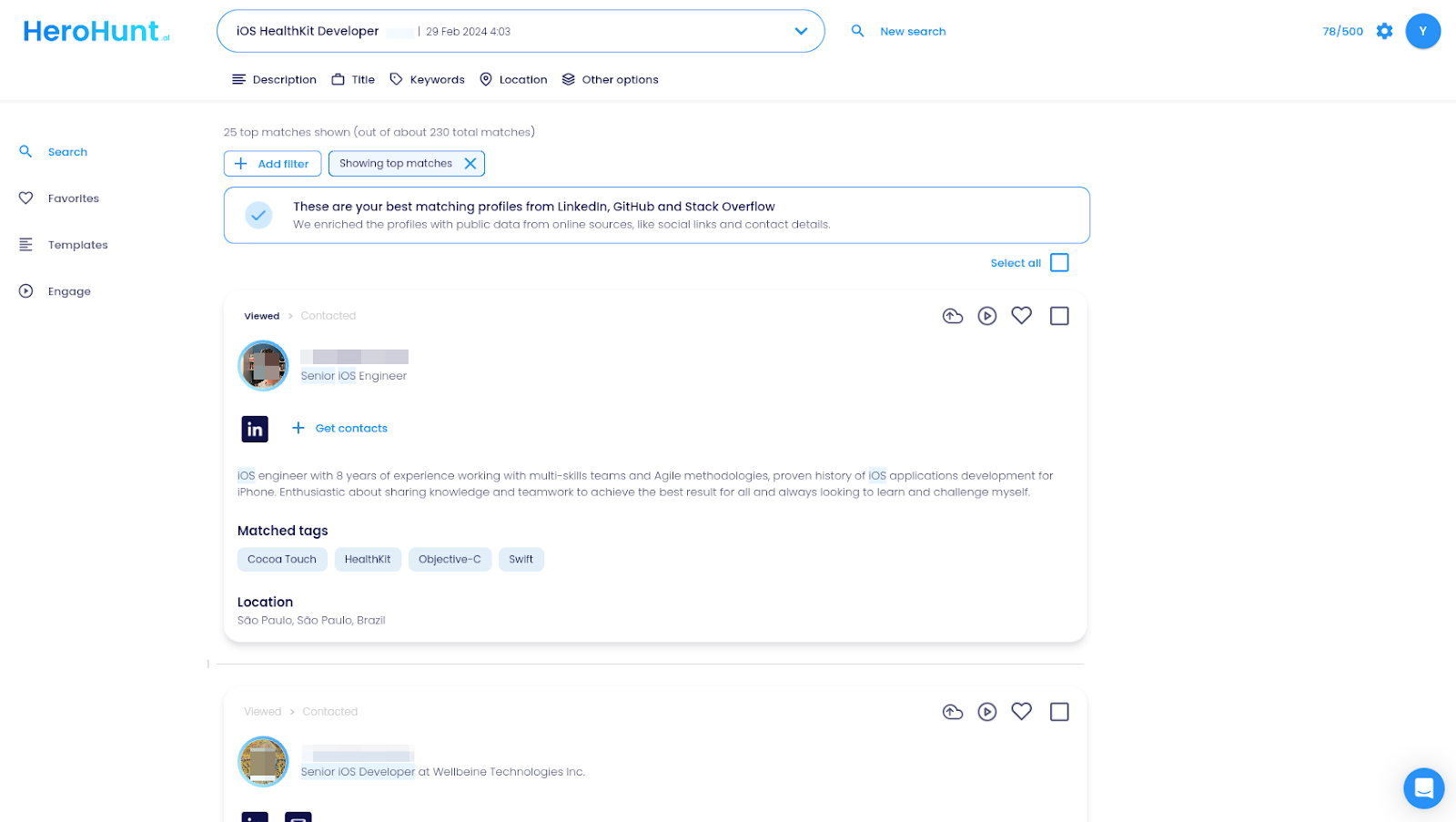
If you're not a HeroHunt.ai member, visit this link to sign up. Here’s a sneak peak of what you will see.
3. Activate the Greenhouse Integration in HeroHunt.ai
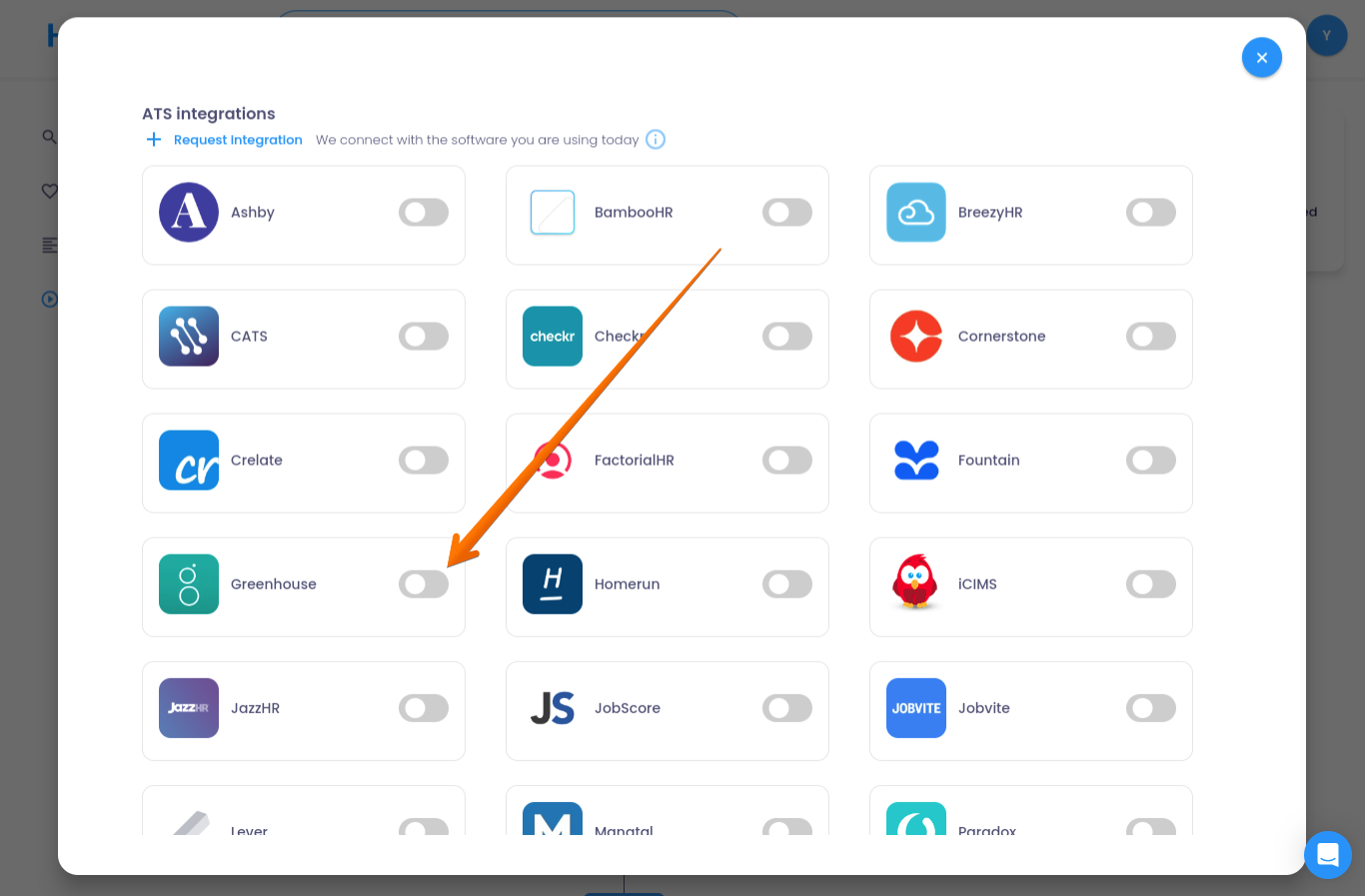
Navigate to Settings > Integrations within HeroHunt.ai and connect your Greenhouse account using your API key. This step integrates your Greenhouse and HeroHunt.ai accounts.
4. Start Sourcing New Candidates!
With Greenhouse connected to HeroHunt.ai, you can now find and synchronize new candidate profiles from HeroHunt.ai to Greenhouse. For instance, if you're hiring for a Marketing Manager, input your job description into HeroHunt.ai to discover the best fits.
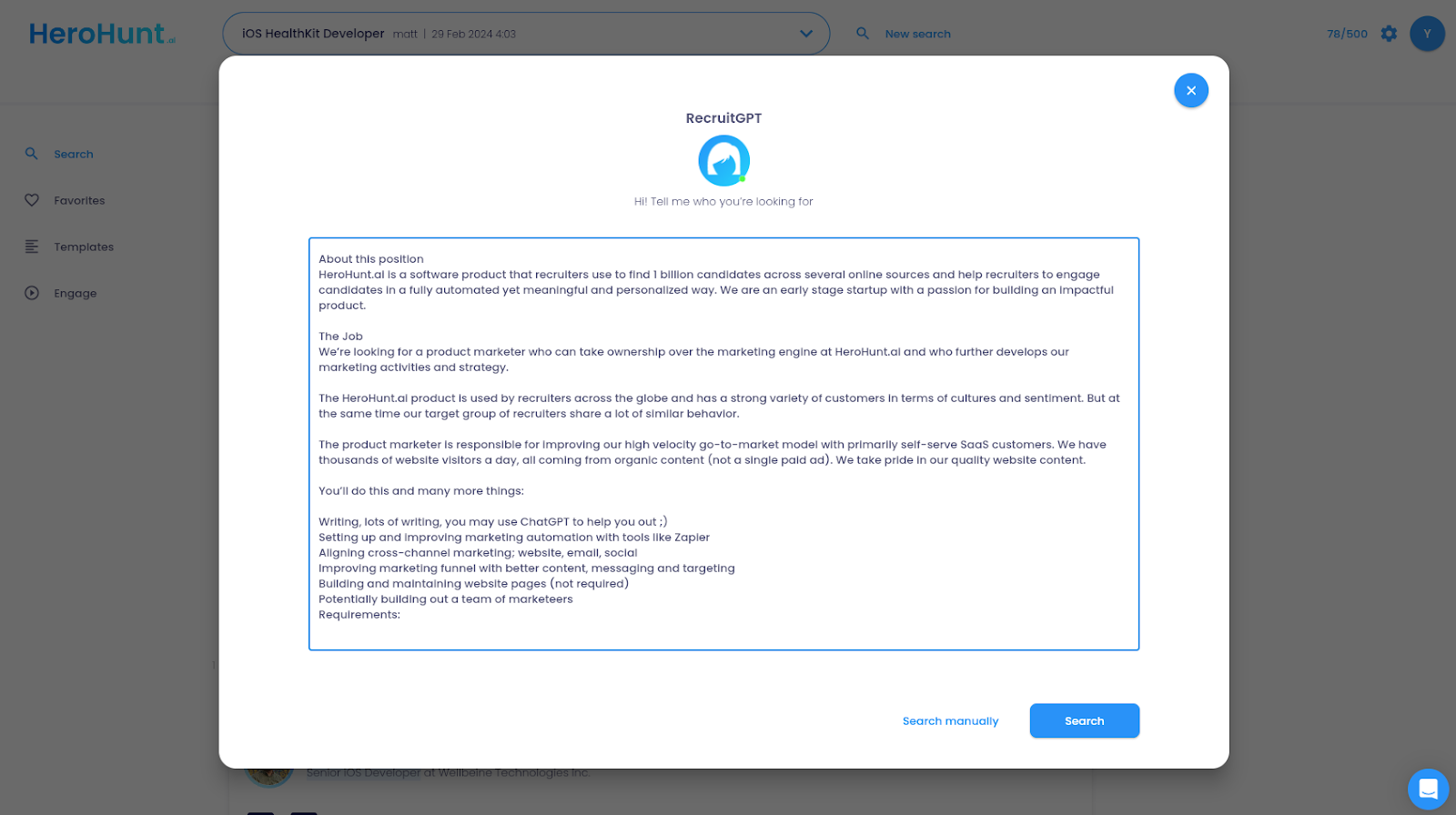
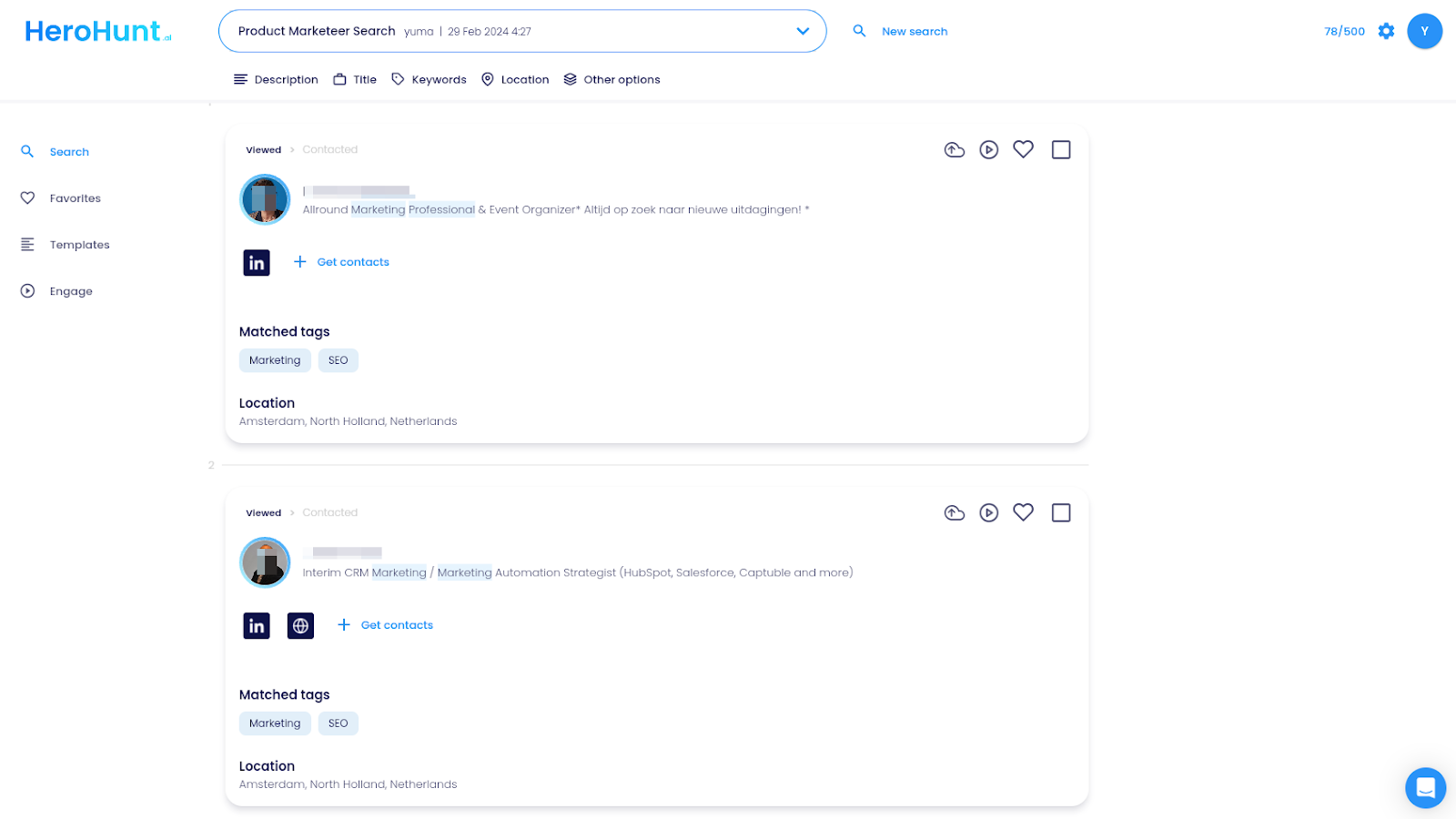
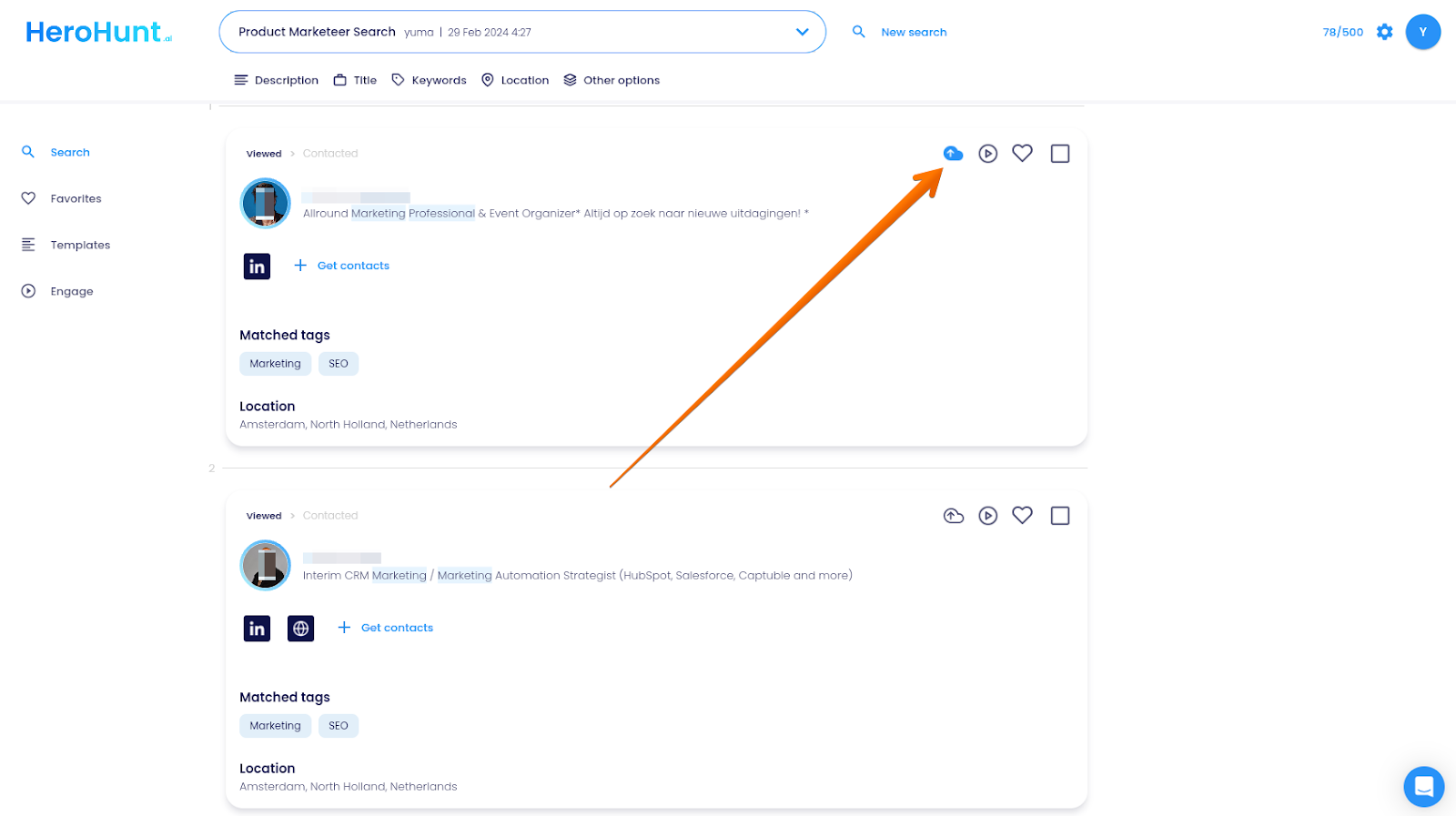
HeroHunt.ai will find the ideal candidates for your role, allowing you to sync the profiles you prefer directly with your Greenhouse ATS.
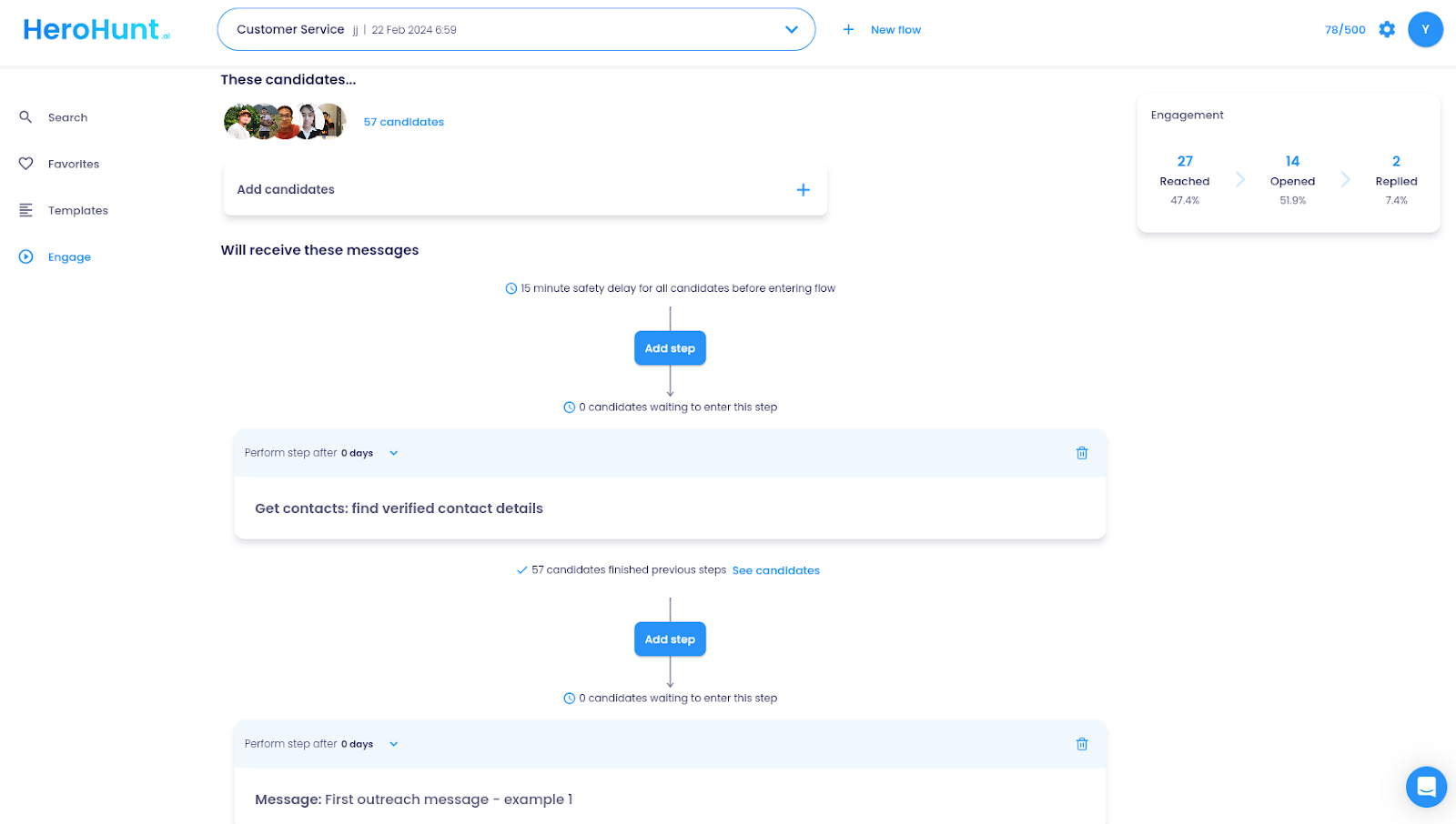
Alternatively, for a more automated approach, use HeroHunt.ai's Engage feature to automatically send personalized messages to candidates and then synchronize their profiles with Greenhouse.
Which Route Should You Take?
Two questions settle it: which Greenhouse tier you are on, and whether your bottleneck is finding people or contacting them.
If you are on Plus or Pro and the bottleneck is outreach, buy Sourcing Automation. It is native, nothing leaves Greenhouse, and the email deliverability engineering Interseller was known for is precisely why Greenhouse bought the company rather than building it.
If you are on Core, or your bottleneck is discovery rather than outreach, the add-on does not answer the question. It is not sold on Core, and even on Plus or Pro it waits for you to find the candidate first. That is the case for running a discovery layer such as HeroHunt.ai in front of Greenhouse and syncing the shortlist across.
Either way the ATS stays the system of record. The only real question is what fills it, and how much of that work you are still doing by hand.