


Disclosure: some links in this article are affiliate links. If you sign up through one, HeroHunt may earn a commission at no extra cost to you.
You want to cancel LinkedIn Recruiter Lite. Maybe it didn’t give you the expected results, you stopped hiring or you found an alternative recruitment solution.
Canceling LinkedIn Recruiter Lite is not as straight forward as you might expect, so we wrote the guide for you so you can be sure you won’t be charged anymore going forward.
Two things have changed since we first published this guide, and both matter before you click anything. LinkedIn now routes cancellation through the LinkedIn Admin Center on newer accounts, and it has confirmed that cancelling permanently deletes your projects and job postings. Read the next section before you start the steps.
Before you cancel: four things LinkedIn does not put in front of you
The cancel flow itself is just clicking. The parts that cost people money and data are the ones LinkedIn buries in its help pages:
- Only the purchaser admin can cancel. A regular admin cannot, and the purchaser admin role cannot be handed to someone else: LinkedIn's own admin roles page states that to change who holds it, the subscription has to be cancelled and set up again. If the person who bought the licence has left the company, you are filing a support ticket, not clicking a button.
- Cancelling permanently deletes your Recruiter Lite data. Projects, saved candidates and job postings are removed, and if you buy Recruiter Lite again later you start with a fresh, empty account. Your personal LinkedIn profile, connections and messages are not affected.
- InMail does not survive the cancellation. Unused InMail credits do not transfer to your personal LinkedIn account, and you lose access to the replies on InMails you already sent. If a candidate conversation lives in InMail, get it out first.
- You keep access until the end of the current billing cycle. Cancelling stops the renewal, it does not refund the period you have already paid for. So there is no reason to sit on the subscription "to use it up": cancel today and carry on using it until the paid period runs out.
One more, for trial users, because it is the most expensive mistake on this page. The Recruiter Lite free trial expires exactly one month after it is redeemed, it takes a credit card up front, and LinkedIn requires you to cancel at least one day before the trial ends to avoid being charged. It emails a reminder seven days out. If you are on the trial, do this now rather than on the final day.
These come from LinkedIn's own Cancel your Recruiter Lite subscription, Admin roles in Recruiter Lite and Sign up for Recruiter Lite help pages, checked July 2026.
Get your pipeline out first
Because the deletion is permanent and there is no grace period to change your mind, the order matters: export before you cancel, not after. Pull the candidates you care about out of your projects, and move any live InMail threads to email while you can still read them. You have until the end of the billing cycle to do it, so cancelling first and exporting later is safe on paper, but the account can be a fresh, empty one the moment you repurchase, and nobody at LinkedIn can undelete a project for you.
The cheapest place to put a pipeline you want to keep is a basic ATS or recruitment CRM, which is a different product from Recruiter Lite and priced like one. An affordable AI-powered ATS such as Manatal is the obvious landing spot if you just need the candidates to survive the cancellation, and it is the one we point most people to at this exact moment.
Manatal
If losing the pipeline is the thing making you hesitate, this is the gap to fill. Manatal starts at $15 per user per month billed annually ($19 month to month), a fraction of a Recruiter Lite licence, and its People-Match AI Chrome extension is included on every plan at no extra cost, so you can pull profiles from LinkedIn, Indeed and GitHub into a database you own rather than one LinkedIn can delete. Two honest caveats. The $15 tier caps at 15 active jobs and 10,000 candidates, so if you run more reqs than that you are really comparing against the $35 tier. And an ATS is not a Recruiter replacement: it stores and organises candidates, it does not give you Recruiter's search filters or InMail. The 14-day trial needs no card, which is enough to move your data across before your billing cycle ends.
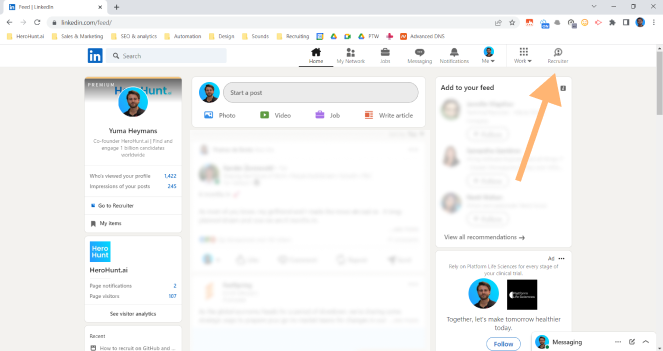
1. Go to LinkedIn
Navigate to LinkedIn Recruiter.
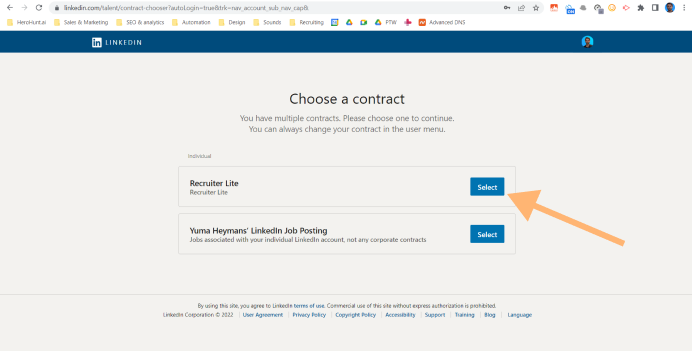
2. Choose contract
Select LinkedIn Recruiter (Lite) and proceed.
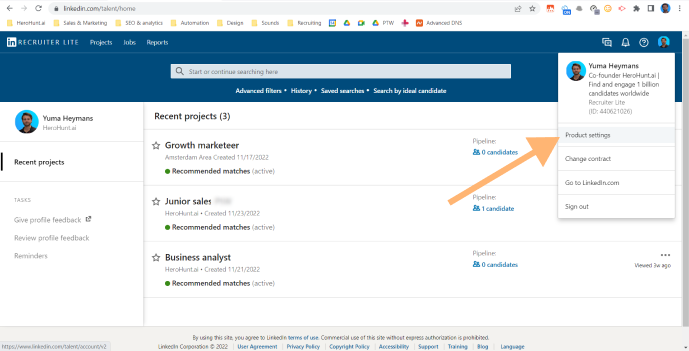
3. Go to product settings
Hover over your profile picture on the Recruiter Lite homepage and click Product settings, then Manage Account in the left pane.
This is where the flow forks, depending on which version of Recruiter Lite your account is on:
- Newer accounts (Admin Center): click View LinkedIn Admin Center, then Purchases in the left pane, select your Recruiter Lite subscription, and under Actions at the top of the page choose Cancel subscription (or Cancel free trial). That is the whole flow, and the screenshots below do not apply to you.
- Existing accounts (the classic flow): click Cancel Subscription under Manage Account and keep going with the steps below.
4. Click cancel
Classic flow only: click Cancel Subscription under Manage Account.
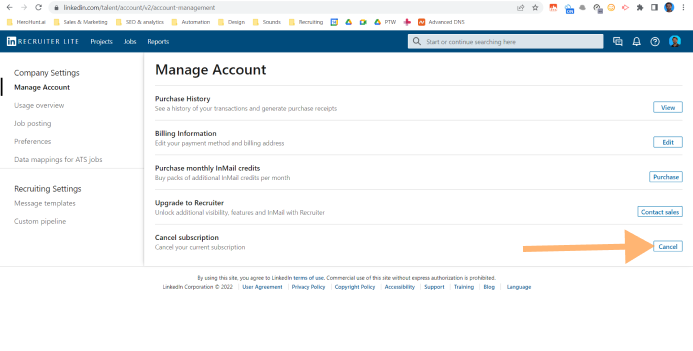
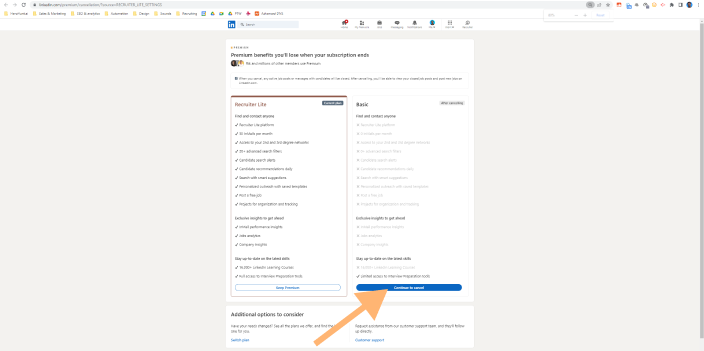
5. Click continue to cancel
Option on the right side.
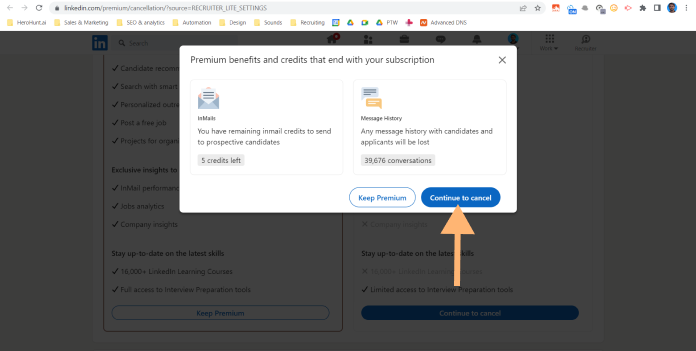
6. Click continue to cancel, again…
😑Yes, again...
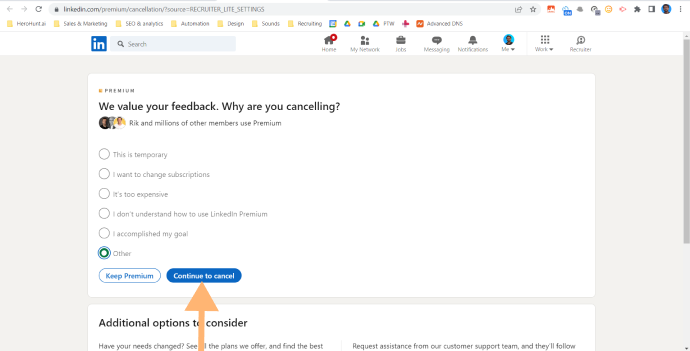
7. One more time…
Choose option ‘Other’ if you don’t want to leave feedback.
8. Done! Now verify it actually cancelled
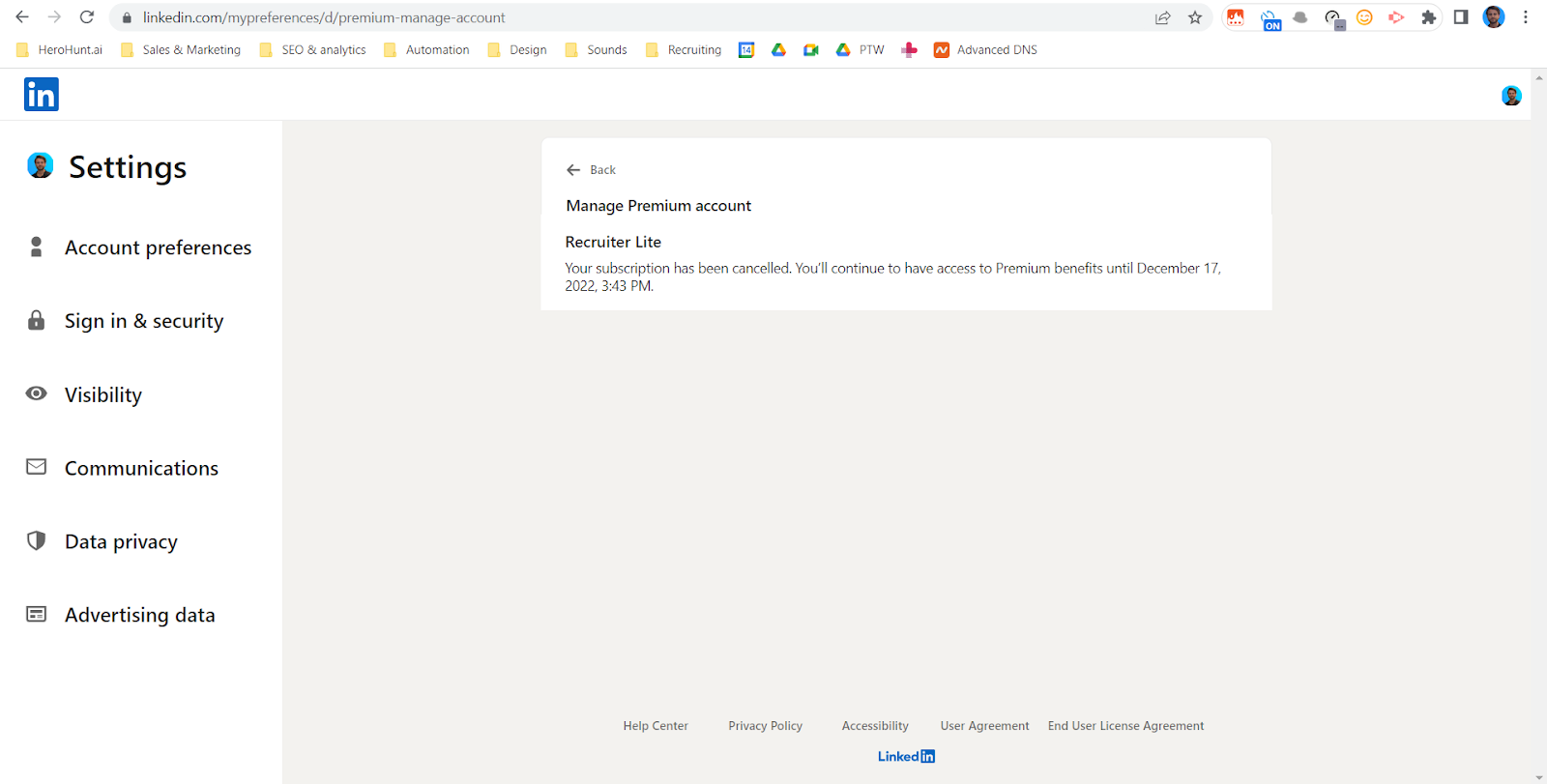
Do not take the confirmation screen's word for it. Check your subscription status in LinkedIn at Settings & Privacy > Account preferences > Manage premium account, where you should see the last date of your billing cycle.
If your account uses the Admin Center, that is the better place to check: Product settings > Manage Account > View LinkedIn Admin Center > Purchases shows the subscription status and end date, and it is also where you download your billing history and PDF receipts. Grab those now if you need them for expenses, because you are about to lose access to the account. One quirk worth knowing: receipts issued before 4 March 2025 are not in the Admin Center, and you have to request a full data export through LinkedIn Settings to get them.
Write the end date down. That is the day the projects and job postings go, and the day the charges stop.
What replaces Recruiter Lite
Recruiter Lite is really three products bundled into one licence: a search interface, 30 InMails a month, and a place to keep candidates. Once you have cancelled, you only need to replace the parts you actually used, which is usually why the bill was hard to justify in the first place.
Search: you never needed a paid seat to see the profiles
LinkedIn profiles are largely public, and Recruiter Lite only ever searched inside your own 1st, 2nd and 3rd degree network anyway. A talent search engine like HeroHunt.ai searches across LinkedIn, GitHub and Stack Overflow without that network limit. If you would rather spend nothing, a free LinkedIn account plus x-ray search and Boolean operators gets you further than most people expect.
HeroHunt.ai
Search is the part of Recruiter Lite people miss most after cancelling, so it is worth being concrete about what you are replacing. HeroHunt.ai is our own product, so weigh this the way you would weigh any vendor writing about its own market. The difference that matters here is not the profile count but the degree limit above: a network-bounded index shrinks as your connections go stale, whereas a search over public profiles does not, and HeroHunt screens what it finds against your actual role brief and drafts the outreach rather than handing you a filtered list to work through by hand. Two honest caveats. It replaces the search and outreach half of Recruiter Lite only: it is not an ATS, so you still need somewhere to keep the pipeline LinkedIn is about to delete. And it does not send InMail, so candidates reply on email instead of inside LinkedIn, which is a different response pattern worth testing before you rely on it.
InMail: replace it with email
Thirty InMails a month is a small allowance to be paying a Recruiter Lite licence for, and InMail is not where most candidates reply fastest anyway. A contact database like Apollo.io finds work and personal email addresses so you can reach people directly, on your own domain, with no per-message quota. Its free plan gives 900 credits per seat per year, released monthly, so roughly 75 lookups a month: enough to test whether email beats InMail for your roles before you commit to the Basic plan at $49 per seat per month billed annually ($65 month to month). Lusha is the comparable option if you also need direct-dial phone numbers.
The pipeline: keep it somewhere that is yours
This is the one that bites, because it is the part LinkedIn deletes. Manatal covers it from $15 per user per month billed annually, as does any ATS you already run. Whatever you move to, the point is that a candidate database you control does not disappear when you stop paying a subscription.
$15 per user per month billed annually, with a 14-day trial that takes no credit card. Enough to park the pipeline before your Recruiter Lite billing cycle ends.