


Short answer: one job post on LinkedIn is free for up to 14 days, and a promoted post is pay-per-click on a budget you set. LinkedIn's own example is a $10 daily budget for 30 days, which costs $300 or less - LinkedIn. Buyers report US clicks at $1.50 to $4.50 - Glozo. Job Slots are not published, and buyers report $200 to $1,000 per slot per month on 12-month contracts - Glozo.
With over 1.3 billion members across four global regions, LinkedIn is undeniably the powerhouse when it comes to professional networking and finding top talent.
Roughly 8,200 job applications are submitted on the platform every single minute, so it's worth posting a job advert and casting your net in hopes of catching some great talent.
However, posting a job on LinkedIn can be quite a complex and expensive duty and there are a few things you should consider before doing so.
Here, we'll break down everything you need to know about the costs of posting a job, the options available to you, and alternatives. Every price and rule below was re-checked against LinkedIn's own pricing and help pages in September 2026, because several of the "alternatives" recruiters still get pointed to no longer exist.
What is LinkedIn job posting?
LinkedIn allows companies and recruiters to post job adverts on their platform for free and at a fee. Recruiters can post a job ad and set certain barriers for applicants and have tons of candidates apply with their resumes.
The job ad will appear on the search results when candidates search for a specific role, or it may pop up if the ad seems relevant to a person's LinkedIn profile. Below are promoted posts (paid posts) and recommended jobs.
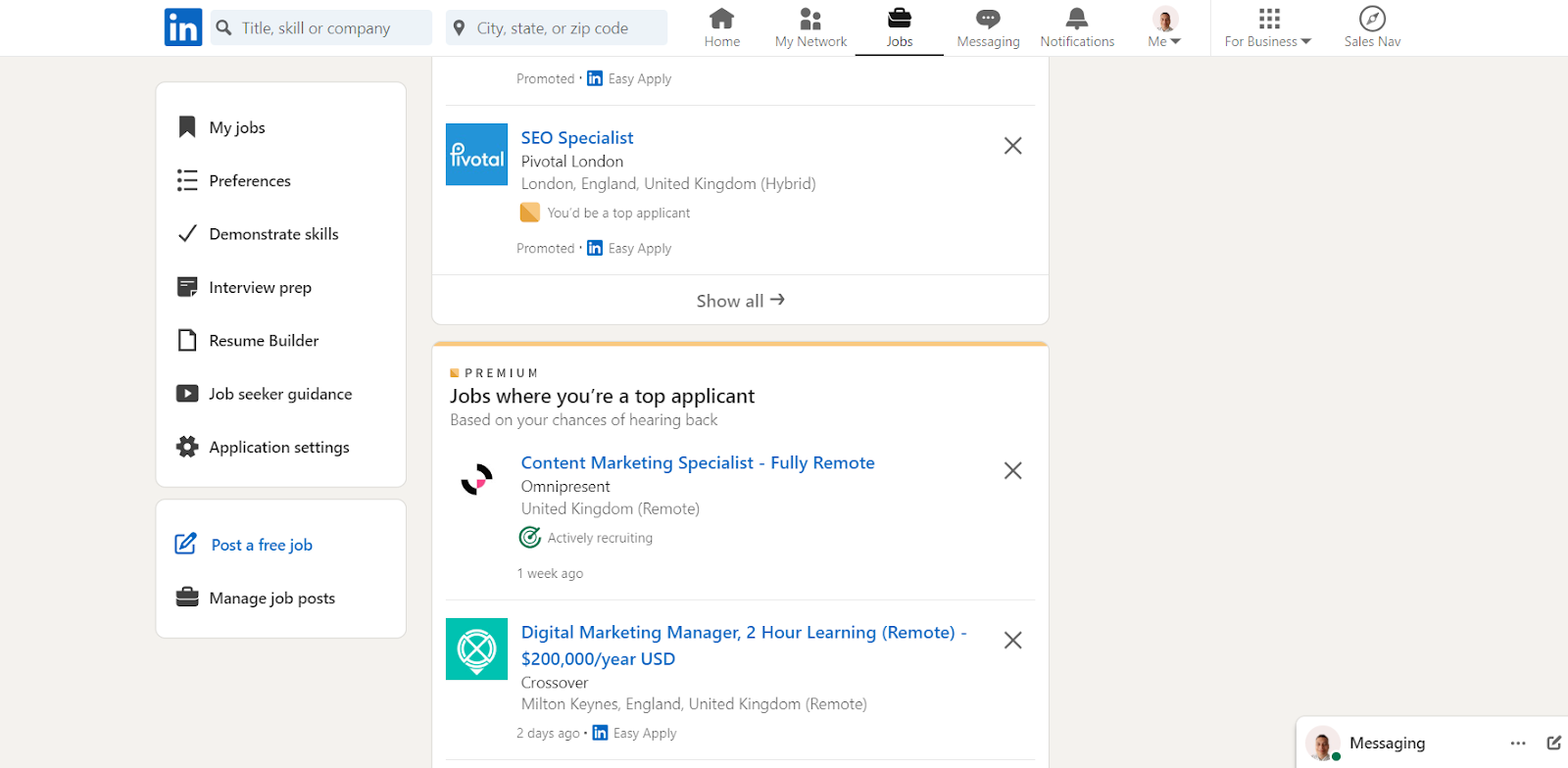
When you post a job on LinkedIn, expect the number of applicants to be in the hundreds and even higher if it's fully remote. So be prepared to filter out scores of unqualified candidates.
Types of job posts on LinkedIn
There are two types of job posts on LinkedIn; a free job post and a promoted job post.
Free job posts
LinkedIn allows you to post one job for free, and the free tier has quietly tightened over the past few years. You can have one free job post active at a time, it must be connected to your company's LinkedIn Page, and the post is visible to your connections while ranking below promoted listings in job search results.
The important limitation is the clock. A free post stays active for up to 14 days, after which LinkedIn pauses it and it stops appearing in search. If you do not promote it, the post automatically closes at the 30-day mark. Free posts also lose visibility over time by design, as LinkedIn prioritises newer listings. LinkedIn's help centre also sets an application cap of typically 10 to 30 applications depending on the role, after which the post is paused and removed from search - LinkedIn.
You will still get a basic applicant management tool that lets you view and filter candidates. What you will not get is the AI screening tooling (applicant presorting, candidate summaries and screening assistance), which LinkedIn reserves for promoted posts. AI drafting of the job description is available on free posts.
Promoted job posts
If you want to reach more candidates, keep a role live beyond two weeks, or post more than one job at a time, you'll have to invest in promoted job posts.
Promoted job posts push your job towards the top of the search results, appear in the 'recommended jobs' section for candidates that match your job description, and LinkedIn will alert relevant candidates as soon as the job post goes live.
Promoting also unlocks the features LinkedIn has been moving behind the paywall: presorted applicants, AI-generated candidate summaries, screening assistance, and up to 25 daily candidate recommendations - LinkedIn Hiring Pro. If those AI features are the reason you are considering LinkedIn, note that they are not part of the free tier. LinkedIn's separate AI Hiring Assistant has its own price, which we break down in our LinkedIn Hiring Assistant cost guide.
How much does it cost?
LinkedIn charges for promoted job posts on either a Self-serve model or a contract.
Self-serve (Cost-Per-Click)
With the Self-serve model, you set a daily budget or total budget for the job post and LinkedIn will charge you for every click you get on your post.
LinkedIn's own worked example is the clearest guide to what this actually costs: set a $10 daily budget and run a job post for 30 days, and your total cost will be $300 or less - LinkedIn. In the US, buyers typically report a cost-per-click somewhere between $1.50 and $4.50 and a daily minimum of $7 to $10, depending on the role and the market - Glozo.
You won't be charged for clicking on your own job post, for multiple views from the same LinkedIn profile, or for views from users who aren't signed into LinkedIn.
For example, if you set your total budget to $600 for 30 days, the job post may not reach that amount in clicks but will automatically pause if it does. You'll then have to increase the budget or close the ad. If for instance your ad only reaches $465 of the $600, you are only charged for the clicks you actually received.
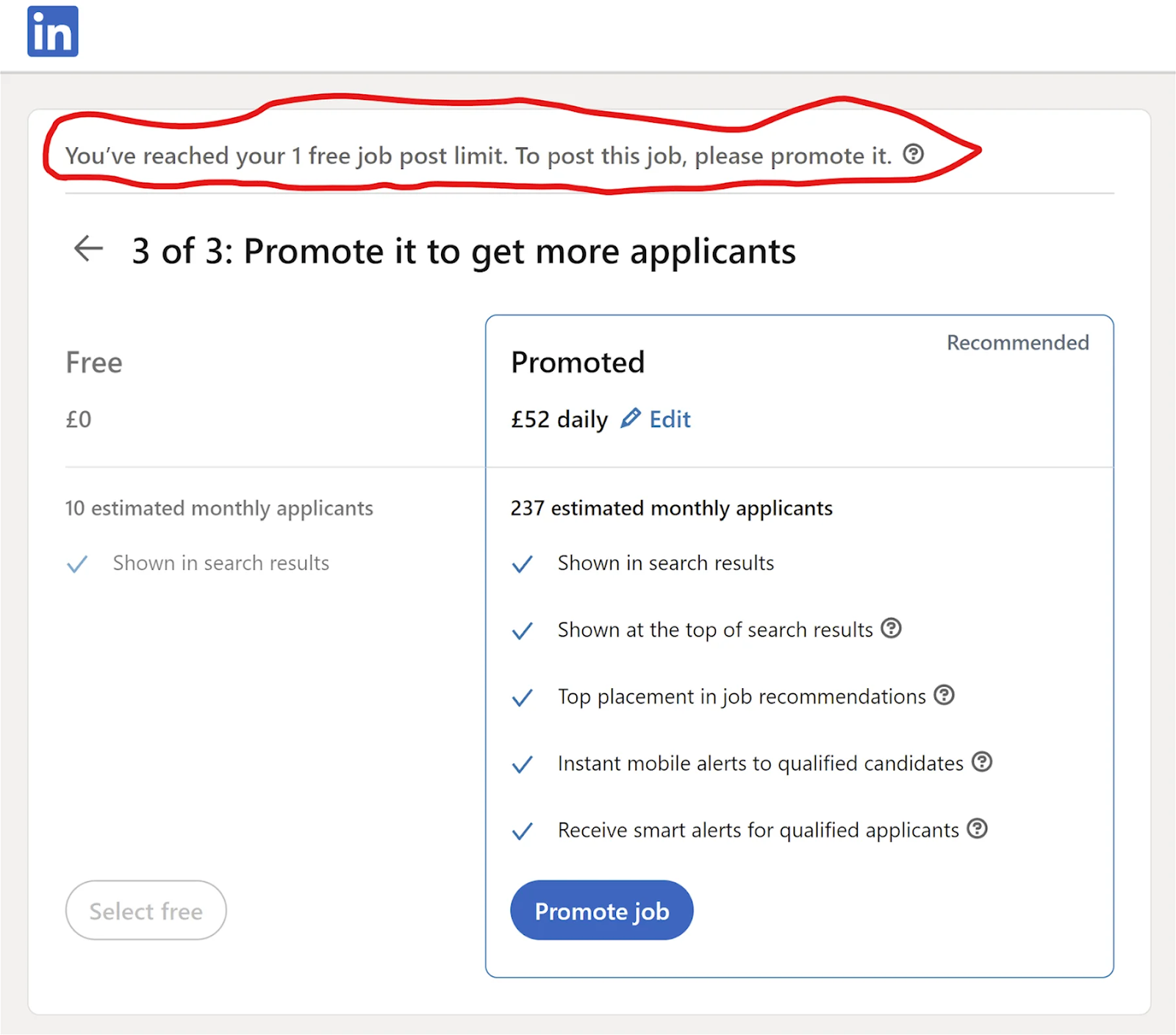
Image credit: Taplio
This also applies if you set out a daily budget. However, you can be charged up to 1.3x over the daily average budget in one day.
LinkedIn determines the cost of each click by evaluating:
- The number of similar jobs on the market.
- The job's location.
- The traffic on competing job ads.
In other words, the cost-per-click will go higher or lower based on the activity for similar jobs on that day.
You can calculate the cost of each click by dividing the total spend for the day by the number of views the job has received.
Contract (Job Slots)
The second option is a contract, and the product you will be sold is Job Slots. A slot is best understood as a container: you rent it monthly, it holds one open role at a time with priority placement across search, job alerts and recommendation feeds, and you can swap which role sits in it whenever you like. There is no per-click charge, which is exactly the appeal if you hire continuously.
LinkedIn does not publish slot pricing, so you have to contact their sales team for a quote. Buyer-reported figures for 2026 put slots between $200 and $1,000 per slot per month on annual contracts, with most mid-market buyers landing between $200 and $450 - Glozo. Your quote depends on geography, role seniority and how many slots you buy. Senior engineering roles in San Francisco or New York sit at the top of that range, while non-English European markets sit at the bottom.
Two things surprise buyers. First, the term: slot contracts are typically a 12-month minimum, billed annually, so this is not something you switch on for one urgent hire. Second, slots are almost always sold as an add-on to Recruiter Corporate rather than standalone, so the slot price is rarely the whole bill - Glozo.
Do the arithmetic before the sales call. A mid-market team running five slots at $500 per month is committing $30,000 a year to job placement capacity alone, before any Recruiter licence. Slots make sense when you fill roles continuously and the per-click model is already costing you more than the flat rate. They are poor value for spiky, occasional hiring, which describes most companies.
Monitoring your job posts
You can monitor your spending at any point from your account, view analytics on your job ad(s), and change the budget, granted the total amount hasn't been reached.
Simply click on the "Jobs" icon on your LinkedIn home page and then on "Manage job".
You'll also have access to an applicant management tool in the "Jobs" section where you can view the profiles and resumes of candidates who applied.
The billing cycle
Charges accrue weekly rather than landing as one predictable monthly invoice. LinkedIn charges your card within 48 hours of you closing the job, at the 30-day mark, or as soon as your outstanding balance reaches $500, whichever comes first.
That $500 trigger is the one to watch, because a well-performing ad in a competitive market can hit it well inside the 30 days and produce a charge you were not expecting that week. If you close an ad, you can resume it at any time or create a new one with the credit balance of the original ad.
Alternatives
As LinkedIn's sales and recruitment products are generally very expensive, you might be wondering what else is out there. The honest answer for 2026 is that this list is shorter than it used to be: the job board market consolidated hard, and two of the names recruiters still recommend are either gone or no longer sell what people think they sell.
Job boards
You can still find plenty of relevant candidates by posting ads on job boards, but understand who owns what before you budget. Indeed and Glassdoor are both Recruit Holdings companies and now share a single posting funnel, while Monster and CareerBuilder are one business that went through bankruptcy and changed hands in 2025.
Indeed
Indeed is the most popular job search engine that connects employers with a vast pool of qualified candidates. You can post up to three free jobs per calendar month, each live for up to 30 days, though free listings lose visibility as newer jobs are added - Indeed.
Ignore any guide that still tells you Indeed runs a pay-per-application model where you only pay for applications that meet all your requirements. Indeed retired pay-per-application on 18 December 2023 after sustained employer complaints about confusing bills, and moved everyone back to pay-per-click by 15 January 2024 - SHRM.
Today, Sponsored Jobs charge either per click or per started application, depending on your account and market, and there is no flat upfront fee - Indeed. You set a budget, and Indeed invoices on the first day of the month or when spending reaches $500, whichever comes first - Indeed. Minimums vary by market, so see our Indeed pricing guide.
Monster
Monster is still operating, but it is not the company it was. Monster and CareerBuilder merged, then filed for Chapter 11 bankruptcy in June 2025 carrying $392.5 million in debt - CNN. The job boards were bought at auction by Bold Holdings (founded by two former Monster executives) for $28.4 million, and the sale closed on 31 July 2025.
The boards continue to run as standalone brands under the Monster+ name. Monster+ Standard starts at $8 per day on pay-as-you-go, billed when candidates click your posting, and Monster+ Pro is $299 per month ($2,990 annually) which adds resume search and 299 monthly credits - Monster. A paid Monster posting automatically cross-posts to CareerBuilder, which is the main reason to consider it for entry and mid-level roles.
Glassdoor
Glassdoor started as an employee review site that allowed people to post anonymous reviews of their company and quickly became a global job board. The part most guides get wrong: Glassdoor no longer sells job postings directly. The old do-it-yourself 30-day listing and the free posting allowance are gone.
Glassdoor and Indeed were folded together under Recruit Holdings, and Glassdoor legally merged into Indeed, Inc. on 1 July 2026 - Reworked. The way to advertise a role on Glassdoor is to post it through Indeed, which then distributes it across the network. Practically, that means Glassdoor is not a separate line in your budget any more.
Alternative professional networks
Stack Overflow
If a guide tells you to budget $5,000 a year to post on Stack Overflow, close it. Stack Overflow Jobs was discontinued on 31 March 2022, along with Developer Story, saved resumes and the salary calculator. The company said the effort required to truly differentiate in that space was not one it could justify, and refocused on knowledge reuse and community - ToTalent.
It was genuinely one of the best developer job boards of its era, and nothing has fully replaced it. Technical hiring dispersed to niche boards, community channels and direct sourcing from GitHub, which is a real argument for treating outbound sourcing rather than job ads as the primary channel for engineering roles.
Xing is a professional networking platform similar to LinkedIn, operated by New Work SE and primarily used in German-speaking countries. It remains a credible option for DACH hiring specifically, and it is one of the few places to reach German-speaking professionals who are not active on LinkedIn.
Job ads on XING work on an auction basis, meaning that your ad competes with other ads aimed at the same target talent pool, alongside fixed-price ad options. So for top candidates, this could come at a price. Outside the German-speaking market, it is not worth the setup.
Manatal: one dashboard instead of five
Once you are running ads on LinkedIn, Indeed and Monster at the same time, the money is only half the problem. Each board has its own dashboard, its own login and its own applicant list, and candidates fall through the gaps between them. An applicant tracking system fixes the fragmentation, and Manatal is the cheapest credible option in that category.
Pricing is genuinely low for the category. The Professional plan is $15 per user per month billed annually ($19 monthly), covering up to 15 active jobs and 10,000 candidates. Enterprise at $35 per user per month lifts both to unlimited, and there is a 14-day free trial with no card required - Manatal.
For job distribution specifically, you write the job once and it publishes to a hosted careers page plus 37 free channels at no extra cost, including Google for Jobs, Adzuna, Jooble, Talent.com, ZipRecruiter and Monster - Manatal support. Premium channels (LinkedIn, Indeed, SEEK, CV-Library and roughly 2,000 others) run on prepaid credits with a $150 minimum top-up, charged on top of your subscription.
Be clear about what that does and does not solve, because multiposting gets oversold. It does not make LinkedIn or Indeed cheaper: premium placement still costs whatever the board charges, and free boards are under no obligation to display organic listings, so they routinely rank them below paid ads. What you are buying is consolidation: one job description, one publish action, one applicant pipeline, one place where the tracking actually lives. If you are currently spending $300 a month promoting a single role on LinkedIn and tracking applicants in a spreadsheet, $15 a seat for the tracking layer is the easy part of that decision.
Consolidating LinkedIn, Indeed and Monster into one applicant pipeline starts at $15 per seat on the annual Professional plan, with a 14-day trial and no card.
HeroHunt.ai
HeroHunt.ai is an AI Recruiter that searches up to 1 billion public professional profiles, screens candidates with AI and contacts them by email and LinkedIn - HeroHunt plans.
It solves a different problem to everything above, which is the point. A job ad is inbound: you pay for placement and wait to see who applies, which works when plenty of qualified people are actively looking. Sourcing is outbound: you go and find the people who fit and contact them, which is what you need when they are not reading job boards at all. Most teams need both, and the expensive mistake is paying job-board prices to solve a sourcing problem.
Parse a job description and get qualified candidates in your search results, then set up email sequences to engage the top candidates, or let the AI Recruiter source, screen and reach out for you, with RecruitGPT generating candidate shortlists from a prompt.
There is an 8-day free trial (a card is needed to start and is charged when the trial ends unless you cancel), and paid plans cost $99 (Starter), $199 (Pro) or $399 (Team) per month rather than a fee per job ad - HeroHunt. It is worth trying before committing to a 12-month LinkedIn slot contract.
HeroHunt.ai
If the reason you are weighing a $300 monthly promoted post or a 12-month slot contract is that nobody qualified is applying, more ad budget is the wrong lever. HeroHunt.ai searches up to 1 billion public professional profiles, turns your job description into a candidate list, and runs the outreach sequence from the same place, with an 8-day free trial (a card is needed to start and is charged when the trial ends unless you cancel). The honest caveat: outbound is slower to first contact than a job ad, because you are writing messages and waiting on reply rates rather than waking up to an applicant pile. For high-volume roles that genuinely attract good applicants on their own, a promoted post is still the cheaper channel, and this is the wrong tool for it.
Frequently asked questions
How much does it cost to post a job on LinkedIn?
One job post is free. It stays active for up to 14 days and closes automatically at 30 days if you do not promote it - LinkedIn. A promoted post is pay-per-click on a daily or total budget you set, and LinkedIn's own example is a $10 daily budget for 30 days, so $300 or less - LinkedIn.
How much does it cost to advertise a job on LinkedIn?
LinkedIn sets the cost of each click with an algorithm based on your job's location and how many similarly titled posts compete in that market - LinkedIn. Buyers report US clicks of $1.50 to $4.50 - Glozo. Charges accrue weekly, and your card is charged within 48 hours of closing the job, at 30 days, or when your balance reaches $500 - LinkedIn.
How does LinkedIn job posting work?
A free post must be linked to your company's LinkedIn Page, is limited to one active post at a time and typically caps at 10 to 30 applications depending on the role - LinkedIn. A promoted post ranks above free ones and adds AI tools such as 25 recommended candidates per day - LinkedIn.
How much do LinkedIn Job Slots cost?
LinkedIn does not publish slot pricing, so you need a sales quote. Buyers report $200 to $1,000 per slot per month, with most mid-market buyers between $200 and $450, on contracts that are typically 12 months minimum and billed annually - Glozo. Slots are usually an add-on to Recruiter Corporate, so see our LinkedIn Recruiter pricing guide.
Is there a cheaper way to post jobs than LinkedIn?
Often, yes. Indeed lets you post up to three free jobs per month, each live for up to 30 days - Indeed. Monster+ Standard starts at $8 per day, billed per click - Monster. An applicant tracking system such as Manatal starts at $15 per user per month billed annually - Manatal.
Can I find candidates without posting a job ad?
Yes, through outbound sourcing. HeroHunt.ai's AI Recruiter searches up to 1 billion public professional profiles, screens candidates with AI and contacts them by email and LinkedIn, with plans from $99 per month and an 8-day free trial (a card is needed, charged when the trial ends) - HeroHunt.
Pricing and platform rules verified September 2026 against LinkedIn, Indeed, Monster and Manatal's own pricing and help pages. Job board pricing moves constantly, so confirm current figures before you buy.