


Disclosure: some links in this article are affiliate links. If you sign up through one, HeroHunt may earn a commission at no extra cost to you.
Manatal Introduction
Manatal Applicant Tracking System (ATS) is a cloud-based recruitment software designed to streamline the hiring process for organizations.
It offers a comprehensive suite of tools to manage candidates, jobs, and recruitment marketing more efficiently.
Key features include AI-driven recommendations, automation of repetitive tasks, and job board distribution.
Manatal also supports collaboration among hiring teams, provides detailed analytics for data-driven decision-making, and integrates with various third-party applications such as LinkedIn and job boards.
Its user-friendly interface and GDPR compliance make it a popular choice for companies looking to enhance their recruitment processes.
Manatal
If you want an inexpensive ATS to catch the passive candidates you source, Manatal is a reasonable place to land: the Professional plan is $15 per user per month billed annually ($19 monthly), and the 14-day trial takes no card. Read the tier table before you commit, though, because this particular guide is not a $15 decision. Professional caps at 15 active jobs and 10,000 candidates, unlimited jobs and candidates start at $35 ($39 monthly), and the open API access that step 3 below depends on is gated to the Enterprise Plus plan at $55 per user per month ($59 monthly). If you want the integration described here, budget $55 per seat, not $15.
What Manatal Can and Cannot Source on Its Own
Manatal once had no native passive sourcing at all. That is no longer true, and it is worth being precise about what it now ships before you bolt anything else onto it.
There are two native routes:
- The People-Match AI Chrome extension. You open a profile in your browser and add it to Manatal in one click. On LinkedIn and LinkedIn Recruiter the extension supports its full feature set, including profile enrichment and sourcing insights. On the other supported platforms (SEEK, Indeed, XING, Monster, Dice, SeekOut, HireEZ, Apollo.io, Handshake, GitHub and Liepin) Manatal's own documentation states that only "Create Candidate" is supported for now.
- The Sourcing Hub. From inside the ATS you can search an external database that Manatal describes as over 700 million professional profiles, which extends your reach beyond your own connections and applicants.
The honest limitation of both is that they are pull-based. You still run the search yourself, you still judge each profile, and you still capture them one at a time. Neither route searches the open web for you on a standing brief, and neither sends the follow-up message once the profile is in your pipeline.
That gap is what an integrated sourcing tool is for.
How to Source New Candidates in Manatal
Manatal's integration with HeroHunt.ai allows users to uncover new passive candidates on HeroHunt.ai and sync them with Manatal.
An automated search in HeroHunt.ai locates ideal candidates across the web, including on platforms such as LinkedIn and Github.
Upon identifying these candidates, they can be effortlessly added to Manatal.
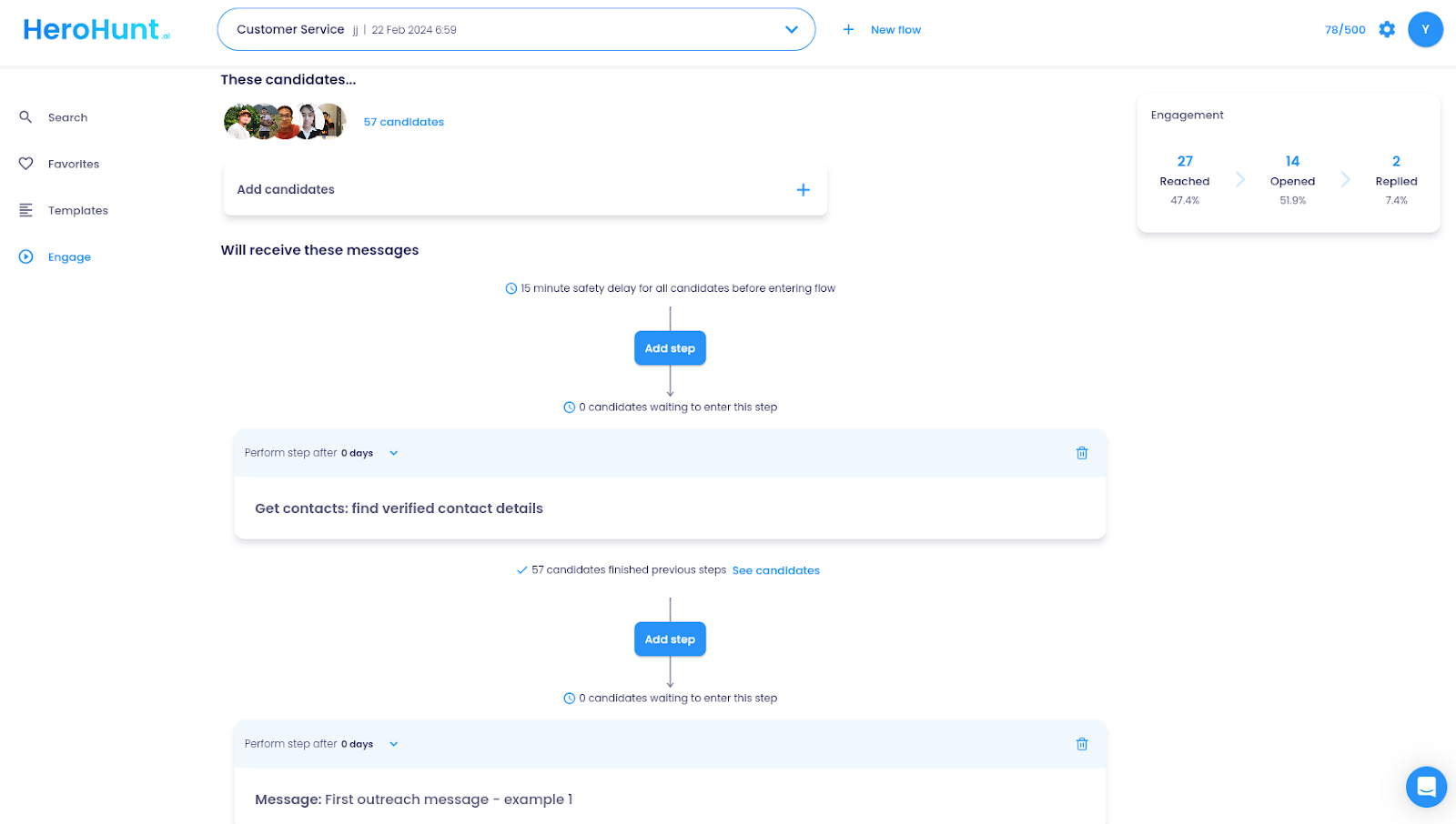
HeroHunt.ai also provides capabilities for automatically engaging candidates through sequenced emails, sending personalized outreach to potential hires.
HeroHunt.ai
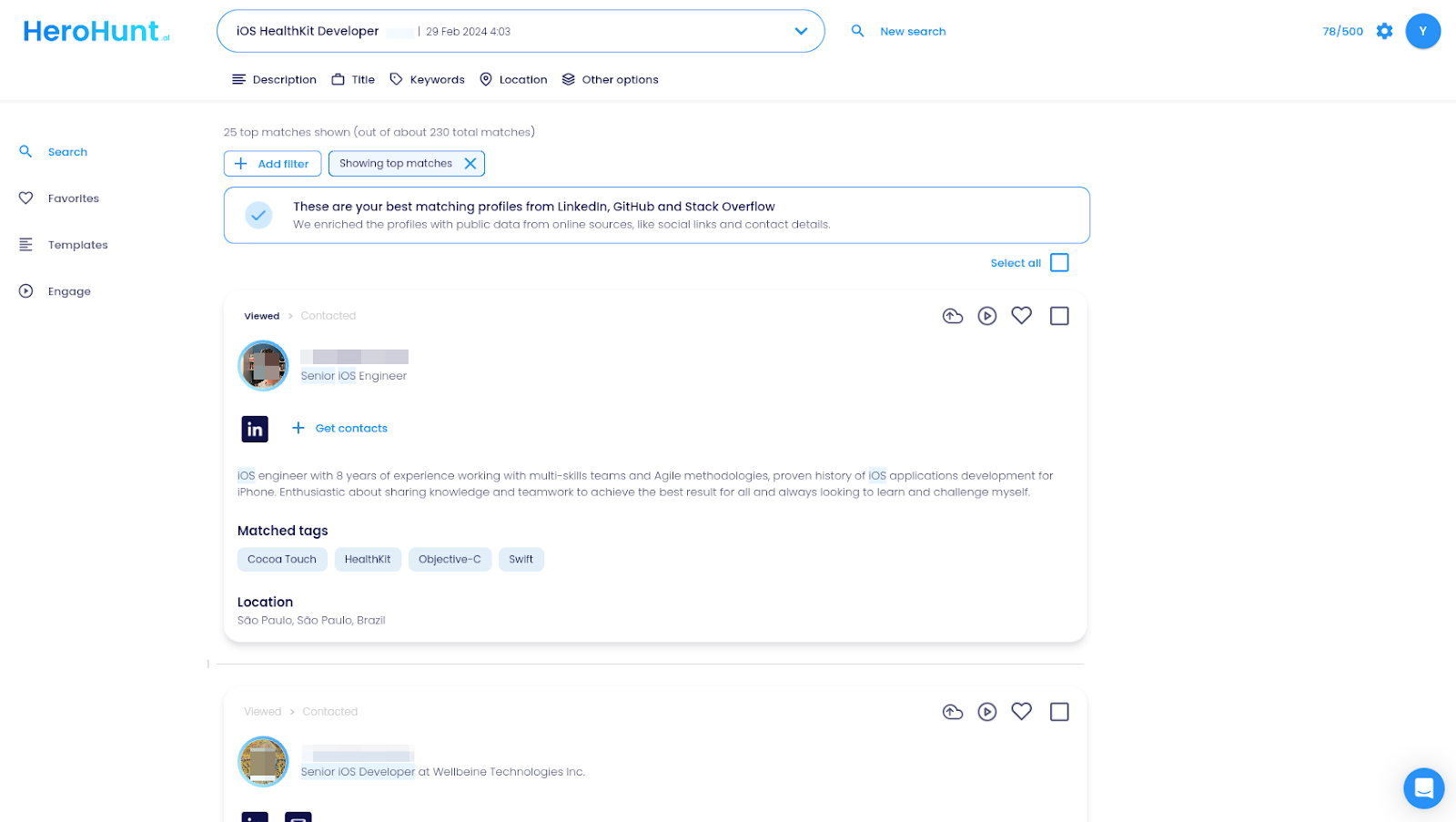
This is the half Manatal does not do for you. Both of its native routes are pull-based: you run the search, you judge each profile, you capture them one at a time. HeroHunt.ai runs the brief instead, searching across the open web including LinkedIn and GitHub, then pushes the profiles you approve into Manatal and can follow up over sequenced email through Engage. The honest caveat is that it is a sourcing tool, not an ATS, so it does not replace Manatal's pipeline, records or reporting, and the API-based sync described below only works if your Manatal plan exposes an API key. On Professional or Enterprise you will be moving candidates across by hand.
Getting Started with a Sourcing Tool that Integrates with Manatal
Follow this easy guide to start sourcing new candidates for your talent pipeline in Manatal:
- Register for Manatal if You Haven't Already
- Sign Up for HeroHunt.ai
- Activate the Manatal Integration in HeroHunt.ai
- Start Sourcing New Candidates!
1. Register for Manatal if You Haven't Already
If you're not already a Manatal user, go to this link and sign up for your free trial. The trial runs 14 days and does not ask for a card. Existing Manatal users can bypass this step.
2. Sign Up for HeroHunt.ai
If you haven’t joined HeroHunt.ai, follow this link to register. You'll find a preview of what to expect.
3. Activate the Manatal Integration in HeroHunt.ai
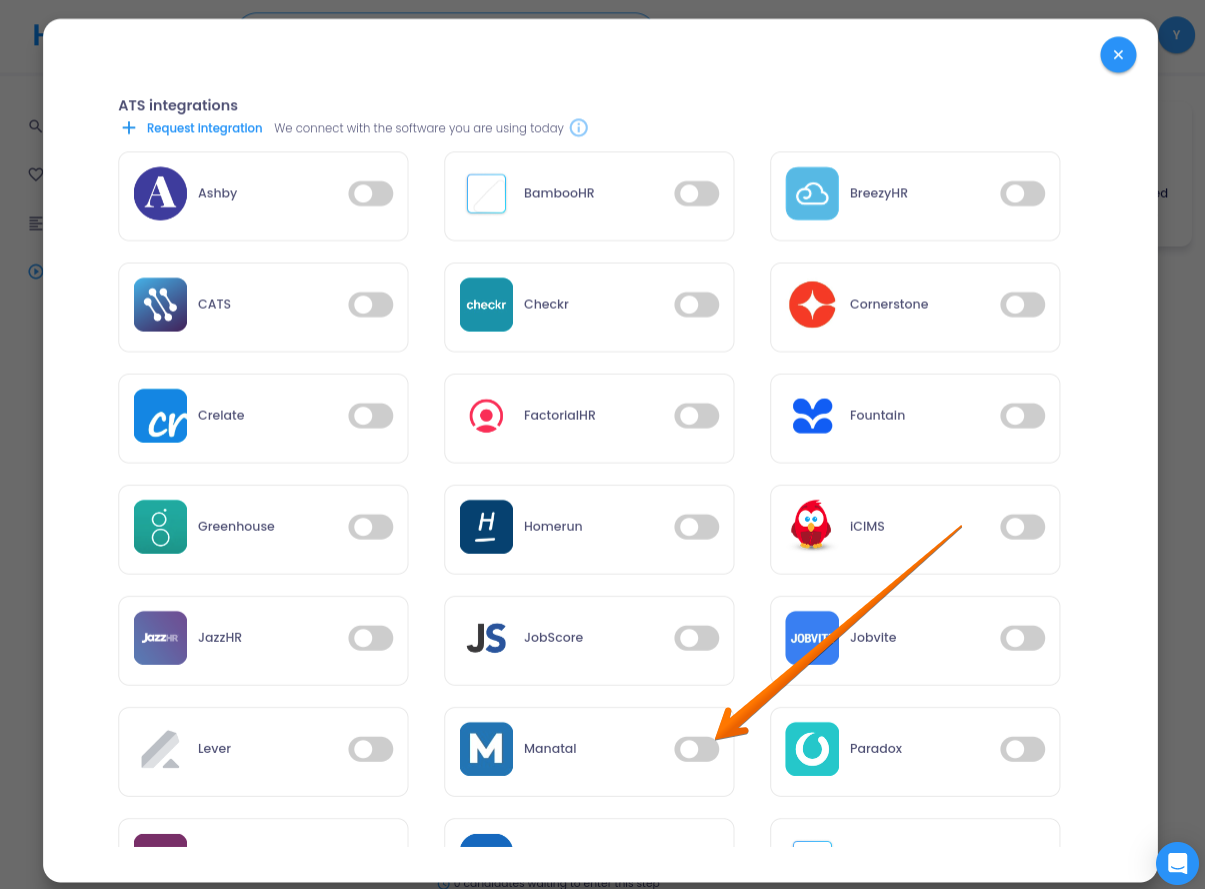
Go to Settings > Integrations within HeroHunt.ai and link your Manatal account using your API key. This action connects your Manatal and HeroHunt.ai accounts.
Check your plan before you get this far. Manatal gates open API access (and Zapier) to its Enterprise Plus plan at $55 per user per month billed annually, $59 monthly. The Professional ($15) and Enterprise ($35) plans do not expose an API key, so an API-based sync is not available on them at any price.
4. Start Sourcing New Candidates!
With Manatal linked to HeroHunt.ai, you're now set to find and sync new candidate profiles from HeroHunt.ai to Manatal. For example, if you're recruiting for a Marketing Manager, input your job description into HeroHunt.ai to find the best matches.
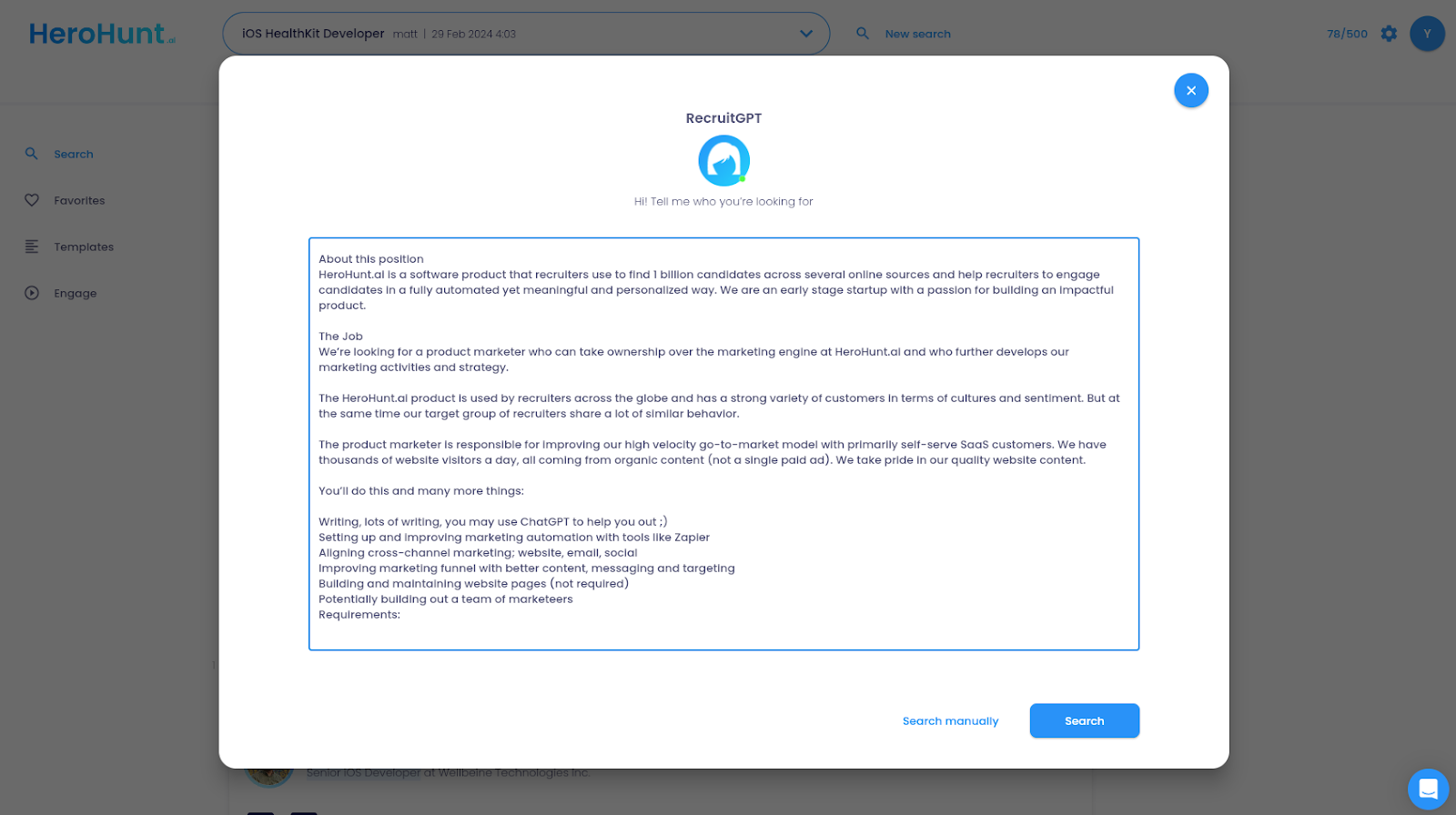
HeroHunt.ai will identify the ideal candidates for your position, allowing you to directly sync the profiles you select with your Manatal ATS.
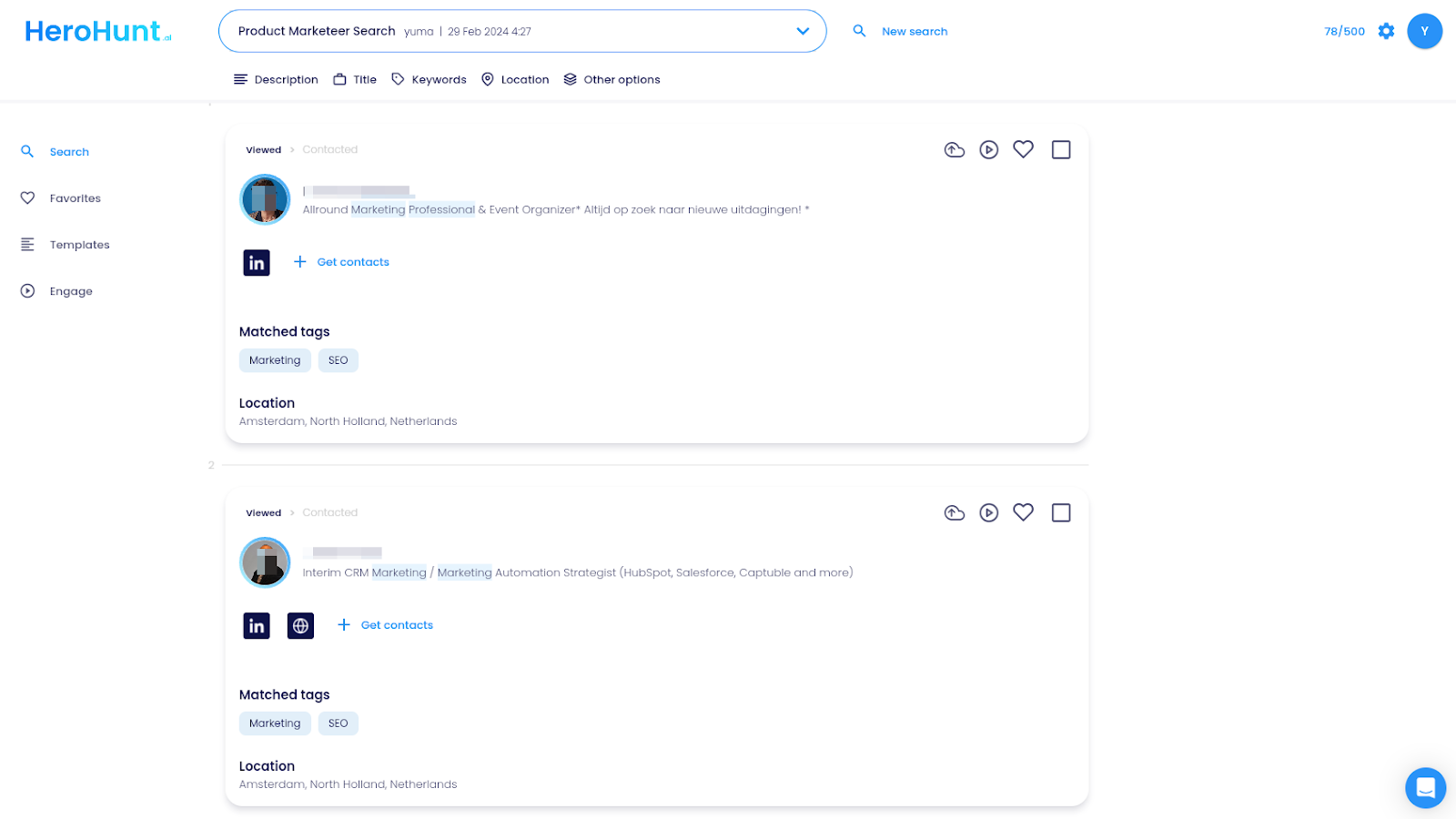
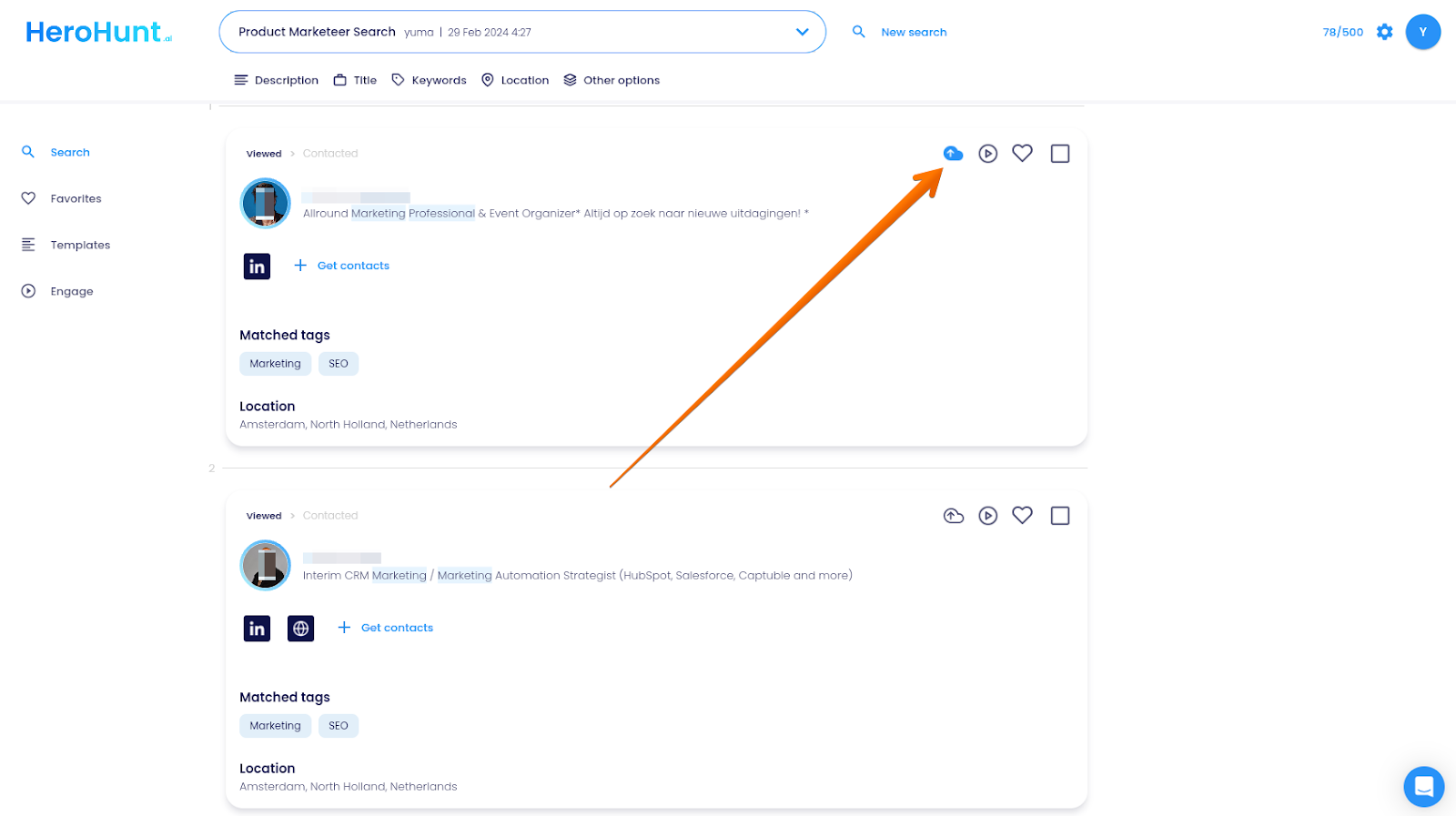
Alternatively, for a more automated process, utilize HeroHunt.ai's Engage feature to send personalized messages to candidates automatically and then sync their profiles with Manatal.