If you are unable to see the HeroHunt.ai Chrome Extension or app after installing it, here's the troubleshooting process to follow.
1. Firstly, remove the extension by going to extensions.
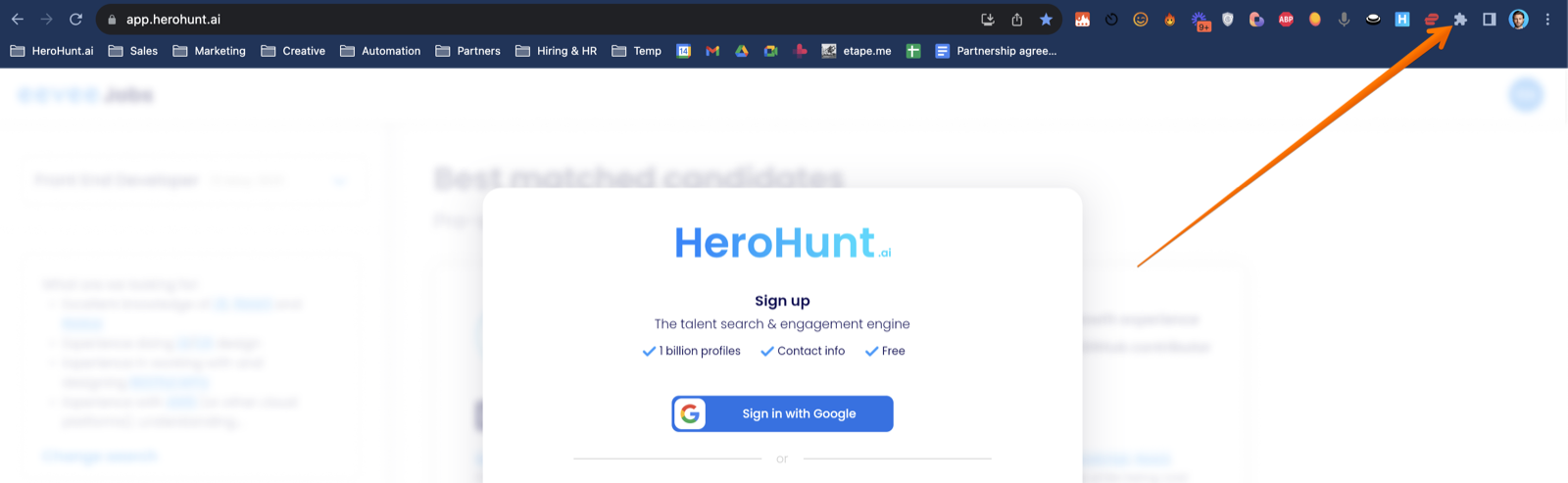
Then click 'Manage Extensions'.
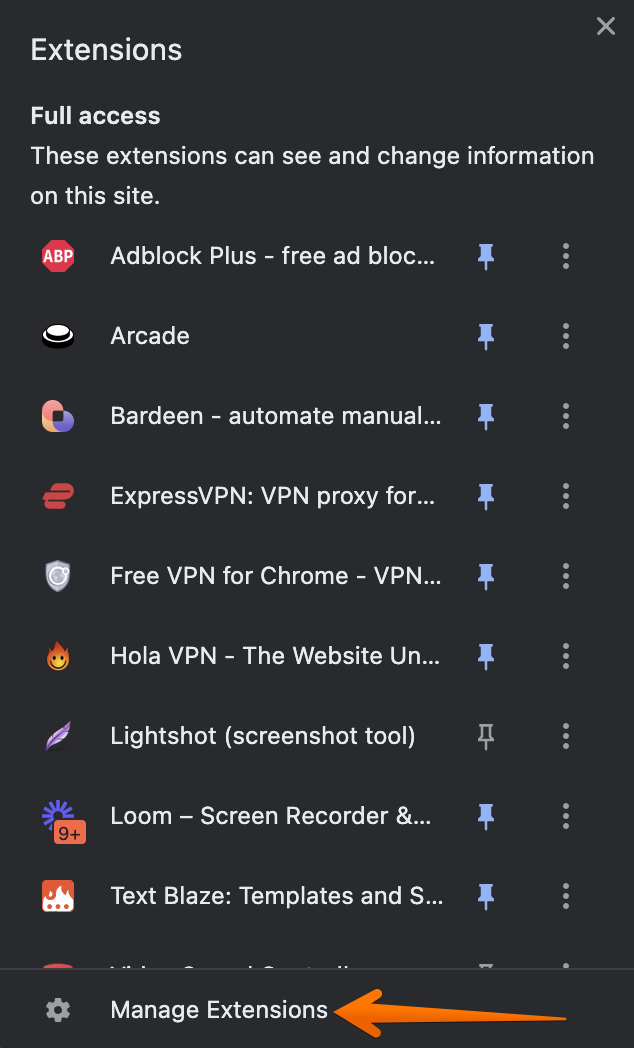
And remove the HeroHunt.ai from extensions here.
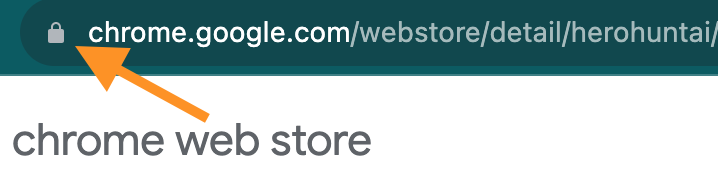
2. Now, we'll remove your cookies, click on the lock symbol in your Chrome browser on the top left of the window.
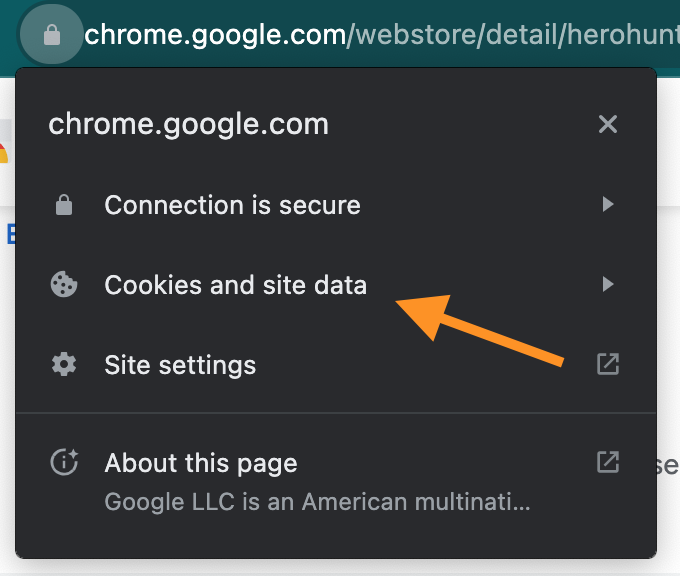
3. Then, select 'Cookies and site data'.
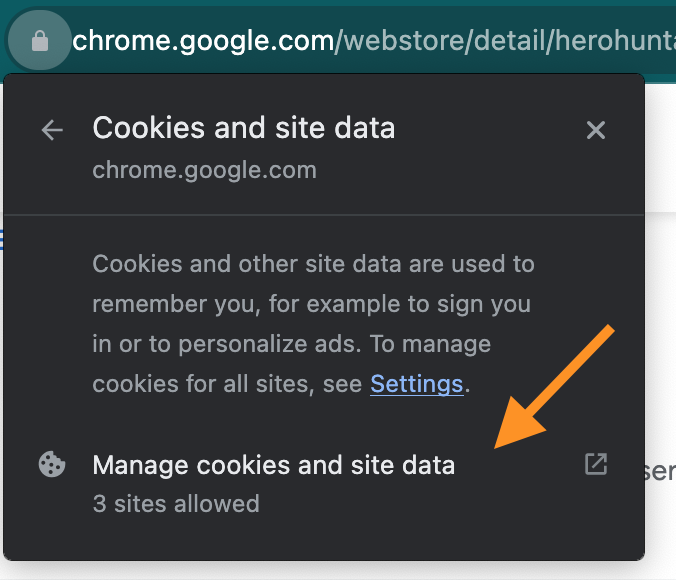
4. Click on 'Manage cookies and site data'.
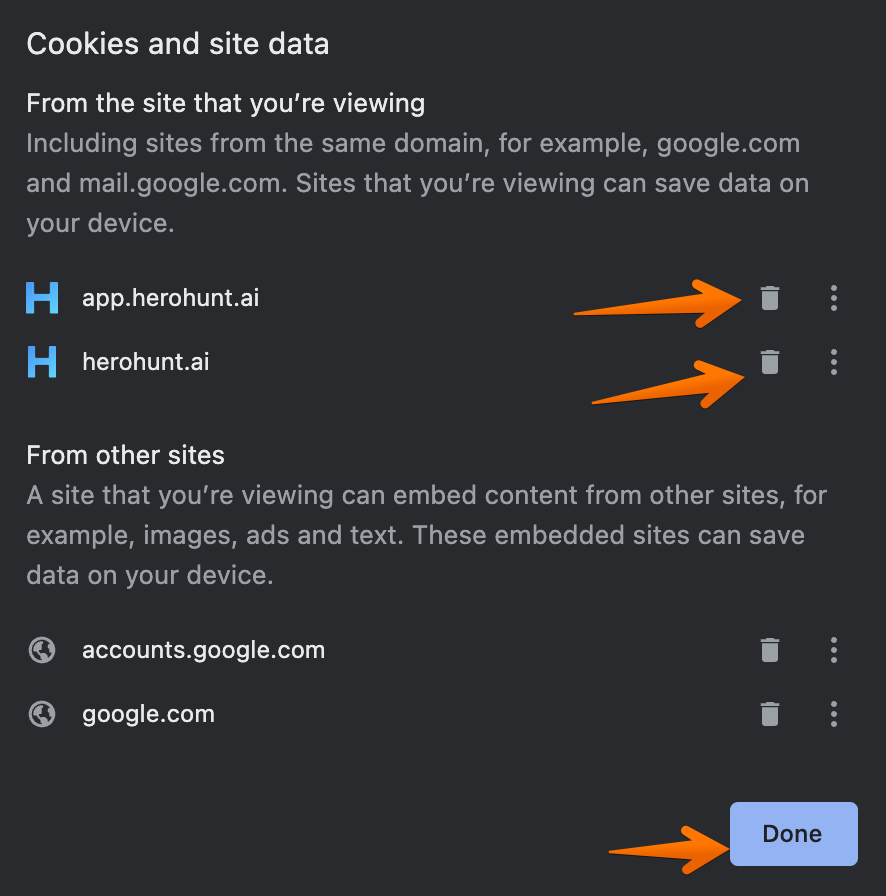
5. Remove the cookies for HeroHunt.ai, by clicking on the trash can icon. Then click Done, and refresh your page.