How removing your cookies can resolve issues
In general, removing your cookies in your browser can resolve a lot of different sign in issues and loading issues and general errors.
Some examples of situations in which removing your cookies can help:
When you have sign in issues or you are you might be signed in with the wrong account and you need to 'reset' your page so you can sign in with the right account
When you do not seem to have the right premium account enabled
When you get error codes from your browser like the 'Aw snap!' memory error in Chrome
Any other issues in general that seem to come from your browser
How to remove your cookies for HeroHunt.ai
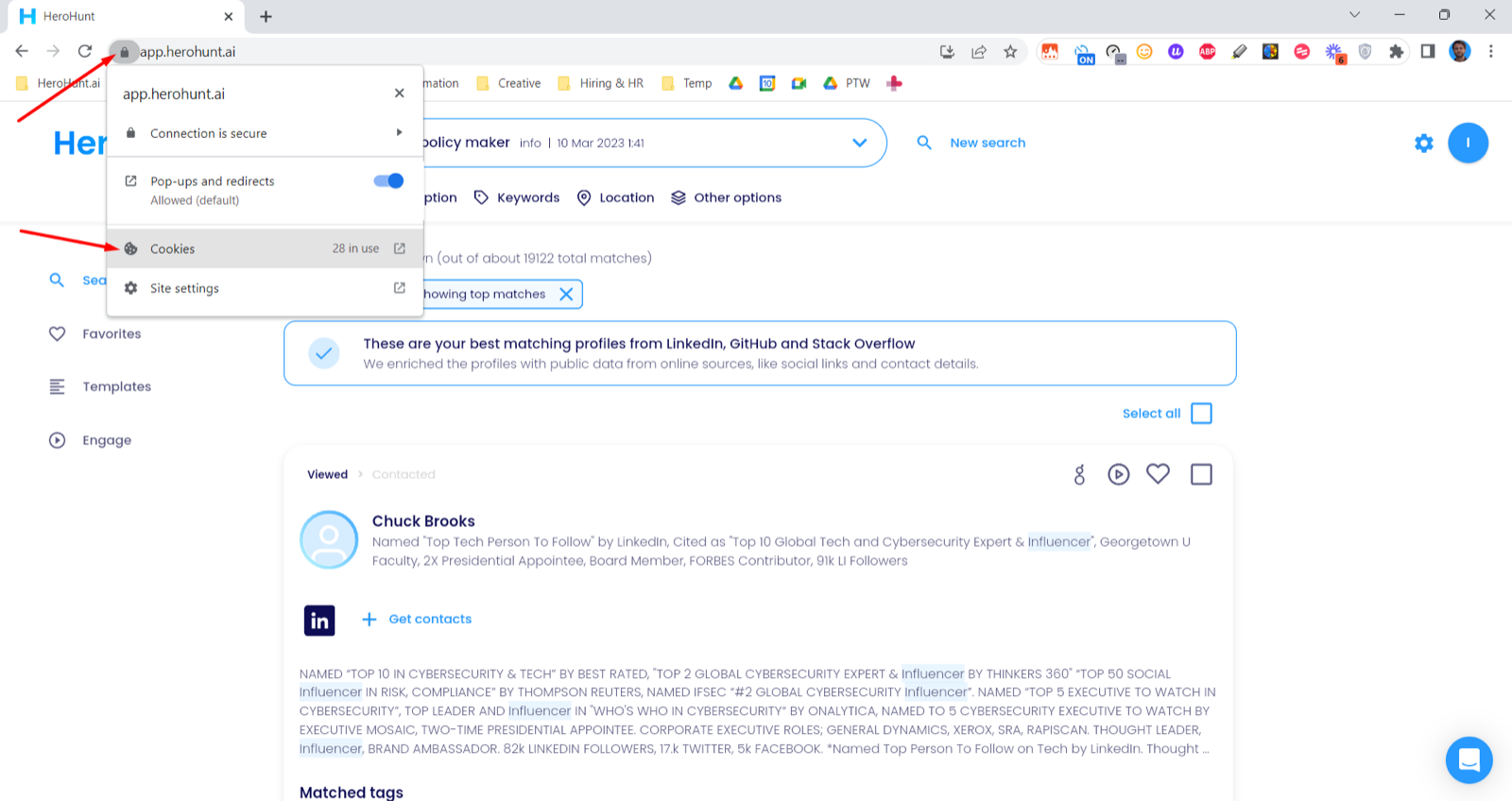
Here's how to remove your browser cookies specifically for HeroHunt.ai:
In your browser, go to 'Cookies'
2. Remove the cookies for HeroHunt.ai
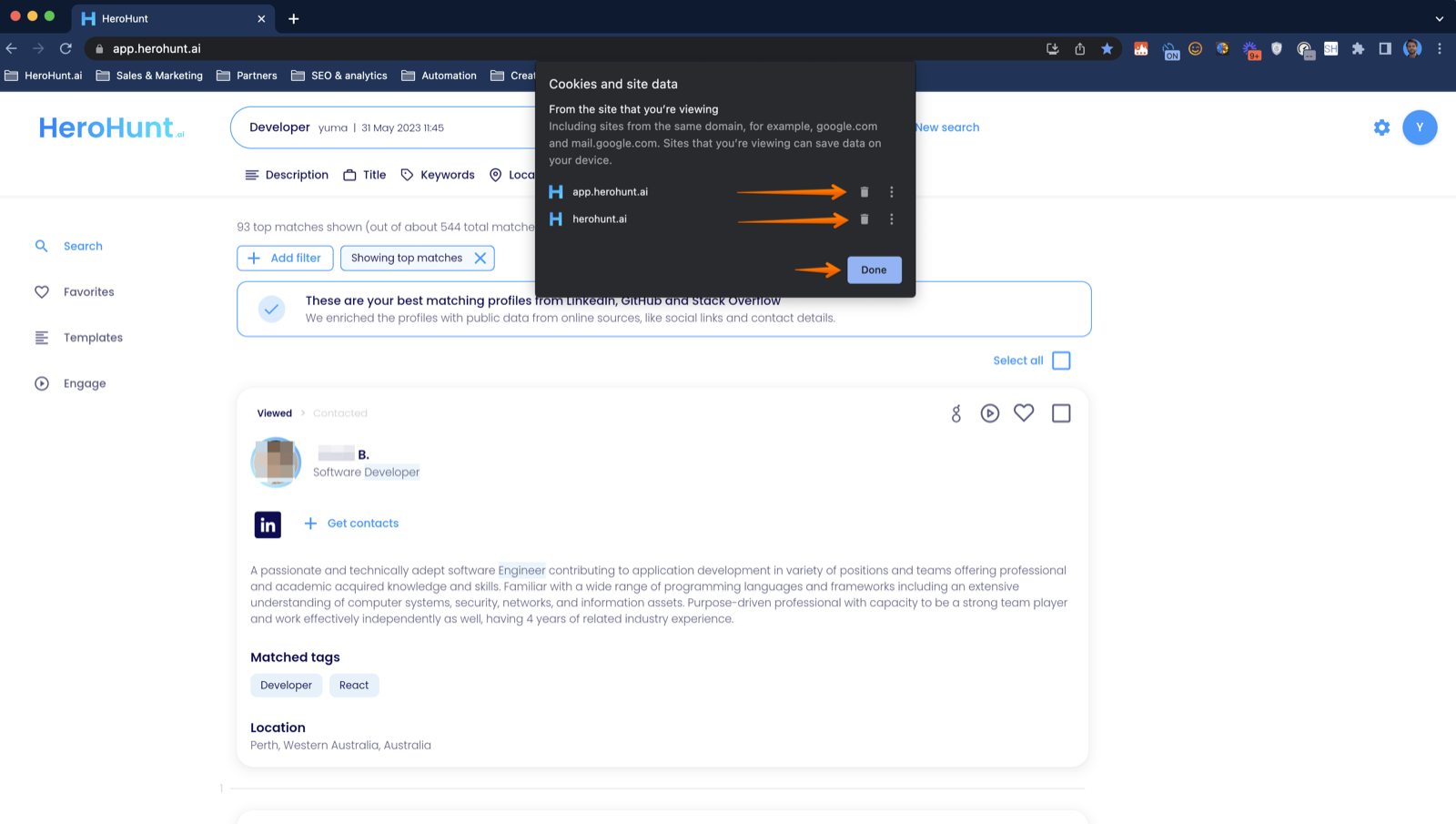
3. Lastly, sign back in with the right account
Here's a video on how exactly to remove the cookies: