


In today's highly competitive recruiting market, it's essential to make your InMails stand out in a crowded inbox.
Crafting the perfect subject line is your best chance to do so. However, with so many options, it can be difficult to know where to start.
Keep in mind that a big part of InMail recipients decide whether to open an InMail based on the subject line alone.
There is some common wisdom around what to do to get a response from candidates, like personalizing subject lines.
Still, there is no one-size-fits-all solution here; the best subject line depends on the type of organization, the target audience and the available candidate information.
Some subject lines have been known to have higher open rates than others.
One thing is worth clearing up before we start: InMail has no open rate you can see. LinkedIn Recruiter's InMail report tracks response rate, InMails sent, accepted, declined and no response. There is no opens metric anywhere in it - LinkedIn Recruiter Help. Every "InMail open rate" statistic in circulation, including the ones that used to be in this article, was borrowed from email marketing and relabelled.
So the honest goal of an InMail subject line is not an open. It is a response, and LinkedIn counts an accept, a reply and even a "not interested" decline as one. That single distinction changes which subject lines are actually good, as you will see below.
That’s why we’ve written this guide on LinkedIn InMail subject lines.
In this blog we’ll share:
- Tips for your InMail subject line
- Best LinkedIn InMail subject line examples
- How to automate the personalization of subject lines
Things to keep in mind your subject line
Writing an effective InMail subject line can be tricky, as there is a lot that can go wrong. If not crafted correctly, it could lead to the receiver not opening your InMail.
Below you find tips for writing your subject line:
1. Keep it brief and to the point
You only have a few seconds to capture the attention of your target candidate with your InMail, so make sure your subject line is concise and effective. If it's too long or vague, you risk losing the opportunity to make your pitch.
The hard limit is 200 characters in the subject line and 1,900 characters in the body - LinkedIn Recruiter Help. You should never get close to either. LinkedIn's own sales guidance tells writers to work with roughly 80 characters, and the inbox truncates anything long on mobile, so realistically the first 40 characters are the ones doing the work. Everything after that is for the people who already decided.
The same discipline pays off in the body. InMails of 400 characters or fewer get responses at a rate 22% above the global average, while those over 1,200 characters land 11% below it - LinkedIn Talent Blog. A tight subject line that opens onto a wall of text wastes the click it earned.
2. Personalize
Personalization works, but be careful which number you believe. The "50% higher open rate" and "142% higher reply rate" figures that appear in every InMail listicle (this one included, until this update) do not come from InMail at all. The first is Yes Lifecycle Marketing's 2017 study of 7 billion emails, where personalized subject lines lifted opens from 14.1% to 21.2%. The second is Woodpecker's cold email data. Neither touched LinkedIn.
LinkedIn's own recruiter data is more modest and far more relevant: InMails sent individually see response rates roughly 15% higher than InMails sent in bulk - LinkedIn Talent Blog. That is a real, repeatable lift and it is worth the effort. It is also 15%, not 142%, and any tool vendor quoting you the bigger number is quoting you an email study.
The practical advice does not change. Address the recipient by name and include a detail you could only know from reading the profile: their current job title, location, or company. What changes is the expectation you set with your hiring manager.
3. Be specific
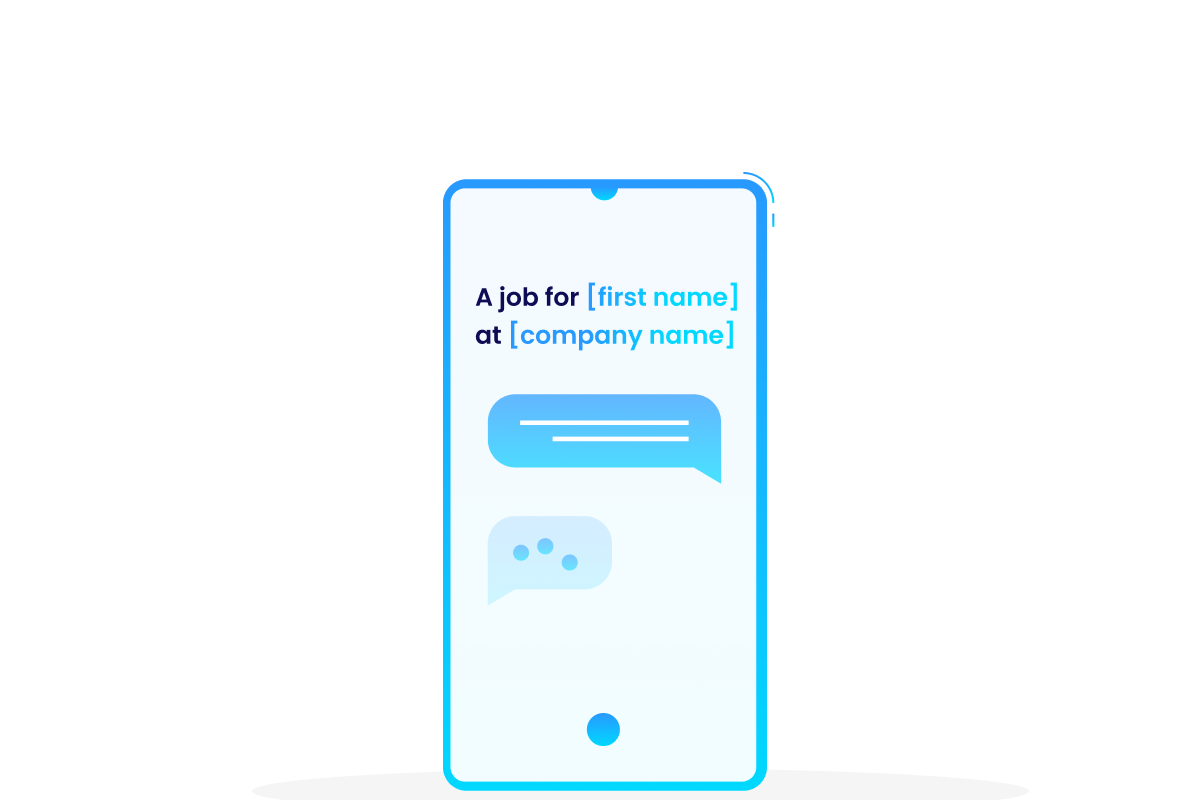
Rather than using generic subject lines like "Just checking in" or "Quick question", it's important to be specific and make the message relevant to the candidate. For example, a subject line such as "[first name], I saw your [top 3 skills] and have this [job title] job for you” is much more likely to get opened than a generic one. By being clear and concise about what you want to achieve and why the recipient should care, you can ensure your InMail has a better chance of being opened.
4. Use numbers if relevant
The much-quoted "113% higher open rates" for subject lines with numbers is another email statistic, and Yesware's own larger sample of 1.2 million emails puts the lift closer to 45%. Treat it as directional rather than as a law of physics. The underlying logic still holds on LinkedIn: a number is concrete where an adjective is not, and "competitive salary" tells a candidate nothing that "€95k" does not tell them better.
If it is relevant, use numbers to denote for instance salary, benefits, team size, or employer review scores. The one warning: a number you cannot back up in the body is worse than no number at all, because it converts an open into a decline.
5. Have a clear call-to-action
Give candidates a clear idea of what you have to offer in your subject line - whether it be a job opportunity, an informational interview or insights into their industry of interest. A subject line that communicates no value gets deprioritized in a full inbox, and a deprioritized InMail is rarely revisited.
6. Aim for a response, not an open
This is the tip that reorders all the others, and it is the one almost no InMail guide mentions. LinkedIn returns your InMail credit if the candidate accepts, declines or replies within 90 days - LinkedIn Recruiter Help. An InMail that gets ignored costs you a credit permanently. An InMail that gets a fast "not interested" costs you nothing.
The economics run the other way from email, in other words. A vague, curiosity-gap subject line that earns an open and then silence is the single worst outcome available to you: you paid for it and learned nothing. A subject line specific enough to make the wrong people decline and the right people reply is both cheaper and more informative.
There is a harder edge to this too. Recruiter and Recruiter Lite carry a response rate policy: fall below a 13% response rate over a 14-day period and you get a warning, and repeated breaches can put you in an InMail Improvement Period with restrictions on your account - LinkedIn Recruiter Help. Your subject line is not just a conversion lever. Sustained badly, it is a way to lose access to the channel.
Best LinkedIn InMail subject lines
We have used thousands of subject line variations and looked at which ones get positive response from candidates and which ones are ignored or get a negative response. While it is important to get recipients to open your message, the subject line also plays a role in motivating them to read the entire message and actually respond.
Note: If you would like to know how to use personalizations such as [top skills] in your messages automatically, refer to the last chapter in this blog on personalization.
These are the best LinkedIn InMail subject lines for 2026:
1. job from [company name] for [first name]
This subject line is concise, direct and unambiguous. Recipients understand what is being offered before they open it. Its impact is most powerful for businesses with a solid and well-known brand.
Example: "A job opportunity from Google for Benno"
2. [first name], love your [domain] skills
This subject line emphasizes the candidate's skills and clearly expresses the job offer. However, for it to be tailored to a particular company, some additional work (or automation) is needed, especially for domain personalization. There are plenty of tools that can help with this, for example multichannel outreach platforms like Reply.io that carry the InMail as one step in a sequence and merge the domain field in from the profile, or you can insert the personalizations manually.
Example: “Jane, love your developer skills and have this back-end developer role for you”
3. [Company Name] is now hiring [job title]s in [location]!
This InMail creates clarity and urgency, making it perfect for volume hiring, such as hiring delivery riders. The subject line leaves no doubt as to the purpose of the message and what you expect from the candidate, potentially prompting them to act quickly if they are interested in the position.
Example: "Getir is now hiring delivery riders in Amsterdam!"
4. We're impressed with your [top skills] [first name]
This subject line is an effective way to personalize a compliment to a prospective candidate, showing that you have done research on their skill set and background. It should be noted, however, that the compliment must be genuine, so it is not recommended to use this in bulk. This type of subject line is especially useful for targeting niche talent with very specialized skills.
Example: "We're impressed with your blockchain development skills Anna"
5. join us in [mission - short]
This company mission subject line is designed to make potential candidates enthusiastic about joining the mission. It's especially helpful for companies where the mission is an attractive asset, like those in the sustainability sector.
Example: "We want you to join us Marcus to reduce fortune 500 footprint"
6. You're invited to interview for [job position name]
This subject line has an official tone, making it suitable for use in organizations like the government, healthcare, military, or space industries, where job applications must be handled in a more formal manner.
Example: "You're invited to interview for our Head of Department"
7. [first name] and [company name] match made in heaven? 😃
This informal subject line emphasizes the team aspect of the company, making it a great choice for companies like startups and roles that are targeted to the younger generations. It can even be spiced up with the use of emojis!
Example: "The HeroHunt team is excited to meet you Luna 😃"
8. [first name], want to join best place to work [company name]?
This is a subject line that emphasizes the company’s employee experience rating. Some companies score very high on for example Glassdoor and this can be a unique selling point to candidates. Companies with high employee reviews find this particularly useful.
Example: “Emma, want to join best place to work HubSpot?”
9. We're hiring the top 1% for talent and you came up [first name]
This message is for high achievers who value working with the best of the best. Perfect for strategy consultants and other audiences with people who strive for high performance.
Example: "We're hiring the top 1% talent and you came up Maya"
10. [cultural value] people like [first name] needed to join the [company name] team!
This subject line emphasizes values and soft skills, making them the priority for potential applicants. Keeping the values in focus with this subject line encourages the right individuals to apply.
Example: "Entrepreneurial people like James needed to join the Bain team
How to automate personalized subject lines
Including personalization like [first name], [top skills] and [company name] in each message can be tedious and time consuming.
However, there are ways to ensure your subject lines are personalized without having to manually do so for each individual one.
In practice you have three routes, and they solve different halves of the problem. LinkedIn Recruiter now drafts messages for you with AI-assisted messages, which LinkedIn says lift accept rates by 44%, but it writes one message at a time inside LinkedIn and gives you no variant testing. A multichannel sequencer handles the sending and the measurement. A sourcing platform handles the personalization data itself, which is the part that is actually scarce: a merge field is useless if nothing is filling it.
Sequencing and A/B testing InMails with Reply.io
If you want to know which of the ten subject lines above works on your audience rather than ours, you have to send variants and count responses. That is what a sequencer is for, and Reply.io is the one most outbound recruiting teams end up on. It treats a LinkedIn InMail as a step alongside email and calls, merges personalization fields in from the contact record, and lets you attach three or four subject line variants to the same step so it reports which one actually earned responses rather than which one you liked.
It is worth being blunt about what it is not. Reply is a sales engagement platform, not a recruiting tool: no ATS, no pipeline, no candidate record. Its LinkedIn steps run through a Chrome extension driving your own account, so LinkedIn's weekly limits and the account risk sit with you, not with Reply. And it cannot rescue a subject line that keeps you under the 13% response threshold. It only tells you faster which one is doing the damage.
Reply.io
Every subject line in this article is a hypothesis, and we only know which ones landed because thousands of variations were sent. Reply.io is the cheapest honest way to run that test on your own market: up to four subject lines against the same message body, with per-variant response data instead of a hunch. Two things to know before you buy. The LinkedIn side is not included in the $29 per user per month entry seat: LinkedIn automation is billed separately at $69 per month per connected LinkedIn account. And Reply supplies no InMail credits, those still come out of your Recruiter, Sales Navigator or Premium plan, so it makes the credits you have work harder rather than giving you more of them.
Generating the personalizations with HeroHunt.ai
The other half of the problem is filling the merge fields. A sequencer will happily insert [top 3 skills] for you, but something has to work out what those skills are from the candidate's profile first, and that is the step that stops most teams from using the better subject lines at any real volume.
Here's an example of how you can use a template to automatically generate personalized InMails:
1. Sign in to HeroHunt.ai
For this example we use HeroHunt.ai to create your personalized outreach message.
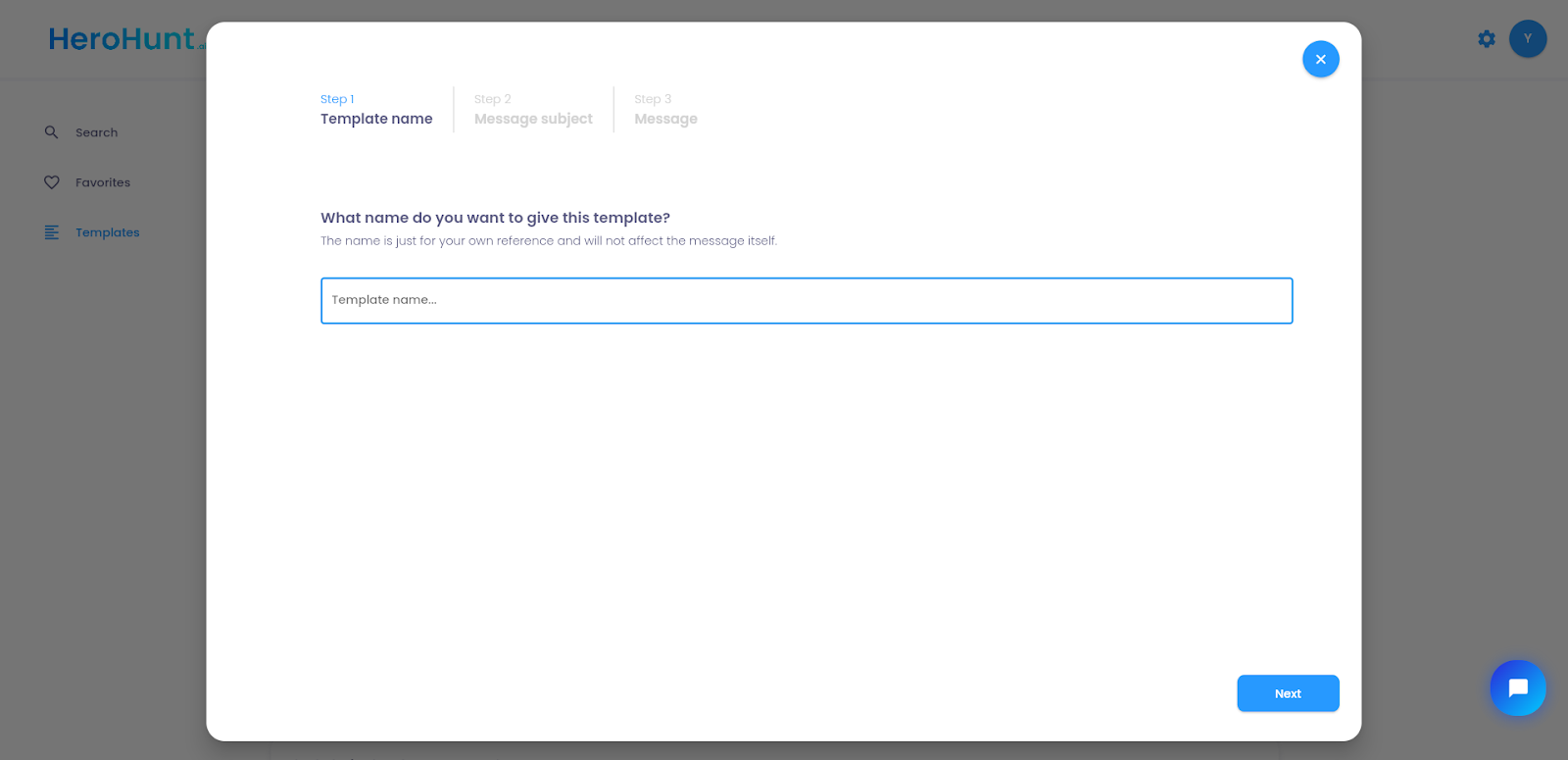
2. Create a new template
Create a new template in HeroHunt.ai and name it.
3. Include the subject line with personalization
Include the subject line based on on of the templates above or use your own subject line.
Include the relevant personalizations from the list on the right side.
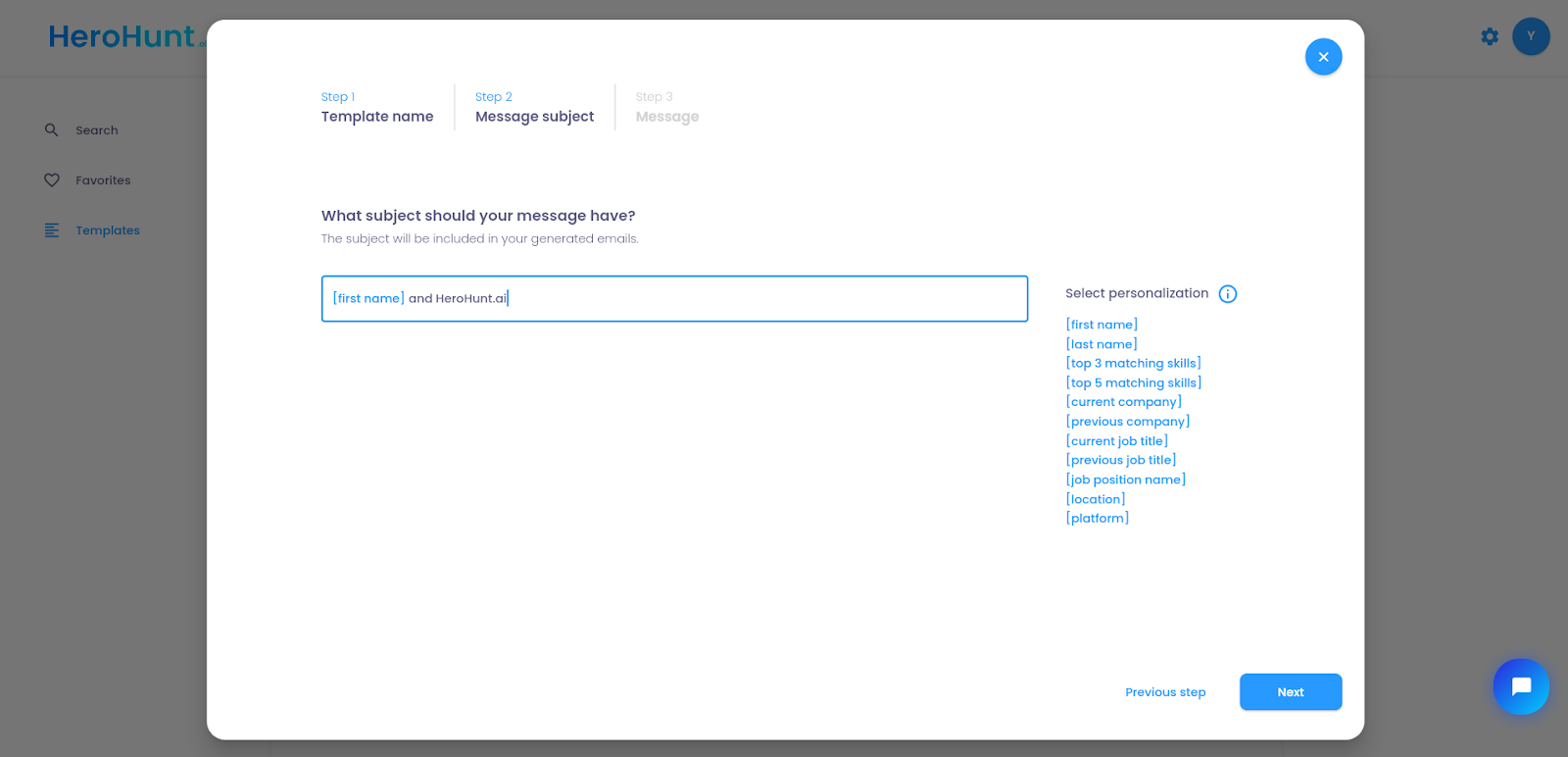
Personalized subject line
4. Finish your message with personalized content
Then we just copy and paste a message that we know that works.
Insert the blue personalizations like [first name], [top 3 matching skills] or [current job title].
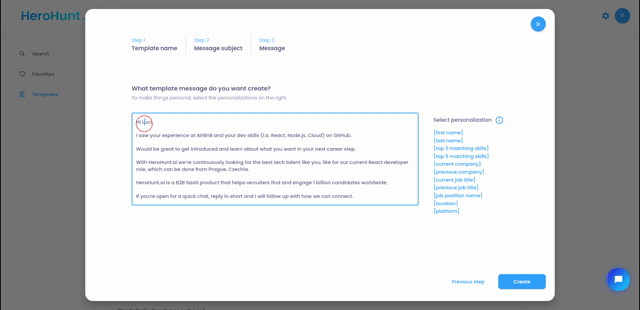
Personalized InMail content
5. Send your personalized message
Once you have saved the template, you can send personalized messages with the same subject line and content simply by opening a profile and clicking the send button. Alternatively, you can copy the message and use it in other places.
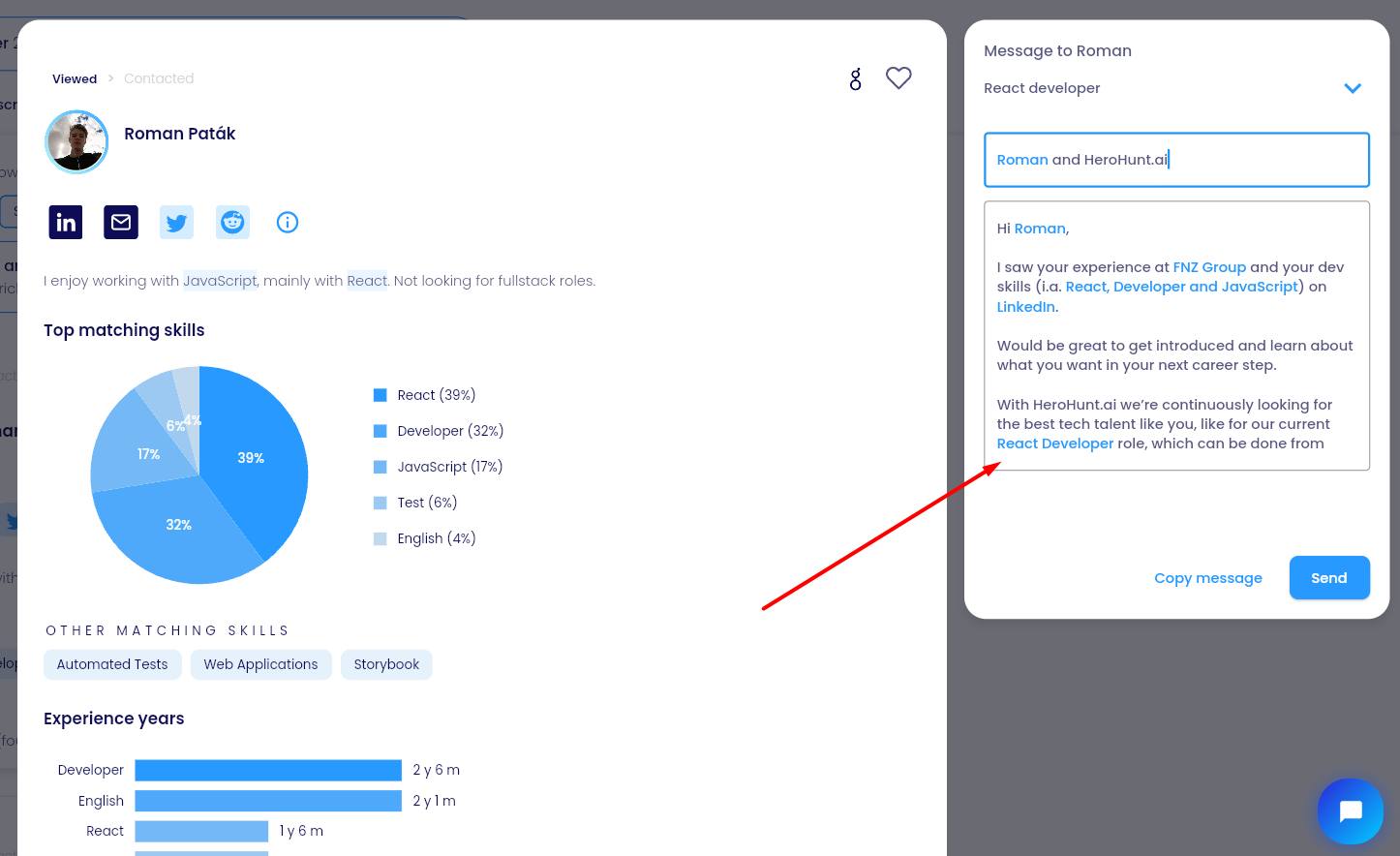
Automatically generated personalized message based on your template
For a video on how to do this, see:
HeroHunt.ai
The merge fields in the walkthrough above are the whole point. HeroHunt.ai reads [top 3 matching skills] and [current job title] off the candidate's profile, which is what makes subject lines #2 and #4 sendable at any real volume rather than one hand-written message at a time. That matters here specifically: LinkedIn's own data puts individually sent InMails about 15% ahead of bulk, and filled personalization fields are how you stay on the individual side of that line without the hours. The honest limit is that HeroHunt.ai is a sourcing and AI recruiting tool, not a sequencer. It generates the personalization and sends from the template per profile, it does not run four subject line variants against each other, and it supplies no InMail credits: those still come out of your Recruiter, Sales Navigator or Premium plan.
Which subject line should you actually use?
Match the line to what you can honestly claim, not to what tested best for someone else. If your employer brand does the selling for you, use #1 and lead with the company name. If the candidate is niche and you have genuinely read the profile, use #2 or #4 and send them individually: LinkedIn's own data puts individually sent InMails about 15% ahead of bulk, and that gap is the entire return on personalization. If you are hiring at volume, use #3, where clarity beats charm and a decline is a useful outcome rather than a failure.
Two habits matter more than the wording. Watch response rate rather than a feeling, because it is the only number LinkedIn actually shows you and the only one your account health depends on. And keep the body under 400 characters, which is worth a documented 22% on its own and costs you nothing but restraint.
The ten subject lines here are a starting hypothesis, not a law. They came from our sending, our roles and our markets. Yours will differ, and the only way to find out where is to run two of them against each other and let the response rate settle the argument.
Running four subject lines against the same message body and reading the per-variant response rate is the one step the template walkthrough above does not cover.