


What to do before Fetcher goes dark on October 16, what each replacement really costs, and which one fits the way your team used Fetcher
Fetcher retires its platform on October 16, 2026, and everything left in your account is deleted after November 19. On October 6, AI recruiting platform Juicebox announced an agreement to acquire Fetcher's intellectual property and other assets, not its operating business, while Fetcher winds down its product and operations - Business Wire via Morningstar. Fetcher was founded in 2016 and says it served more than 1,500 customers and over 5,000 recruiters. Its homepage now carries one line: "The Fetcher platform retires October 16th" - Fetcher.
The hard part is not picking a new tool. It is that Fetcher was never just a tool. Its customers paid for a hybrid: AI search plus a team of human sourcers who screened candidates before they reached your pipeline, automated email sequences sent from your own inbox, and a sync into your applicant tracking system. Nothing transfers automatically. Your candidate data moves to Juicebox only if you become a Juicebox customer and upload it yourself, running sequences stop on the 16th, and contracts and unused credits are being reviewed case by case - Fetcher transition FAQ. Juicebox is the obvious landing spot and has an exclusive offer for Fetcher customers, but its pricing tiers put ATS integration on a different plan than you are used to, and it does not include human sourcers.
This guide covers, in order: what happened and the exact dates, the export and access checklist you need to finish before October 16, what Fetcher actually did and what it cost (its last published prices, settled from archived pricing pages), the nine strongest Fetcher alternatives in 2026 with verified pricing, a side-by-side comparison, a decision framework, and a 30-day switch plan that avoids a sourcing gap. Every price was read from the vendor's own page or an archived copy of it in October 2026.
Written by Yuma Heymans (@yumahey), who has been building AI sourcing tools since 2021 as the founder of HeroHunt.ai, an AI Recruiter that searches 1B+ profiles and reaches out to candidates on autopilot. Building in the same market Fetcher served is why this guide judges every replacement on two things buyers usually skip: what it costs per candidate you actually talk to, and how easily you could leave it.
HeroHunt.ai
Most teams on Fetcher's Growth plan were buying one outcome: qualified candidates delivered and emailed without anyone running searches all day. HeroHunt.ai covers that outcome with an AI agent instead of a human sourcing team: it searches up to 1B profiles, screens each one against your role with current GPT and Claude models, and sends personalised outreach automatically. Plans start at $99 a month, billed monthly, with unlimited positions and searches, metered on AI-screened and matched profiles delivered and candidate emails found (2,000 profiles and 500 emails a month on Starter), and a free 8-day trial (card required). The honest caveats: there is no human sourcer in the loop, so you review the shortlist yourself, unused allowance does not roll over, ATS integrations sit on Pro and Team rather than Starter, and it will not import your Fetcher pipeline history for you, so export first (section 2).
Contents
- What Happened to Fetcher: The Deal and the Dates
- Before October 16: Export, Pause and Revoke
- What Fetcher Actually Did, and What It Cost
- The Three Ways to Replace Fetcher
- The 9 Best Fetcher Alternatives in 2026
- Side by Side: Price, Model and ATS Sync
- How to Choose: A Decision Framework
- A 30-Day Switch Plan and Where It Goes Wrong
- What Fetcher's Exit Teaches About Buying AI Sourcing
- The Bottom Line
1. What Happened to Fetcher: The Deal and the Dates
Fetcher is closing, and Juicebox bought assets, not the company. The press release describes a "strategic agreement to acquire intellectual property and other assets," with Fetcher "winding down its product and operations" and its customers having "the option to transition to Juicebox." That wording matters for every customer decision that follows. An asset purchase means there is no successor product called Fetcher, no promise that your workflows continue, and no automatic transfer of your account. Juicebox describes the deal from its side as welcoming Fetcher's customers "with hands-on setup support and an exclusive offer available through November 19" - Juicebox.
The reason this matters is timing. Fetcher's CEO Chris Calmeyn emailed customers on October 2 with next steps and their Juicebox offer, the public announcement came on October 6, and the platform shuts on October 16. That leaves most teams about two weeks to export data, wind down live outreach and line up a replacement, in the middle of open requisitions. Calmeyn's own framing in the release is that Juicebox has "the most compelling product on the market right now," which explains the choice of partner but does not mean Juicebox is the right fit for every Fetcher customer.
The sequence below is taken from Fetcher's transition FAQ and the two companies' announcements. The two dates that cannot move are October 16, the last day to request a full export and the day sequences stop, and November 19, after which remaining account data is deleted and not transferred to anyone.
Read the chart left to right and the practical deadline is the third box, not the last one. Fetcher says export requests received by October 16 will be fulfilled even if the file arrives later, and that a full account export takes up to three business days. Email support stays open until November 19 for questions and for resending your Juicebox offer, but after the 16th there is no product to log into. One small inconsistency is worth knowing so it does not confuse your planning: the FAQ calls the final date "Monday, November 19," but November 19, 2026 is a Thursday, so treat the date as authoritative and the weekday as a typo.
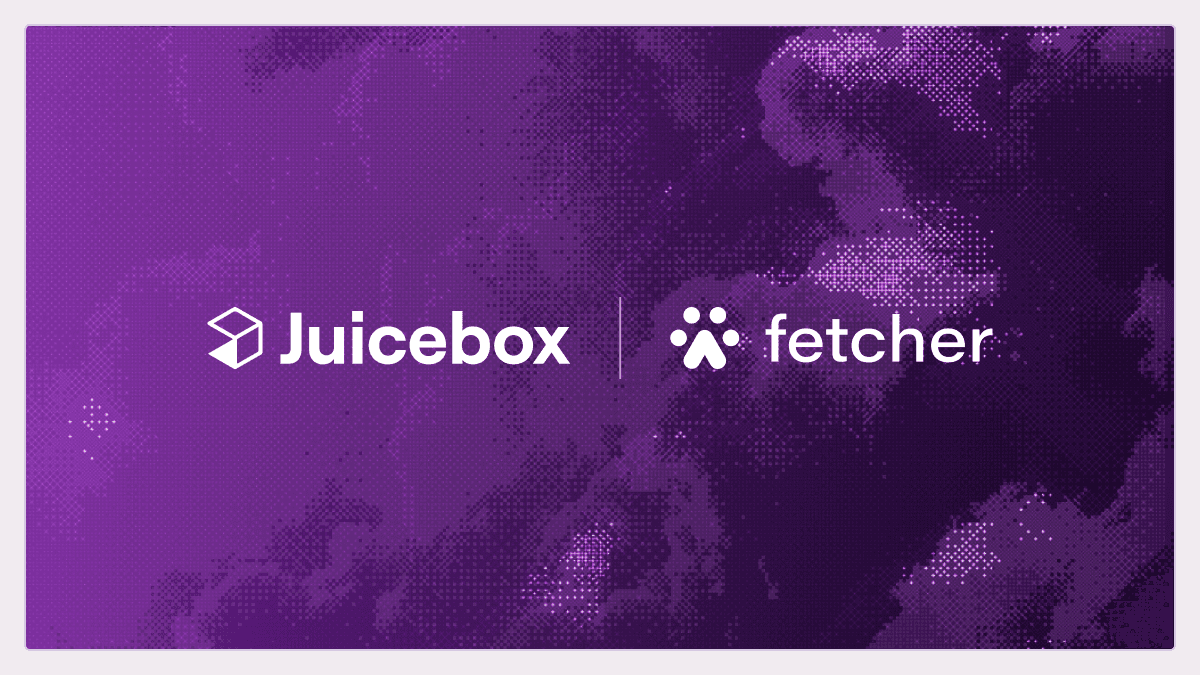
The official announcement graphic below is how both companies presented the deal. It is worth noticing what it does not say: there is no Fetcher product roadmap, no mention of Fetcher's sourcing team joining Juicebox, and Juicebox's announcement makes no statement about Fetcher's human sourcers at all.
How to apply this section: put the two hard dates in your team calendar today, name one owner for the export and one for the replacement decision, and do not wait for the Juicebox offer deadline to start trialling alternatives. The offer runs until November 19, but your candidates and live searches do not pause for it.
2. Before October 16: Export, Pause and Revoke
Export everything before October 16, because after that you can only ask, and after November 19 there is nothing left to ask for. Fetcher's FAQ gives three export routes, and you need all three because each captures something different. The per-position CSV preserves your candidate lists, the dashboard download preserves performance statistics you will want as a baseline for the next tool, and the full account export (requested by email) is the only complete copy. Your outreach history is partly safe already: messages sent through a connected Gmail or Outlook account live in your own mailbox, while history from Fetcher's own email-sending service only survives if it is in your export.
Why this matters goes beyond convenience. Your Fetcher pipeline contains candidates you have already contacted, some who declined, some mid-conversation and some who asked never to be emailed again. If that history is lost, your next tool will happily contact the same people a second time from a different sender, which damages your employer brand and, for people who objected, can create a data-protection problem. The export is not just a backup. It is your do-not-contact list for the next six months.
Exporting candidates, statistics and history
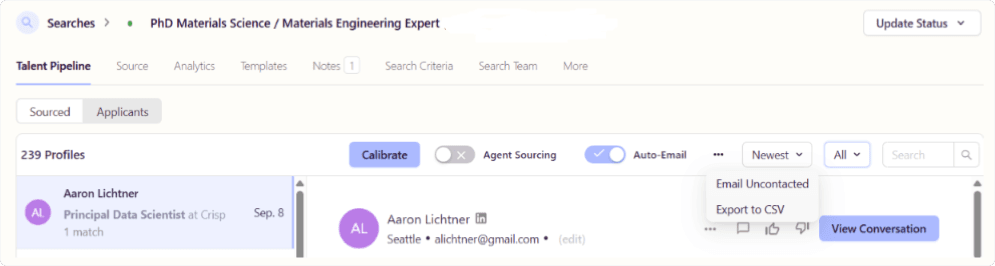
Fetcher's self-serve export works one position at a time. Open a position, go to Talent Pipeline, choose the candidate tab, then use the three-dot menu at the top right and select Export to CSV. For project performance, go to Dashboard, open Projects and click the download icon. For everything else, email support@fetcher.ai and request a full account export, which Fetcher says arrives within three business days. If you run many positions, do the full export request first and the per-position CSVs second, so you are covered if the email route is slow.
The screenshot below is from Fetcher's own transition guide and shows exactly where the export lives. Note the Agent Sourcing and Auto-Email toggles in the same toolbar: those are the two automations that stop on October 16, which is why the export and the outreach wind-down belong in the same afternoon.
If you end up with dozens of per-position CSV files, merge them into one master file before you import anything anywhere. The free csvkit tool does this in one line and adds a column with the source filename, so you keep track of which position each candidate came from:
# Merge every per-position Fetcher export into one file, keeping the position name
pip install csvkit
csvstack --filenames *.csv > fetcher_all_candidates.csv
Once merged, keep two working copies. One is your do-not-contact list: everyone who replied negatively, unsubscribed or asked not to be contacted, which you load into the suppression list of whatever tool you choose next. The other is your re-engagement list: warm candidates who replied positively or were mid-process, whom a recruiter should follow up with personally rather than through a new automated sequence. Everything else is a cold archive you can keep or delete according to your own retention policy.
Pausing sequences and protecting replies
Running sequences keep sending through October 16 and then stop. Fetcher recommends pausing them before the 16th and following up directly with any candidate who is part-way through a sequence, and that is the right call. A sequence that halts after step two of four leaves candidates with a half-finished conversation and no follow-up, which reads as a recruiter who lost interest.
What happens to replies depends on how you sent. Replies to messages sent from a connected Gmail or Outlook account keep arriving in your inbox after shutdown, because they were sent from your own mailbox in the first place. Replies to messages sent through Fetcher's own email service will not be received after October 16. If you used Fetcher's sending service, the practical step is to export the outreach history now and personally email anyone with an open thread from your normal mailbox, so their reply has somewhere to go.
Revoking mailbox and ATS access
Fetcher disconnects all integrations on its side at shutdown, but its FAQ still asks you to revoke access yourself, and you should. Fetcher held OAuth access to recruiters' Google or Microsoft mailboxes and an API key in your ATS. Removing those grants is basic security hygiene for any vendor that is winding down, because you no longer control who operates the remaining infrastructure or for how long.
Individual users can remove the app from their Google Account's connected apps page - Google Account Help. Google Workspace admins can block the app across the organisation from the API controls, which can take up to 24 hours to apply - Google Workspace Admin Help. Microsoft 365 admins can review and revoke the application's permissions in Microsoft Entra - Microsoft Learn. In your ATS, delete the Fetcher API key from the integrations settings.
The checklist below is the minimum set of actions, in the order that avoids losing anything:
- Request the full export by email to Fetcher support, today
- Download per-position CSVs and dashboard statistics as a fallback
- Pause live sequences and personally follow up open conversations
- Revoke mailbox access for every user and at the admin level
- Delete the ATS API key and note any Fetcher-created fields or stages
The order is deliberate. Exporting before you revoke anything keeps the data reachable, pausing sequences before the platform stops them lets you choose how conversations end, and the ATS clean-up comes last because you may want Fetcher-created tags or sources in your ATS to stay visible while you reconcile the export. There is also a contractual step: Fetcher says contracts, prepaid leads and unused credits are reviewed individually, invoices for services already delivered remain payable, and you will not be charged for services not delivered. If you prepaid an annual contract, keep the invoice and your usage numbers handy for that conversation. Finally, under GDPR Article 28(3)(g) the data controller (you) chooses whether a processor deletes or returns personal data at the end of the service - GDPR Article 28. Once the export sits on your own systems, your retention policy governs it.
3. What Fetcher Actually Did, and What It Cost
Fetcher sold sourcing as an outcome, not as search software, and that is exactly what makes it hard to replace like for like. Its pitch, from the start, was "combining both machine and human intelligence": AI to find and rank candidates, human sourcers to vet them, and automation to email them - TechCrunch. TechCrunch's coverage of its $27 million Series B in 2022, led by Tola Capital, described a Chrome extension that tied into ATS products plus Gmail and Outlook, prebuilt email workflows, and analytics on progress toward diversity goals at the recruiter, team, position and company level. The company was formerly known as Scout.
By 2026 the product had settled into three jobs. Fetcher's own side-by-side with Juicebox, published in its transition FAQ, lists its database at 700M+ profiles, its search as basic search plus Fetcher Assist (human-in-the-loop sourcing), its outreach as email connect plus Fetcher's own sending, and around 30 ATS connections. Its integrations page named Greenhouse, Lever, Ashby, Workable, iCIMS, Workday, Avature, BambooHR, UKG and ApplicantStack. Most teams used some mix of these:
- Curated candidate batches reviewed by a human before delivery
- Search and email sequences from the database, LinkedIn and your own mailbox
- ATS sync and analytics on sourced candidates, diversity and pipeline per position
The first item is the one no software-only replacement fully reproduces. Every alternative below can search, rank and email, and most can sync to an ATS on some tier. What most of them do not include is a person at the vendor who reviews profiles before you see them. The graphic in Fetcher's own transition FAQ is explicit about the swap: at Fetcher "a human team screened talent before it reached your pipeline," while at Juicebox "AI agents generate your pipeline and learn from every profile you accept or reject." That is a real product difference, not just a new interface, and it is the first question to settle before you shortlist anything.
Fetcher's last published prices
Fetcher's pricing has been quoted at half a dozen different numbers around the web, including in older HeroHunt articles, so we settled it from archived copies of its pricing page. The last snapshot before the shutdown, from June 14, 2026, shows four tiers with a toggle that defaulted to annual billing and a banner offering 30% off for paying annually - Fetcher pricing via the Wayback Machine. Those prices had been stable since April 2025. Before that, in January 2025, Growth was $329 annually and Amplify $549.
| Plan | Annual billing | Monthly billing | What it included |
|---|---|---|---|
| Self-serve | $115/mo | $115/mo | 1 seat, 300 leads a month, 500 AI review credits, LinkedIn plugin, email outreach |
| Growth | $379/mo | $499/mo | Up to 500 Fetcher-sourced candidates a year, ATS and email integrations, database access |
| Amplify | $649/mo | $849/mo | Up to 1,000 Fetcher-sourced candidates a year, a dedicated sourcer for about 4-6 roles, 2 seats |
| Enterprise | Custom | Custom | 2,000+ Fetcher-sourced candidates a year, SSO, volume pricing |
The Self-serve tier only appeared in mid-2026, a few months before the shutdown, and figures such as $80, $107 and $149 that circulate in comparison articles never appeared as plan prices in any snapshot we checked. What buyers actually paid sits well above the entry tier: Vendr puts the median Fetcher contract at $11,000 a year, with a range from $8,502 to $25,000 - Vendr. The chart shows the ladder a buyer saw in June 2026.
Fetcher's Last Published Prices (June 2026)
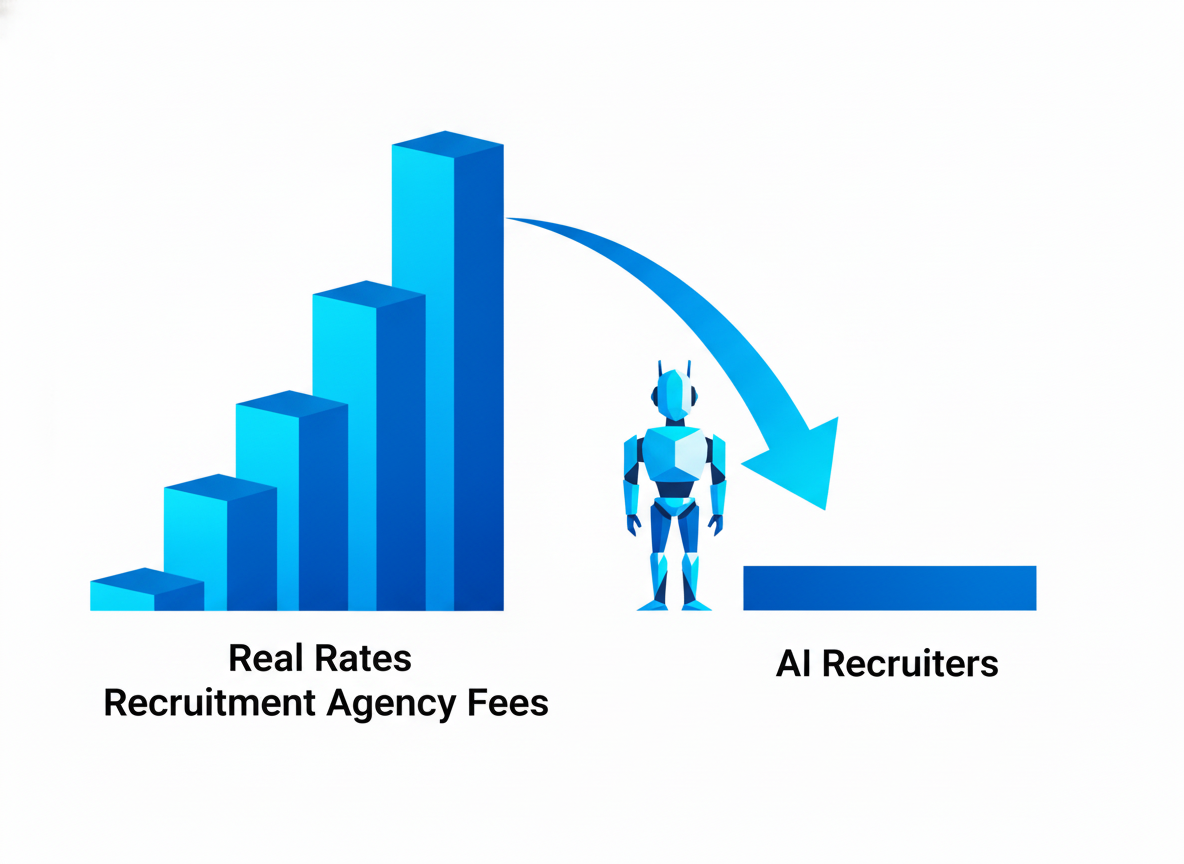
Two numbers from this chart should anchor your budget for a replacement. If you were on Growth, you were paying roughly $4,550 to $6,000 a year for up to 500 vetted candidates plus self-serve search, about $9 to $12 per Fetcher-sourced candidate before counting the database access. If you were on Amplify, the dedicated sourcer was the main thing you were paying for, at $7,800 to $10,200 a year. Most alternatives below are cheaper per seat than Growth, but almost none sell you a named human sourcer at Amplify's price, and that is the trade you are being asked to make.
How to apply this: open your last Fetcher invoice and write down three things, your plan, how many Fetcher-sourced candidates you actually received last quarter, and how many of those you contacted. Those three numbers tell you whether you need a managed service, an AI agent or simply a cheaper search seat.
4. The Three Ways to Replace Fetcher
Every serious Fetcher alternative in 2026 falls into one of three replacement models, and choosing the model first saves you from comparing tools that solve different problems. The market has moved a long way since Fetcher launched.
In 2022 the alternatives to a human-assisted sourcing service were search databases you drove yourself. In 2026 the default is an AI agent that runs a search continuously, ranks candidates against your criteria and sends outreach, with a human (you) approving the shortlist. That shift is precisely why Fetcher's hybrid model became hard to sustain: AI agents now do a large share of the screening work Fetcher paid people to do.
The three models differ in who does the screening and how you pay. Getting this right matters more than any feature checklist, because a team that relied on Amplify's dedicated sourcer will be unhappy with a self-serve search seat however good its filters are, and a solo recruiter on Growth will overpay for an enterprise suite.
- AI-native agents that search, screen and email: Juicebox, Pin, Metaview, HeroHunt.ai
- Managed or pay-per-hire services: SeekOut Spot (where still sold), Metaview's fillmore
- Platform suites with CRM, ATS or LinkedIn data: Gem, hireEZ, LinkedIn, Findem
The first group is the closest replacement for Fetcher's Growth and Self-serve customers. These tools are self-serve, publish prices from roughly $100 to $300 per seat per month, and replace Fetcher's human screening with AI screening that learns from your feedback. They also tend to send from your own Gmail or Outlook account, which is how most Fetcher teams already worked, and they can usually be trialled within a day without a sales call. The catch is that the human review step does not disappear; it moves from Fetcher's team to yours.
The second group is the closest replacement for Amplify, where you paid for the result rather than the software. With Spot, a SeekOut recruiter reviews the AI's candidates and you buy packs of slates or hires. With fillmore, an AI agent does the work inside Slack and you pay only when you hire.
The third group is for teams whose real need is a system of record, a nurture CRM, LinkedIn's network or enterprise talent data, where sourcing is one module of a larger contract. These are the most capable tools in the guide and also the slowest and most expensive to adopt.
Why this matters in practice: the AI-native group is where most Fetcher customers will land, because it matches their budget and team size, but it moves the review work onto your recruiters.
How to apply this: if your team cannot spare one or two hours a week per role to review AI shortlists and give feedback, look at the managed group first. If it can, start with the AI-native group and only consider a suite if you were already planning a CRM or ATS change.
5. The 9 Best Fetcher Alternatives in 2026
The nine tools below cover all three replacement models, ordered from the most direct successor to the most different. Each entry gives the verified price, what it replaces from Fetcher, where it falls short, and who it fits. Prices are list prices read from each vendor's own pricing page in October 2026 unless stated otherwise. Where a vendor publishes no price, we give the best available evidence of what buyers pay, usually Vendr's median contract value, and say so. Why this matters: several of these tools changed their packaging in 2026, so most comparison articles you will find quote prices that are already out of date.
A note on fairness: one of the nine is HeroHunt.ai, the product made by the company that publishes this blog. It is listed last and held to the same standard as the others, including its limitations. If your situation matches a different tool better, the decision framework in section 7 will say so. How to apply this section: read the "Best for" line of each entry first, shortlist the two that match your situation, and only then read the detail.
5.1 Juicebox: The Official Landing Spot
Juicebox is the tool Fetcher chose for its customers, and for most Growth-plan teams it is a strong, direct replacement. It started as PeopleGPT, a natural-language search engine over people data, and has grown into an AI recruiting platform with search, outreach sequencing and autonomous agents. It searches 800 million profiles from dozens of data sources, according to its pricing FAQ. The company is well funded, starting with a $30 million Series A led by Sequoia in September 2025 - TechCrunch. It followed with an $80 million Series B at an $850 million valuation in March 2026, led by DST Global - Pulse 2.0. The October press release cites more than 5,000 companies using it and $116 million raised.
The feature that replaces Fetcher's human sourcers is Juicebox Agents, which run a search continuously in the background and can be set to auto-shortlist or auto-email candidates. Fetcher's own transition guide maps Fetcher Assist to Juicebox Agents, Fetcher's sourcing to Juicebox search and Fetcher's ATS integration to Juicebox's "50+ ATS platforms, including Ashby, Greenhouse, Lever, Workday and Bullhorn." Juicebox's three-minute introduction below shows how an agent runs a search from criteria through to sending, which is the workflow a Fetcher Growth user will spend most time in.
Intro to Agents | Juicebox (PeopleGPT)
The pricing is public and per seat, with a monthly or yearly toggle that we checked in a browser - Juicebox pricing:
| Plan | Billed monthly | Billed yearly | Key limits |
|---|---|---|---|
| Free | $0 | $0 | Limited searches, AI email templates, one agent setup |
| Starter | $119/seat/mo | $99/seat/mo | Unlimited searches, 500 contact credits, 500 exports, email outreach |
| Growth | $199/seat/mo | $179/seat/mo | 1,500 contact credits, up to 5 seats, 3 mailboxes per user |
| Business | Not offered | Custom, annual only | ATS or CRM integration, unlimited contact credits, hiring manager seats |
| Agents add-on | $199/agent/mo | $199/agent/mo | Runs 24/7, unlimited contact and email credits, auto-email or auto-shortlist |
The table hides the single most important detail for Fetcher customers: ATS or CRM integration is listed only on the Business plan, which is custom-priced and annual only. Fetcher's Growth plan included ATS integration at $379 a month. So a Fetcher team that relied on candidates flowing into Greenhouse or Lever should ask specifically whether the Fetcher offer includes ATS integration on a lower tier, or price Business. A second detail is the arithmetic of agents: Growth at $179 plus one agent at $199 comes to $378 a month, almost exactly Fetcher Growth's $379, so the like-for-like cost is similar, not lower. The Fetcher offer itself has no published price; it was emailed to customers on October 2 and is open to teams that have not used Juicebox or taken a Juicebox demo in the past six months.
Best for: Fetcher Growth and Self-serve customers who want the path of least resistance, are comfortable reviewing AI-generated shortlists, and either do not need ATS sync or will negotiate it into the offer.
5.2 SeekOut: Enterprise-Grade Search, and a Managed Option to Ask About
SeekOut is the alternative for teams that want deeper search than Fetcher offered, and possibly the last place to find something like Fetcher's human sourcers. It is an established talent search platform with 1B+ profiles and 750+ customers, and its agents now cover the full sourcing loop: SeekOut lists a Rubric Creator, a Candidate Finder that searches public profiles and your ATS, and an Outreach Expert that writes and sends personalised emails, with recruiters deciding how much the agents do - SeekOut. SeekOut also exposes its 1B+ profiles inside ChatGPT, Claude, Gemini and Copilot through its MCP server.
The reason SeekOut matters to former Amplify customers is SeekOut Spot, an agentic recruiting service in which SeekOut's own recruiters work alongside its AI agents. Spot's services agreement, in force since February 2025, names three purchase types: Spot Slate Packs, Spot Hire Packs and Spot Agency Hire - SeekOut Spot Services Agreement. In plain terms, you could buy batches of vetted candidate slates, buy hires, or engage it like an agency. One caution before you plan around it: in October 2026 SeekOut's Spot web pages redirect to its general agentic AI page and its demo form, and Spot no longer appears in the site's navigation. Ask sales directly whether Spot is still sold before you count on it. The SeekOut video below, from September 2026, shows the direction the product has taken instead: an agent that turns a job description into a sourcing brief and a live pipeline.
SeekOut Talent Intelligence Agent: a JD in, a pipeline out
For teams that want to drive the search themselves, SeekOut sells a self-serve plan - SeekOut pricing:
| Plan | Price | Key limits |
|---|---|---|
| Sourcing Core | $149/mo paid annually upfront ($1,788/yr), or $179/mo billed monthly | 500 contact credits and 1,000 exports a month, AI match scoring, AI-drafted outreach, 14-day trial |
| Sourcing (Recruit) | Custom, billed annually | 750 contacts and 5,000 exports per seat a month |
| Spot | Unpublished (slate packs, hire packs, agency hire) | SeekOut recruiters plus AI agents; confirm availability |
Two more cautions. First, SeekOut's pricing page is inconsistent on seats: the Core card pitches it at individual recruiters, while the comparison table lists three seats included, so confirm the seat count in writing. Second, SeekOut's enterprise contracts are not cheap: Vendr's median is $20,000 a year across 65 purchases, ranging from $5,820 to $54,920 - Vendr. For a Fetcher Growth team, Sourcing Core is a credible lower-cost search seat; for an Amplify team, SeekOut is worth a call mainly to find out whether a human-plus-AI service is still on offer.
Best for: Teams that want enterprise-depth search at a self-serve price, and former Amplify customers who want to ask about vetted slates delivered by people.
5.3 Pin: The Cheapest Like-for-Like Autopilot
Pin is a self-serve AI recruiting agent that does what most Fetcher Self-serve and Growth users relied on, searching, ranking and sequencing candidates automatically, for less money and with a permanent free plan. It claims a search across 850M+ profiles from multiple sources and integrations with 120+ applicant tracking systems, including Greenhouse, Lever, Ashby, Bullhorn, iCIMS and Jobvite, according to its pricing FAQ. Its product combines AI evaluation of each candidate against your criteria, multi-channel sequences, interview scheduling and a shared inbox.
The screenshot from Pin's own comparison page shows the core loop: plain-language criteria at the top, an AI evaluation of each profile against those criteria with a yes, maybe or no and a reason, and buttons to shortlist, decline or start outreach. Note the "Already in your ATS" flag, which is the kind of check that prevents re-contacting people from your old Fetcher pipeline.

Pin's pricing is public - Pin pricing:
| Plan | Price | Key limits |
|---|---|---|
| Free | $0 | 5 contact lookups a week, 1 job, 1 AI agent, email-only sequences |
| Solo | $99/mo, annual billing only | 1 seat, unlimited jobs, 500 contact lookups, 2 AI agents, multi-channel sequences |
| Professional | $179/user/mo monthly, or $135 billed annually | 1,000 credits per seat a month, 2 agents per user, shared inbox |
| Business | Custom | Unlimited seats, credits and agents, premium ATS integrations, account manager |
The caveats are scale and integration depth. Pin is a young company: its only disclosed round is a $3 million seed in December 2024 - Pulse 2.0, which is not a reason to avoid it but is a reason to keep your data exportable, given what just happened to Fetcher. And although the FAQ advertises 120+ ATS integrations, the pricing card puts "Premium ATS integrations" on the custom Business plan, so check which integration you get on Solo or Professional before you rely on it.
Best for: Solo recruiters and small agencies leaving Fetcher Self-serve or Growth who want the lowest published price for an autopilot sourcing agent and can test it free before paying.
5.4 Gem: For Teams That Want the CRM and the ATS Too
Gem is the alternative for teams that want to use Fetcher's exit as the moment to consolidate. Gem started as a recruiting CRM layered over your ATS and now sells two products: Gem + Your ATS, which keeps your existing ATS and adds AI sourcing, outreach, scheduling and analytics on top, and Gem All-in-One, which includes its own ATS. Its AI Sourcing Agent searches 800M+ profiles, and it also runs application review, talent rediscovery and fraud detection agents, with multi-channel sequences and unlimited email finding - Gem pricing.
For a Fetcher customer, Gem's strongest feature is the CRM. Fetcher's candidate history (who you contacted, who replied, who said not now) is exactly the kind of data a recruiting CRM is designed to hold and re-engage over time, and Gem's talent rediscovery agent is built to resurface past candidates for new roles. Gem has also started exposing its data to AI assistants through GeMCP, previewed in June 2026 - Gem.
| Option | Price | Notes |
|---|---|---|
| Gem + Your ATS | Custom, based on company headcount | AI sourcing, CRM, outreach, scheduling, analytics |
| Gem All-in-One | Custom, based on company headcount | Adds Gem's own ATS |
| Startups under 30 employees | Free for six months, then 50% off | All-in-One; 30-100 employees get reduced rates |
| Startup Program, 1-10 employees | $130/mo on a yearly term | Struck through from $270 on the pricing page |
Gem's weakness for most Fetcher customers is cost and commitment above the startup tier. There is no list price for established companies, and Vendr puts the median Gem contract at $25,699 a year across 234 purchases, from $7,000 to $73,076 - Vendr. That is more than double Fetcher's median. It is also a bigger change: you are adopting a CRM, and possibly an ATS, not just swapping a sourcing tool. There are no human sourcers.
Best for: Startups under 100 employees (where Gem's pricing is unusually generous) and growing in-house teams that want sourcing, nurture and analytics in one system and are prepared for a broader rollout.
5.5 hireEZ: Agent-Native Sourcing on Top of Your ATS
hireEZ (formerly Hiretual) is one of Fetcher's oldest direct competitors and in August 2026 rebuilt itself around agents. Its relaunch release describes "the agent-native talent acquisition platform" rebuilt "from the ground up on agents," with existing customers keeping their data, integrations and contracts - hireEZ release. The pitch is an agent that works through sourcing, rediscovery of past applicants in your ATS and outreach all day, with 40+ native ATS integrations listed on its pricing page.
The short official clip below shows the relaunched agent sourcing a role and returning market insights alongside candidates, which gives a feel for how much of the work it now does unattended compared with the search-and-click workflow Fetcher's self-serve side used. You brief it the way you would brief a human sourcer, in a sentence, which is the closest any software in this guide gets to the experience of handing a role to Fetcher's team.
AI Sourcing and Talent Market Insights: Watch the Agent Work | The New hireEZ
hireEZ's pricing page now shows one public number: "Solo recruiters start at $494/mo with a 7-day free trial," while enterprise pricing is "configured to the stack hireEZ replaces" - hireEZ pricing. Our own checkout test in September 2026 found that $494 is the annual plan paid upfront, $5,929 a year, and that month-to-month billing costs $549 - HeroHunt hireEZ pricing breakdown.
| Plan | Price | Notes |
|---|---|---|
| Solo (Growth) | $494/mo annual upfront ($5,929/yr), or $549 month to month | Per seat, contact and AI-review credits each month |
| Enterprise | Custom | Priced against the tools it replaces |
The comparison with Fetcher is interesting. hireEZ's solo price is close to Fetcher Growth's monthly price, but it buys you a seat with credits rather than a quota of human-vetted candidates. Buyers typically pay a median of $13,000 a year, with a range from $7,000 to $25,000 - Vendr. That is close to Fetcher's own median, which makes hireEZ the most natural "same budget, different model" swap for teams with ATS-heavy workflows. The trade-off is price for a solo user, and the absence of a human review layer.
Best for: In-house teams with a mature ATS who want an agent that also mines past applicants, and who were spending Fetcher-level budgets already.
5.6 Metaview: Sourcing Agents From the Interview-Notes Leader
Metaview made its name with AI interview notes and has expanded into sourcing with an agent that runs searches continuously, plus a separate Slack-based agent called fillmore. It raised a $60 million Series C led by Insight Partners in September 2026, bringing total funding to $110 million - Metaview. Its sourcing pricing is notably low and simple - Metaview pricing:
| Plan | Price | Key limits |
|---|---|---|
| Free | $0 | First 100 profiles sourced free, unlimited concurrent searches |
| Pro | $100/user/mo | 200 profiles sourced a month |
| Max | $300/user/mo | Unlimited profiles sourced |
| Enterprise | Custom | Custom volume, dedicated support |
The second product matters more to Fetcher's Amplify customers. fillmore is described as "the ai coworker that finds candidates, runs personalized outreach, and books screening calls," it "lives entirely in slack," and you "only pay when you hire" - fillmore. That is a success-fee model in the spirit of a managed service, without a human at the vendor reviewing profiles. Metaview does not publish the fee; our Metaview pricing guide covers what is known about it - HeroHunt Metaview pricing guide. fillmore needs Slack and an ATS, and hiring managers approve candidate meetings inside Slack.
The weakness is the unit of value. A "profile sourced" on Metaview Pro is an agent-found candidate, not a human-vetted one, so 200 a month is not directly comparable with Fetcher's 500 vetted candidates a year, and Metaview's own outreach and ATS depth in sourcing is newer than its notes product. Its strength is cost: at $100 a month with no annual commitment, a Metaview Pro seat is among the cheapest paid sourcing plans in this guide, and the free tier's 100 profiles are enough to judge quality on a real role.
Best for: Teams already using Metaview for interview notes, and budget-conscious recruiters who want an always-on sourcing agent at a low fixed price.
5.7 LinkedIn Recruiter With Hiring Assistant
LinkedIn Recruiter with the Hiring Assistant add-on is the alternative for teams whose candidates mostly live on LinkedIn and who want an agent working inside that network. Hiring Assistant became globally available in English at the end of September 2025, and LinkedIn announced Hiring Assistant 2 on September 29, 2026, adding memory of how you hire, personalised fit signals, verification and the ability to evaluate candidates already in your ATS - LinkedIn News. It drafts personalised messages and pre-screens interested candidates, which covers the search, screen and outreach jobs Fetcher did.
The commercial reality is the opposite of Fetcher's. Hiring Assistant is "available for purchase as an add-on to LinkedIn Recruiter" - LinkedIn Talent Solutions, and neither the add-on nor Recruiter itself has a public price on LinkedIn's site. The best list-price evidence is LinkedIn's own UK government price sheet, which lists Recruiter at £8,925 per seat per year for one or two licences, falling to £6,350 at 251 or more - UK G-Cloud price sheet, before the Hiring Assistant add-on.
| Component | Price | Notes |
|---|---|---|
| Recruiter seat (UK list) | £8,925/seat/yr (1-2 licences) to £6,350 (251+) | 150 InMails a month per licence |
| Hiring Assistant add-on | Negotiated, unpublished | Recruiter Corporate or Recruiter Professional Services Plus |
| Hiring Assistant 2 | No extra cost for existing add-on customers | Rolling out from November 2026 |
The limits are structural. Hiring Assistant recommends only LinkedIn members and people already in your ATS, so it will not find a strong engineer whose evidence lives on GitHub rather than LinkedIn, and it is priced for enterprise contracts. Our full analysis of version 2 covers the capacity tiers and lock-in in detail - HeroHunt Hiring Assistant 2 guide.
Best for: Mid-size and enterprise teams that already hold a Recruiter Corporate contract and want their Fetcher budget to go into LinkedIn's agent rather than a separate tool.
5.8 Findem: Enterprise Talent Data and Agents
Findem is the enterprise option: a "Talent Data Cloud" that combines people and company data into what it calls 3D data, with sourcing, CRM, talent insights and a growing set of agents (calibration, veteran sourcing, application boost, ID verification, scheduling, assessment and screening). Its Findem Studio exposes those agents and MCP tools to the AI assistants a company already uses - Findem. It raised $51 million in a Series C led by SLW in October 2025, bringing total funding to $105 million - Findem.
Findem's attribute-based search is strong for complex, multi-criteria roles (for example, engineers who have worked at companies during a specific growth stage), and its diversity and market analytics go deeper than Fetcher's. For an enterprise TA team that used Fetcher as a point solution for a few hard roles, Findem can replace it while also covering talent intelligence and rediscovery across the whole company.
| Option | Price | Notes |
|---|---|---|
| Findem platform | Not published | Vendr median $58,000/yr, range $7,225 to $94,840 |
| Findem Studio agents | Free trial of an agent advertised | Agents plus MCP tools |
The obvious caveat is price and scale. With a Vendr median of $58,000 a year - Vendr, Findem costs more than five times Fetcher's median, and it is sold through sales with an implementation. It makes sense only if you are replacing more than Fetcher.
Best for: Enterprise TA teams with a talent-intelligence budget that want sourcing, rediscovery and market data in one contract.
5.9 HeroHunt.ai: An AI Recruiter With Published Monthly Plans
HeroHunt.ai is an AI Recruiter that searches up to 1 billion profiles across platforms, screens each candidate against your role with current GPT and Claude models, and sends personalised outreach automatically. It is built for the same buyer Fetcher's Self-serve and Growth plans served, recruiters and small teams who want qualified candidates delivered rather than another database to search, and it publishes its plans with month-to-month billing - HeroHunt.ai Plans. Its RecruitGPT turns a single prompt into a candidate shortlist.
The difference from Fetcher is who does the screening. Fetcher put a human sourcing team between the database and your pipeline; HeroHunt.ai uses language models for that step and shows you the reasoning, and you approve the shortlist. That makes it faster and cheaper per candidate, and it means your recruiters, not a vendor's sourcers, are the final check. Every plan has unlimited positions and searches, metered on two monthly allowances, AI-screened and matched profiles delivered and candidate emails found, rather than seats or a yearly candidate quota.
| Plan | Monthly | Annual | Included |
|---|---|---|---|
| Starter | $99 | $990 | 1 user, 2,000 profiles and 500 emails a month, 750M profiles searched |
| Pro | $199 | $1,990 | 1 user, 5,000 profiles and 1,000 emails a month, 1B profiles, premium models, analytics, integrations |
| Team | $399 | $3,990 | 3 users sharing 25,000 profiles and 4,000 emails a month, everything in Pro |
The honest limitations: there is no human sourcer, so teams that leaned on Amplify's dedicated sourcer will be doing more review themselves; the allowances reset monthly and do not roll over; ATS integrations come with Pro and Team, not Starter; and it is a sourcing and outreach tool, not a CRM or ATS. Annual plans give 2 months free, and you can start with an 8-day free trial (card required) at uwi.herohunt.ai.
Best for: Solo recruiters and small teams leaving Fetcher Self-serve or Growth who want autonomous sourcing, screening and outreach on a monthly plan, with no annual lock-in.
6. Side by Side: Price, Model and ATS Sync
On published list prices, every self-serve alternative except hireEZ is cheaper per seat than Fetcher Growth, but the unit you are buying differs so much that the cheapest seat is rarely the cheapest outcome. Fetcher sold vetted candidates per year, Juicebox and Pin sell seats plus agents, Metaview sells profiles per month, HeroHunt.ai sells monthly profile and email allowances, SeekOut Spot sells slates or hires, and LinkedIn and Findem sell enterprise contracts. The table puts them in one place, and the paragraphs after it explain how to read it.
| Tool | Model | Entry price | Human review at vendor | ATS sync |
|---|---|---|---|---|
| Fetcher (retired) | Hybrid AI plus human sourcers | $115/mo Self-serve, $379/mo Growth annual | Yes (Growth and Amplify) | Yes, about 30 ATSs |
| Juicebox | AI search plus agents | $99/seat/mo yearly, $119 monthly; agents $199 | No | Business plan only |
| SeekOut | Search seat, plus Spot service | $149/mo annual ($179 monthly); Spot unpublished | Only via Spot (confirm it is sold) | Custom tiers |
| Pin | AI agent | $0 free plan; $99/mo Solo (annual) | No | Premium ATS on Business |
| Gem | CRM plus sourcing, optional ATS | Custom; startups free for 6 months | No | Yes, or replaces ATS |
| hireEZ | Agent-native sourcing | $494/mo (annual upfront) | No | 40+ native integrations |
| Metaview | Sourcing agent; fillmore per hire | $0, Pro $100/user/mo | No | fillmore requires an ATS |
| LinkedIn Hiring Assistant | Agent inside Recruiter | £8,925/seat/yr list plus add-on | No | Yes, ATS-connected projects |
| Findem | Enterprise talent data plus agents | Vendr median $58,000/yr | No | Yes |
| HeroHunt.ai | AI Recruiter | $99/mo | No | Pro and Team plans |
The column that matters most for former Fetcher customers is the fourth. Only SeekOut Spot puts a human at the vendor between the database and your pipeline, it does so on a per-slate or per-hire contract rather than a monthly fee, and even Spot needs confirming with SeekOut's sales team now that its web pages redirect elsewhere. Everyone else replaces that human with an AI screen that you supervise. The fifth column is the second trap: two of the cheaper tools (Juicebox and Pin) put ATS integration on their custom top tier, so the like-for-like price for a team that needs ATS sync is higher than the entry price suggests.
The chart compares the cheapest plan each tool sells on month-to-month billing, which is the fairest basis for a team that wants to avoid another annual commitment after a vendor shutdown. Pin's Solo plan is annual only, so its cheapest monthly plan is Professional; hireEZ's monthly figure is from our September checkout test.
Cheapest Plan on Monthly Billing, per User
List prices are only half the picture, because the enterprise tools never sell at list. Vendr's medians show what buyers actually sign for a year, and they put Fetcher in the cheaper half of the market. The second chart uses the same source for every bar so the comparison is consistent; LinkedIn is left out because Vendr's LinkedIn median covers all LinkedIn products, not Recruiter alone.
What Buyers Actually Pay per Year (Vendr Medians)
Read together, the two charts tell a clear story. If you were a typical Fetcher customer at around $11,000 a year, the self-serve AI tools let you spend less for search and outreach, hireEZ keeps you at roughly the same budget, and Gem, SeekOut's enterprise tiers and Findem cost two to five times more because they include a CRM, enterprise data or services. How to apply this: set your budget ceiling at your last Fetcher invoice, then choose the model that fits under it, rather than choosing a tool and discovering the ATS or human-review add-ons later.
7. How to Choose: A Decision Framework
The right replacement depends on three questions, asked in order: do you need humans to review candidates, do you need ATS sync on day one, and what matters most once those are settled. Most comparison articles start from features, but every tool in this guide can search, rank and email. The questions that actually separate them are who does the review, how candidates reach your system of record, and whether you are buying a seat or a contract. Answering them in this order eliminates most of the list for any given team within a few minutes.
The diagram turns those questions into a path. Start at the top, follow your honest answers, and you will reach one or two tools worth trialling. It deliberately ends on a trial rather than a purchase, because the only reliable test of an AI sourcing tool is how its shortlists look for your own roles.
The left branch is short because few vendors still offer human review. If your team depended on Amplify's sourcer, ask SeekOut whether Spot is still available, and consider fillmore if you would rather pay only when a hire happens. If neither fits, the remaining human option is a contingency recruiter, which is a different and usually far more expensive purchase. The middle branch splits on budget: LinkedIn and Findem make sense when you already have, or want, an enterprise contract, while hireEZ and Gem keep ATS-integrated sourcing in the mid-market range. The right branch is where most Growth and Self-serve customers will end up, choosing between the cheapest seats and agents that run sourcing and outreach end to end. Why this matters: following the branches in order stops you from paying for an ATS integration or an enterprise contract you do not need, which is the most common way teams overspend after a forced switch.
Five common Fetcher customer profiles
The framework is easier to apply with examples, so here are the five situations we see most often among teams leaving a hybrid sourcing service, and the replacement each one usually lands on. These are patterns, not rules: your roles, market and recruiter capacity can shift the answer.
A seed-stage startup with one recruiter and a handful of engineering roles, previously on Fetcher Self-serve, gets the most from Gem's six-month free All-in-One offer if it also wants an ATS, or from Pin or HeroHunt.ai if it just needs candidates. A Series B scale-up on Fetcher Growth with Greenhouse and three recruiters should price Juicebox Business (for ATS sync) against hireEZ and HeroHunt.ai's Team plan, and run a two-week bake-off. An agency with many concurrent roles should look at Pin Professional, Juicebox Growth and HeroHunt.ai, where unlimited positions and per-seat or allowance pricing beat a yearly candidate quota.
A former Amplify customer with hard-to-fill technical roles and no spare recruiter time should call SeekOut about Spot first, because it is the only option in this guide that has kept a person in the loop at the vendor, and fall back to fillmore or a fuller agent setup if Spot is no longer offered. And an enterprise TA team that used Fetcher for a few niche roles should fold that budget into an existing LinkedIn Recruiter or Findem contract rather than buy another point tool. In every case, the step after choosing is the same: trial on two live roles, not on a demo search. How to apply this: write down which of the five profiles is closest to your team, shortlist the two tools it points to, and book both trials in the same week so you compare them on the same roles and the same market conditions.
8. A 30-Day Switch Plan and Where It Goes Wrong
A clean switch runs in four weeks: secure the data, run two tools in parallel on live roles, decide on evidence, then cut over. The temptation after a shutdown notice is to accept the first offer and move everything at once.
The better approach treats the next month as a short evaluation, because the cost of choosing badly (another migration in six months) is much higher than the cost of two parallel trials. Most of the alternatives above offer a free plan or trial, and Juicebox's Fetcher offer runs until November 19, so there is time to test properly if you start now.
The plan also protects candidates. A parallel trial run carelessly means two tools emailing the same people, so the first week is about setting up suppression lists and sending domains before any new outreach goes out. The steps below assume you have finished the section 2 checklist.
- Week 1: load your do-not-contact list into both trial tools, connect mailboxes, recreate two live roles
- Week 2: let both tools source and shortlist; review every shortlist and record acceptance rates
- Week 3: send outreach from both on separate roles; track reply and interested rates
- Week 4: compare cost per interested candidate, choose, connect your ATS, cancel the loser
The metric that decides it is cost per interested candidate, not cost per seat or per profile delivered. A tool that delivers 200 profiles of which you accept 20 and 4 reply positively is worse than one that delivers 60 of which you accept 30 and 9 reply positively, even if it is cheaper per profile. Track acceptance rate (shortlist quality), positive reply rate (outreach quality) and hours your recruiters spent reviewing (the hidden cost of losing Fetcher's human screeners).
Those three numbers give a defensible decision you can explain to finance. Why this matters: losing Fetcher's human screeners moves review time onto your recruiters, and a tool that looks cheap per seat can cost more in recruiter hours than it saves in licence fees.
The four ways a Fetcher switch goes wrong
The most common failure is re-contacting your old pipeline. If your new tool does not know who Fetcher already emailed, candidates who declined last month hear from you again. Import your suppression list before the first send and use any "already in your ATS" or duplicate check the tool offers.
The second is deliverability. A new tool that sends from a new domain or at a new volume can land in spam, which looks like poor candidate quality but is really an infrastructure problem. Warm up any new sending domain, keep daily volume close to what Fetcher sent from your mailbox, and prefer tools that send from recruiters' own Gmail or Outlook accounts.
The third is ATS duplication: when you connect a new tool to the ATS that Fetcher wrote into, candidates can be created twice under different sources. Decide in advance which tool is the source of truth and map Fetcher's old source tag before you connect anything.
The fourth is paying twice. If you prepaid an annual Fetcher contract, Fetcher says unused credits and contracts are reviewed individually, so ask for that review in writing before you sign an annual replacement.
Equally, do not commit to an annual plan elsewhere until your trial in weeks two and three gives you real numbers. Several tools in this guide discount annual billing by roughly 15% to 25%, which is tempting, but an annual contract signed in a hurry is exactly the position many Fetcher customers are in today.
9. What Fetcher's Exit Teaches About Buying AI Sourcing
The lesson from Fetcher is not that it was a bad product. It is that in 2026 AI sourcing is consolidating fast, and the exit terms of a tool now matter as much as its features. Fetcher had paying customers, published prices and a decade of history, and it still went from an operating product to a two-week shutdown notice.
The broader market shows the same pattern. Moonhub, which built AI agents to source and engage candidates, shut down in June 2025 with part of its team joining Salesforce - TechCrunch. Workday completed its acquisition of conversational recruiting company Paradox in October 2025 - Workday.
At the same time, capital is concentrating in a few well-funded platforms: Juicebox's $80 million Series B, Metaview's $60 million Series C and Findem's $51 million Series C all closed within the past year. That is good news for those vendors' customers and a warning for buyers of smaller tools.
The reason Fetcher's model struggled is visible in this guide's pricing tables: AI agents now do much of the screening work that a human sourcing team used to do, at a fraction of the cost, which squeezes any business built on paying people to vet candidates for a monthly fee.
For buyers, this changes the checklist. Before signing with any replacement, ask four questions in writing and keep the answers with the contract:
- Data export: can you export candidates, notes and outreach history yourself, at any time, in CSV?
- Mailbox ownership: does outreach send from your own mailboxes, so replies survive the vendor?
- Contract length: is month-to-month available, and what happens to prepaid credits if the product ends?
- ATS as record: does the tool write to your ATS, so your pipeline history lives in a system you control?
Teams that answered yes to these with Fetcher (by sending from their own Gmail and syncing to their ATS) are having a much easier October than teams that used Fetcher's own email service and kept their pipeline only inside Fetcher. Their candidate replies keep arriving, their ATS still holds every sourced candidate and its status, and their export is a convenience rather than a rescue operation. The difference had nothing to do with which sourcing tool they chose and everything to do with where they let the data live.
Why this matters: the next shutdown or acquisition in this market is a question of when, not if, and the cost of it falls on whoever did not keep their data portable. How to apply this: treat data portability as a scored criterion in your section 8 trial, alongside shortlist quality and reply rate.
AI agents will keep changing what "sourcing" means. The direction of travel across the vendors in this guide is the same: agents that run continuously, remember what you accepted and rejected, and act inside the tools you already use, including through MCP connections into general AI assistants.
That is good for recruiters' time, but it also deepens lock-in, because an agent that has learned your preferences for a year is harder to leave than a database. That learning lives inside the vendor's system, and there is no standard way to carry it over to another vendor's agent.
Choosing tools that keep your data and outreach in systems you own is the simplest protection. Your ATS, your mailboxes and a regular CSV export of your candidate lists will outlast any single sourcing vendor, which is the one durable lesson from Fetcher's last two weeks.
10. The Bottom Line
For most Fetcher customers the decision comes down to who reviews candidates and how much ATS integration you need, and the deadline that matters is October 16, not November 19. Export your data, pause your sequences and revoke access this week, whatever you decide about the replacement. Then choose the model before the tool.
If you were on Growth or Self-serve and are happy to review AI shortlists yourself, Juicebox is the official and well-funded path, with an exclusive offer until November 19, but check whether that offer includes ATS integration, which Juicebox otherwise reserves for its Business plan. Pin and Metaview are among the lowest-cost agents, hireEZ keeps you at a similar budget with deep ATS integration, and Gem is the strongest choice for startups that also want a CRM or ATS. If you were on Amplify and your team relied on a dedicated sourcer, ask SeekOut whether its human-plus-AI Spot service is still sold, and look at Metaview's fillmore as the pay-on-hire alternative. If you are an enterprise team, put the budget into LinkedIn's Hiring Assistant or Findem instead of buying another point tool.
If what you valued most in Fetcher was candidates arriving in your inbox already matched and contacted, without managing a database or a sourcing vendor, HeroHunt.ai does that with an AI Recruiter on monthly plans. Whichever tool you pick, run it on two live roles before committing, and judge it on cost per interested candidate.
Autonomous sourcing, AI screening and outreach on monthly plans from $99 a month, unlimited positions, 8-day free trial (card required).
For a wider view of how every major recruiting tool meters its price, the recruiting software pricing guide compares 40 tools. If Juicebox is on your shortlist, our Juicebox alternatives comparison covers Fetcher's acquirer in more depth.
This guide reflects Fetcher's transition FAQ, the October 6, 2026 announcement and each vendor's pricing page as of October 14, 2026. Shutdown dates, offers and prices change, so verify current details with Fetcher support and each vendor before you sign.