


Disclosure: some links in this article are affiliate links. If you sign up through one, HeroHunt may earn a commission at no extra cost to you.
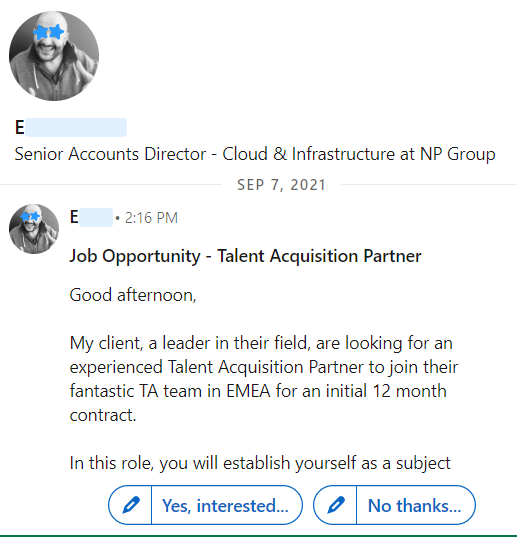
InMails are messages that you can send on the LinkedIn platform to leads or candidates that are not a 1st connection yet.
InMails are meant for recruiters and sales people to reach out to candidates and prospects to get them interested in a job or other offering.
When someone sends an InMail, the receiver can either accept or decline the InMail with one click.
In this guide you’ll learn how InMails work, what they cost and what alternatives there are.
These questions will be answered:
- How do InMails work?
- How many InMails do you get?
- What do InMails cost and how to send them for free?
- How to write good InMails?
- What alternatives are there to sending InMails?
How do InMails work?
InMails are just like LinkedIn messages.
To send an InMail message:
- Navigate to the profile of the LinkedIn user
- Click the More button on their introduction section.
- Select Message (Name of the member) from the dropdown menu.
- Type the Subject field (optional) in the New message pop-up window.
- Type the message in the text box.
- Hit Send
How many InMails do you get?
It depends on the premium LinkedIn plan that you have.
Every LinkedIn plan has its own available credits per month.
Here’s an overview of the amount of InMail credits you get per month.
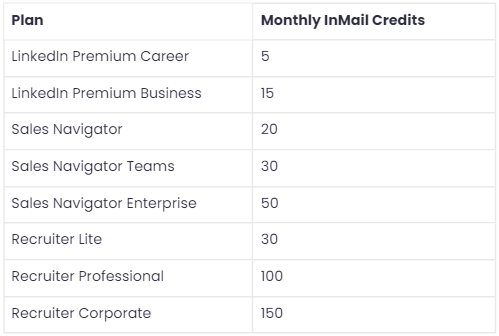
As of 2026, LinkedIn grants these monthly InMail credits - LinkedIn Help:
- Premium Career: 5 per month
- Premium Business: 15 per month
- Sales Navigator Core: 50 per month
- Recruiter Lite: 30 per seat per month
The enterprise Recruiter (Corporate) plan includes the most, commonly reported at 150 per seat per month, though LinkedIn does not list that self-serve. Two rules make these credits stretch further than they look. First, unused credits roll over up to a cap (15 for Premium Career, 45 for Premium Business, 150 for Sales Navigator Core, 120 for Recruiter Lite), so they accumulate if you skip a month. Second, you get the credit back whenever an InMail is accepted, declined or replied to within 90 days, so a well written message that earns responses effectively costs you nothing.
What do InMails cost and how to send them for free?
You get InMail credits when you are paying for one of the premium LinkedIn.
These are some of the latest LinkedIn pricing indications for some of the available plans (averages, rounded off):
- Recruiter Corporate: $10,800 per seat billed annually
- Recruiter Lite: $1,680 for a single license and $2,670 per year per license (licenses 2 - 5) per seat billed annually (or $170 per month for a single user or $270 per month for multiple users)
- Business premium (not a Recruiter license): $576 billed annually (or $60 per month)
If you can't afford these amounts on money, or you simply don't want to pay these amounts, there is a way to send InMails for free.
Two ways to send InMails for free
1. You can earn free InMail credits from LinkedIn
When you’re sending messages that get responded to. Your response rate has to be high to get InMails rewarded, and for most users the response rate is not high enough, but it’s worth trying (you want to optimize your response rate anyway).
2. You can send free InMails to open accounts
For a full explanation of how to send free InMails, see:
LinkedIn InMail credits: cost, free InMails and alternatives
Open accounts are premium users who have set their profile to ‘Open’. When a profile is open you can send them InMails for free, regardless of if they are a 1st connection or not.
If you have a Sales Navigator account, you can see if a profile is open or not.
If you don’t, then you can’t see if a profile is open or not but you can just send the InMail and see if it is sent or not.
How to write good InMails?
People respond positively to messages that show that you are interested in them and that you’ve done your homework.
Alternatively to searching for that information on LinkedIn you can use a tool that presents summarized candidate information from several platforms.
For a full guide on how to write InMails that people respond to, see this blog:
LinkedIn InMail examples: templates to win candidates (2022)
Here are some InMail examples that get responses:
InMail example 1: short and powerful

InMail example 2: long and involved

InMail example 3: light and fun

Don’t copy/paste the examples, use them as inspiration to improve your own messages.
What alternatives are there to sending InMails?
There are many alternatives to sending InMails on LinkedIn.
Many LinkedIn users feel very dependent on the platform, but it is usually an eye opener when they realize there are so many more options.
These are some of the InMail alternatives:
1. Send connection invites
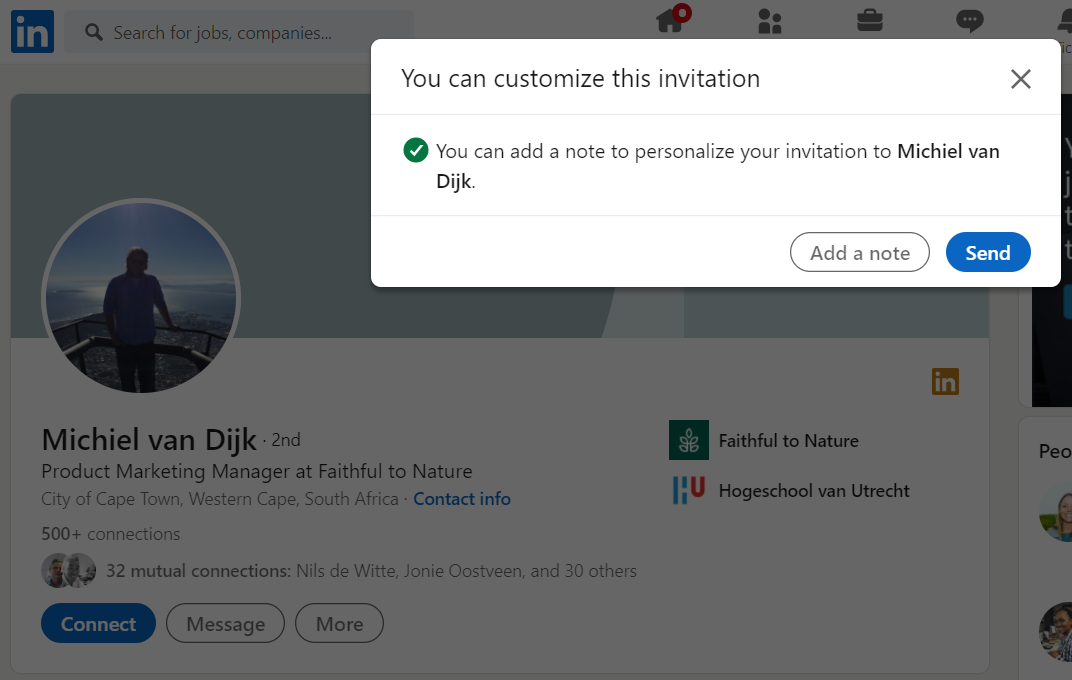
Any LinkedIn user can send connection invites. When a user accepts your connection invite, you are what LinkedIn calls ‘1st connections’.
The additional benefit of sending a connection invite over sending an InMail is that you also have the people you connected with on your timeline, and you can follow each other's updates.
When you send the connection invite you can add a message to the invite to introduce yourself and why you are connecting.
2. Email
With roughly 4.7 billion users worldwide in 2026, email is still the most widely used messaging medium there is - Statista.
Response rates can even be higher than LinkedIn InMails because most people spend more time in their email than on LinkedIn.
You can use email finders (like Apollo.io) or sourcing engines to find email addresses of candidates.
Apollo.io
When your monthly InMail credits run dry, email is the obvious fallback, and Apollo.io is a practical way to find the addresses. Its free plan gives 900 credits per seat per year (released monthly), enough to test the channel without paying, and the Basic plan is $49 per seat per month billed annually ($65 month to month, not $59) for 30,000 credits a year. The honest caveat: 900 free credits is only about 75 lookups a month, and B2B email data is never perfectly accurate, so verify addresses before you send a real sequence.
3. X (formerly Twitter)
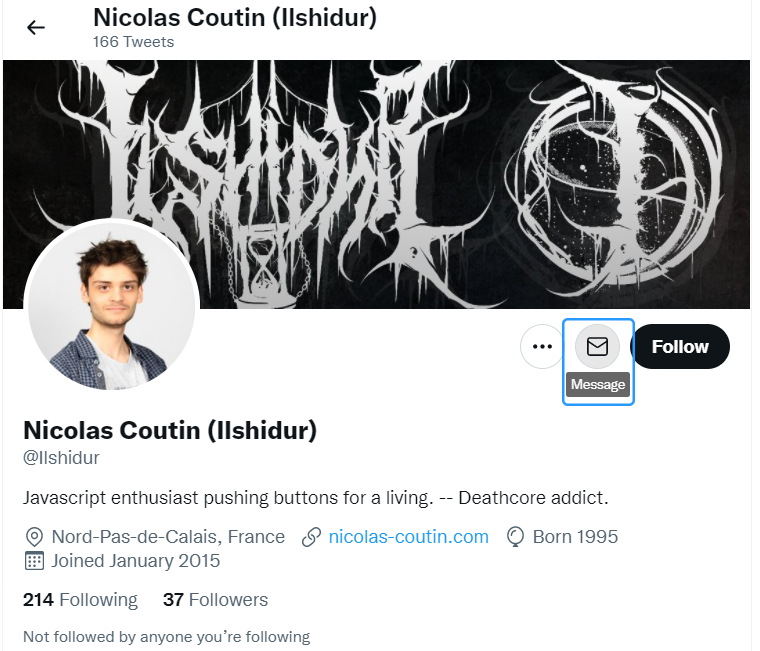
X (formerly Twitter) is oftentimes overlooked as a messaging tool.
But it can be a very strong platform to get candidates enthusiastic and responding to your outreach.
4. Phone
Phone is often considered a lost medium for recruiters, but some candidates still communicate openly their (mobile) phone number. You can find it with a contact finder or a talent search engine that finds contact details.
5. Talent search engine
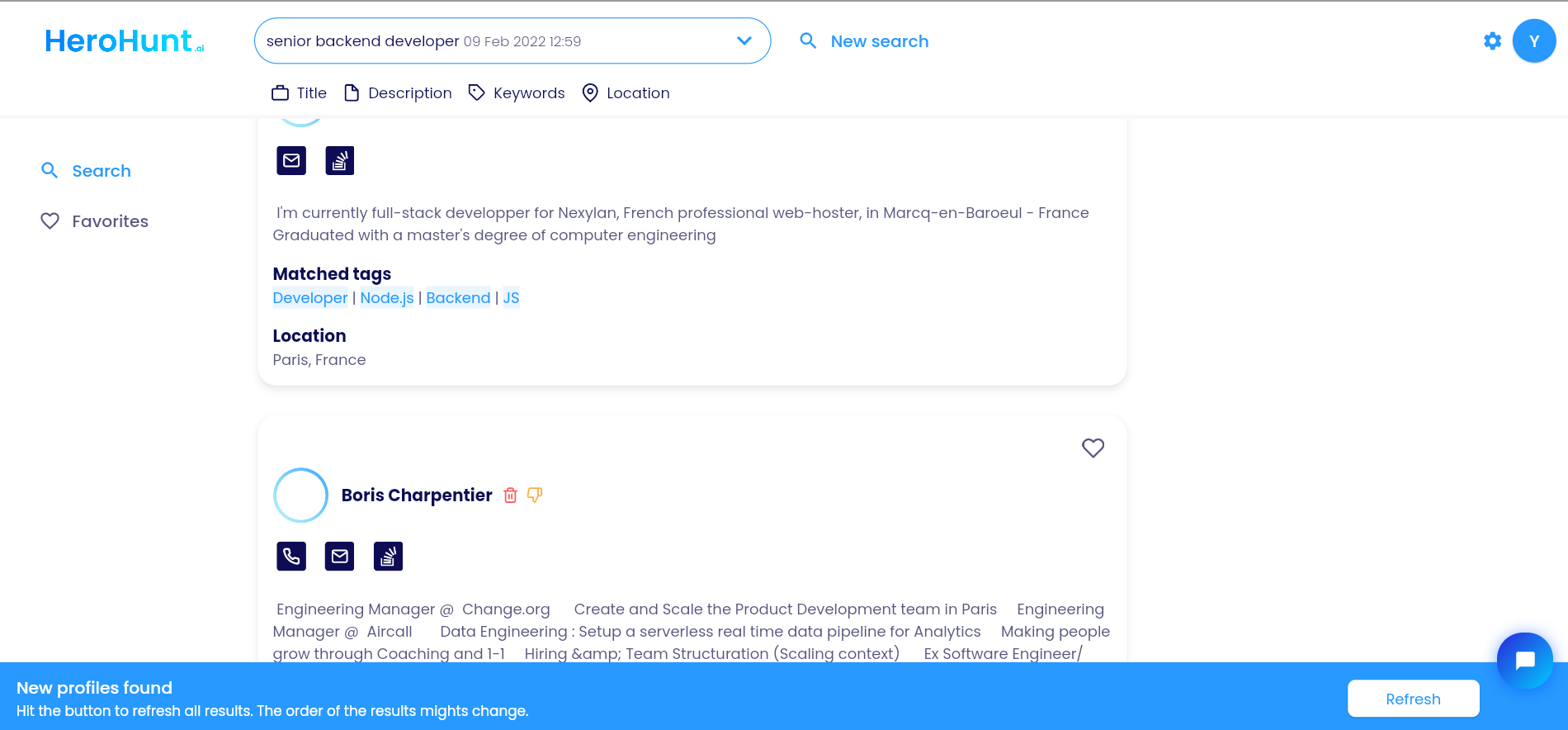
A talent search engine finds LinkedIn profiles, just like you can find them in LinkedIn itself.
And if you use an advanced talent search engine, it also finds contact details for you.
An example of a talent search engine that finds LinkedIn and other profiles and contact details like email and X (formerly Twitter), is HeroHunt.ai.
HeroHunt.ai
This is the alternative that actually removes the constraint the rest of this guide is about. Recruiter Lite gives you 30 InMail credits per seat per month and Sales Navigator Core 50, so the ceiling on your outreach is set by your LinkedIn plan rather than by how many good candidates exist. HeroHunt.ai searches profiles across LinkedIn and the wider web and returns contact details, so you run the outreach over email where there is no credit meter and the InMail rollover caps (120 for Recruiter Lite, 150 for Sales Navigator Core) stop mattering. The honest caveat: it does not send InMails for you, and no sourcing engine finds an email for every profile, so for part of any shortlist you will still be back on LinkedIn or the phone.