

Find candidates from specific countries in your X-ray
X-raying LinkedIn is a great way to find candidates on LinkedIn using the Google search engine. It's free and relatively unrestricted.
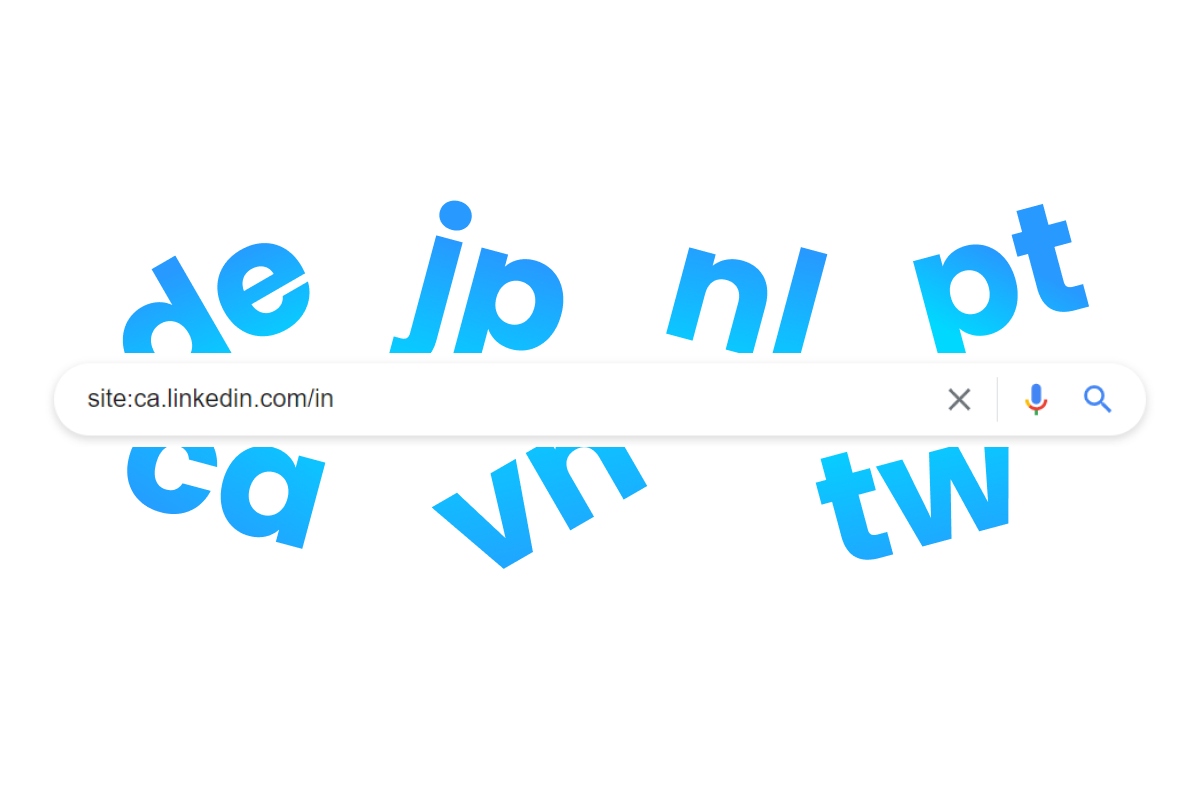
One of the drawbacks many people encounter while X-raying LinkedIn is that you cannot search for the location field. There is a way however to search for candidates in specific countries, by using country codes in the domain after the site operator.
The reason this trick keeps working, while a lot of other LinkedIn X-ray tactics have quietly stopped, is that the country code lives in the URL rather than on the page. Public LinkedIn profiles (the version Google sees when it is logged out) show far less than the profile you see when you are signed in, so keyword X-raying into someone's experience or skills has become unreliable. The subdomain is structural. It is part of the address itself, so it survives whatever LinkedIn does to the page body.
How to use country codes in an X-ray
Step 1. Use the site operator site: including the /in addition in your Google search to search for LinkedIn profiles. That string looks like this: site:linkedin.com/in
Step 2. Find the country code of the country you want to search in, in the overview below (alphabetically ordered).
Step 3. Add the country code in front of the domain. For Canada the search string looks like this: site:ca.linkedin.com/in
Now you mostly get to see LinkedIn profiles from Canada in your Google search results. From there you add your normal keywords, so a Canadian data engineer becomes site:ca.linkedin.com/in "data engineer", and you narrow further from there.
The full list of LinkedIn country codes
The codes are the standard two-letter ISO 3166-1 country codes, which is convenient, because it means you can usually guess them. The one exception that matters is the United Kingdom, which is covered right below the table.
| Country | Country code | X-ray string |
|---|---|---|
| Afghanistan | af | site:af.linkedin.com/in |
| Aland Islands | ax | site:ax.linkedin.com/in |
| Albania | al | site:al.linkedin.com/in |
| Algeria | dz | site:dz.linkedin.com/in |
| American Samoa | as | site:as.linkedin.com/in |
| Andorra | ad | site:ad.linkedin.com/in |
| Angola | ao | site:ao.linkedin.com/in |
| Anguilla | ai | site:ai.linkedin.com/in |
| Antarctica | aq | site:aq.linkedin.com/in |
| Antigua & Barbuda | ag | site:ag.linkedin.com/in |
| Argentina | ar | site:ar.linkedin.com/in |
| Armenia | am | site:am.linkedin.com/in |
| Aruba | aw | site:aw.linkedin.com/in |
| Australia | au | site:au.linkedin.com/in |
| Austria | at | site:at.linkedin.com/in |
| Azerbaijan | az | site:az.linkedin.com/in |
| Bahamas | bs | site:bs.linkedin.com/in |
| Bahrain | bh | site:bh.linkedin.com/in |
| Bangladesh | bd | site:bd.linkedin.com/in |
| Barbados | bb | site:bb.linkedin.com/in |
| Belarus | by | site:by.linkedin.com/in |
| Belgium | be | site:be.linkedin.com/in |
| Belize | bz | site:bz.linkedin.com/in |
| Benin | bj | site:bj.linkedin.com/in |
| Bermuda | bm | site:bm.linkedin.com/in |
| Bhutan | bt | site:bt.linkedin.com/in |
| Bolivia | bo | site:bo.linkedin.com/in |
| Bosnia & Herzegovina | ba | site:ba.linkedin.com/in |
| Botswana | bw | site:bw.linkedin.com/in |
| Bouvet Island | bv | site:bv.linkedin.com/in |
| Brazil | br | site:br.linkedin.com/in |
| British Indian Ocean Territory | io | site:io.linkedin.com/in |
| British Virgin Islands | vg | site:vg.linkedin.com/in |
| Brunei | bn | site:bn.linkedin.com/in |
| Bulgaria | bg | site:bg.linkedin.com/in |
| Burkina Faso | bf | site:bf.linkedin.com/in |
| Burundi | bi | site:bi.linkedin.com/in |
| Cabo Verde | cv | site:cv.linkedin.com/in |
| Cambodia | kh | site:kh.linkedin.com/in |
| Cameroon | cm | site:cm.linkedin.com/in |
| Canada | ca | site:ca.linkedin.com/in |
| Cayman Islands | ky | site:ky.linkedin.com/in |
| Central African Republic | cf | site:cf.linkedin.com/in |
| Chad | td | site:td.linkedin.com/in |
| Chile | cl | site:cl.linkedin.com/in |
| China | cn | site:cn.linkedin.com/in |
| Christmas Island | cx | site:cx.linkedin.com/in |
| Cocos Islands | cc | site:cc.linkedin.com/in |
| Colombia | co | site:co.linkedin.com/in |
| Comoros | km | site:km.linkedin.com/in |
| Congo (Republic) | cg | site:cg.linkedin.com/in |
| Cook Islands | ck | site:ck.linkedin.com/in |
| Costa Rica | cr | site:cr.linkedin.com/in |
| Cote d'Ivoire | ci | site:ci.linkedin.com/in |
| Croatia | hr | site:hr.linkedin.com/in |
| Cuba | cu | site:cu.linkedin.com/in |
| Curacao | cw | site:cw.linkedin.com/in |
| Cyprus | cy | site:cy.linkedin.com/in |
| Czechia | cz | site:cz.linkedin.com/in |
| Denmark | dk | site:dk.linkedin.com/in |
| Djibouti | dj | site:dj.linkedin.com/in |
| Dominica | dm | site:dm.linkedin.com/in |
| Dominican Republic | do | site:do.linkedin.com/in |
| DR Congo | cd | site:cd.linkedin.com/in |
| Ecuador | ec | site:ec.linkedin.com/in |
| Egypt | eg | site:eg.linkedin.com/in |
| El Salvador | sv | site:sv.linkedin.com/in |
| Equatorial Guinea | gq | site:gq.linkedin.com/in |
| Eritrea | er | site:er.linkedin.com/in |
| Estonia | ee | site:ee.linkedin.com/in |
| Eswatini | sz | site:sz.linkedin.com/in |
| Ethiopia | et | site:et.linkedin.com/in |
| Falkland Islands | fk | site:fk.linkedin.com/in |
| Faroe Islands | fo | site:fo.linkedin.com/in |
| Fiji | fj | site:fj.linkedin.com/in |
| Finland | fi | site:fi.linkedin.com/in |
| France | fr | site:fr.linkedin.com/in |
| French Guiana | gf | site:gf.linkedin.com/in |
| French Polynesia | pf | site:pf.linkedin.com/in |
| French Southern Territories | tf | site:tf.linkedin.com/in |
| Gabon | ga | site:ga.linkedin.com/in |
| Gambia | gm | site:gm.linkedin.com/in |
| Georgia | ge | site:ge.linkedin.com/in |
| Germany | de | site:de.linkedin.com/in |
| Ghana | gh | site:gh.linkedin.com/in |
| Gibraltar | gi | site:gi.linkedin.com/in |
| Greece | gr | site:gr.linkedin.com/in |
| Greenland | gl | site:gl.linkedin.com/in |
| Grenada | gd | site:gd.linkedin.com/in |
| Guadeloupe | gp | site:gp.linkedin.com/in |
| Guam | gu | site:gu.linkedin.com/in |
| Guatemala | gt | site:gt.linkedin.com/in |
| Guernsey | gg | site:gg.linkedin.com/in |
| Guinea | gn | site:gn.linkedin.com/in |
| Guinea-Bissau | gw | site:gw.linkedin.com/in |
| Guyana | gy | site:gy.linkedin.com/in |
| Haiti | ht | site:ht.linkedin.com/in |
| Heard & McDonald Islands | hm | site:hm.linkedin.com/in |
| Honduras | hn | site:hn.linkedin.com/in |
| Hong Kong | hk | site:hk.linkedin.com/in |
| Hungary | hu | site:hu.linkedin.com/in |
| Iceland | is | site:is.linkedin.com/in |
| India | in | site:in.linkedin.com/in |
| Indonesia | id | site:id.linkedin.com/in |
| Iran | ir | site:ir.linkedin.com/in |
| Iraq | iq | site:iq.linkedin.com/in |
| Ireland | ie | site:ie.linkedin.com/in |
| Isle of Man | im | site:im.linkedin.com/in |
| Israel | il | site:il.linkedin.com/in |
| Italy | it | site:it.linkedin.com/in |
| Jamaica | jm | site:jm.linkedin.com/in |
| Japan | jp | site:jp.linkedin.com/in |
| Jersey | je | site:je.linkedin.com/in |
| Jordan | jo | site:jo.linkedin.com/in |
| Kazakhstan | kz | site:kz.linkedin.com/in |
| Kenya | ke | site:ke.linkedin.com/in |
| Kiribati | ki | site:ki.linkedin.com/in |
| Kuwait | kw | site:kw.linkedin.com/in |
| Kyrgyzstan | kg | site:kg.linkedin.com/in |
| Laos | la | site:la.linkedin.com/in |
| Latvia | lv | site:lv.linkedin.com/in |
| Lebanon | lb | site:lb.linkedin.com/in |
| Lesotho | ls | site:ls.linkedin.com/in |
| Liberia | lr | site:lr.linkedin.com/in |
| Libya | ly | site:ly.linkedin.com/in |
| Liechtenstein | li | site:li.linkedin.com/in |
| Lithuania | lt | site:lt.linkedin.com/in |
| Luxembourg | lu | site:lu.linkedin.com/in |
| Macao | mo | site:mo.linkedin.com/in |
| Madagascar | mg | site:mg.linkedin.com/in |
| Malawi | mw | site:mw.linkedin.com/in |
| Malaysia | my | site:my.linkedin.com/in |
| Maldives | mv | site:mv.linkedin.com/in |
| Mali | ml | site:ml.linkedin.com/in |
| Malta | mt | site:mt.linkedin.com/in |
| Marshall Islands | mh | site:mh.linkedin.com/in |
| Martinique | mq | site:mq.linkedin.com/in |
| Mauritania | mr | site:mr.linkedin.com/in |
| Mauritius | mu | site:mu.linkedin.com/in |
| Mayotte | yt | site:yt.linkedin.com/in |
| Mexico | mx | site:mx.linkedin.com/in |
| Micronesia | fm | site:fm.linkedin.com/in |
| Moldova | md | site:md.linkedin.com/in |
| Monaco | mc | site:mc.linkedin.com/in |
| Mongolia | mn | site:mn.linkedin.com/in |
| Montenegro | me | site:me.linkedin.com/in |
| Montserrat | ms | site:ms.linkedin.com/in |
| Morocco | ma | site:ma.linkedin.com/in |
| Mozambique | mz | site:mz.linkedin.com/in |
| Myanmar | mm | site:mm.linkedin.com/in |
| Namibia | na | site:na.linkedin.com/in |
| Nauru | nr | site:nr.linkedin.com/in |
| Nepal | np | site:np.linkedin.com/in |
| Netherlands | nl | site:nl.linkedin.com/in |
| New Caledonia | nc | site:nc.linkedin.com/in |
| New Zealand | nz | site:nz.linkedin.com/in |
| Nicaragua | ni | site:ni.linkedin.com/in |
| Niger | ne | site:ne.linkedin.com/in |
| Nigeria | ng | site:ng.linkedin.com/in |
| Niue | nu | site:nu.linkedin.com/in |
| Norfolk Island | nf | site:nf.linkedin.com/in |
| North Korea | kp | site:kp.linkedin.com/in |
| North Macedonia | mk | site:mk.linkedin.com/in |
| Northern Mariana Islands | mp | site:mp.linkedin.com/in |
| Norway | no | site:no.linkedin.com/in |
| Oman | om | site:om.linkedin.com/in |
| Pakistan | pk | site:pk.linkedin.com/in |
| Palau | pw | site:pw.linkedin.com/in |
| Palestine | ps | site:ps.linkedin.com/in |
| Panama | pa | site:pa.linkedin.com/in |
| Papua New Guinea | pg | site:pg.linkedin.com/in |
| Paraguay | py | site:py.linkedin.com/in |
| Peru | pe | site:pe.linkedin.com/in |
| Philippines | ph | site:ph.linkedin.com/in |
| Pitcairn | pn | site:pn.linkedin.com/in |
| Poland | pl | site:pl.linkedin.com/in |
| Portugal | pt | site:pt.linkedin.com/in |
| Puerto Rico | pr | site:pr.linkedin.com/in |
| Qatar | qa | site:qa.linkedin.com/in |
| Romania | ro | site:ro.linkedin.com/in |
| Russia | ru | site:ru.linkedin.com/in |
| Rwanda | rw | site:rw.linkedin.com/in |
| Réunion | re | site:re.linkedin.com/in |
| Saint Barthelemy | bl | site:bl.linkedin.com/in |
| Saint Helena | sh | site:sh.linkedin.com/in |
| Saint Kitts & Nevis | kn | site:kn.linkedin.com/in |
| Saint Lucia | lc | site:lc.linkedin.com/in |
| Saint Martin | mf | site:mf.linkedin.com/in |
| Saint Pierre & Miquelon | pm | site:pm.linkedin.com/in |
| Saint Vincent & the Grenadines | vc | site:vc.linkedin.com/in |
| Samoa | ws | site:ws.linkedin.com/in |
| San Marino | sm | site:sm.linkedin.com/in |
| Sao Tome & Principe | st | site:st.linkedin.com/in |
| Saudi Arabia | sa | site:sa.linkedin.com/in |
| Senegal | sn | site:sn.linkedin.com/in |
| Serbia | rs | site:rs.linkedin.com/in |
| Seychelles | sc | site:sc.linkedin.com/in |
| Sierra Leone | sl | site:sl.linkedin.com/in |
| Singapore | sg | site:sg.linkedin.com/in |
| Sint Maarten | sx | site:sx.linkedin.com/in |
| Slovakia | sk | site:sk.linkedin.com/in |
| Slovenia | si | site:si.linkedin.com/in |
| Solomon Islands | sb | site:sb.linkedin.com/in |
| Somalia | so | site:so.linkedin.com/in |
| South Africa | za | site:za.linkedin.com/in |
| South Georgia | gs | site:gs.linkedin.com/in |
| South Korea | kr | site:kr.linkedin.com/in |
| South Sudan | ss | site:ss.linkedin.com/in |
| Spain | es | site:es.linkedin.com/in |
| Sri Lanka | lk | site:lk.linkedin.com/in |
| Sudan | sd | site:sd.linkedin.com/in |
| Suriname | sr | site:sr.linkedin.com/in |
| Svalbard & Jan Mayen | sj | site:sj.linkedin.com/in |
| Sweden | se | site:se.linkedin.com/in |
| Switzerland | ch | site:ch.linkedin.com/in |
| Syria | sy | site:sy.linkedin.com/in |
| Taiwan | tw | site:tw.linkedin.com/in |
| Tajikistan | tj | site:tj.linkedin.com/in |
| Tanzania | tz | site:tz.linkedin.com/in |
| Thailand | th | site:th.linkedin.com/in |
| Timor-Leste | tl | site:tl.linkedin.com/in |
| Togo | tg | site:tg.linkedin.com/in |
| Tokelau | tk | site:tk.linkedin.com/in |
| Tonga | to | site:to.linkedin.com/in |
| Trinidad & Tobago | tt | site:tt.linkedin.com/in |
| Tunisia | tn | site:tn.linkedin.com/in |
| Turkmenistan | tm | site:tm.linkedin.com/in |
| Turks & Caicos Islands | tc | site:tc.linkedin.com/in |
| Tuvalu | tv | site:tv.linkedin.com/in |
| Türkiye | tr | site:tr.linkedin.com/in |
| Uganda | ug | site:ug.linkedin.com/in |
| Ukraine | ua | site:ua.linkedin.com/in |
| United Arab Emirates | ae | site:ae.linkedin.com/in |
| United Kingdom | uk | site:uk.linkedin.com/in |
| United States | us | site:us.linkedin.com/in |
| Uruguay | uy | site:uy.linkedin.com/in |
| US Minor Outlying Islands | um | site:um.linkedin.com/in |
| US Virgin Islands | vi | site:vi.linkedin.com/in |
| Uzbekistan | uz | site:uz.linkedin.com/in |
| Vanuatu | vu | site:vu.linkedin.com/in |
| Vatican City | va | site:va.linkedin.com/in |
| Venezuela | ve | site:ve.linkedin.com/in |
| Vietnam | vn | site:vn.linkedin.com/in |
| Wallis & Futuna | wf | site:wf.linkedin.com/in |
| Western Sahara | eh | site:eh.linkedin.com/in |
| Yemen | ye | site:ye.linkedin.com/in |
| Zambia | zm | site:zm.linkedin.com/in |
| Zimbabwe | zw | site:zw.linkedin.com/in |
The United Kingdom is uk, not gb
This is the mistake that costs people the most time. In the ISO standard the United Kingdom is gb, but LinkedIn uses uk. So the string you want is site:uk.linkedin.com/in. LinkedIn's own help pages use the same convention, and so do its country pages.
Worth knowing: a two-letter subdomain resolving in your browser does not prove profiles live there. Practically every two-letter code points at LinkedIn's country-domain infrastructure, so gb.linkedin.com will load rather than throw an error, but that does not mean British profiles were filed under it. If a code returns almost nothing in Google, that is your answer regardless of whether the domain resolves.
The United States is the other one to watch. LinkedIn's help centre says only that members in certain countries get a country code, and plenty of profiles sit on plain www.linkedin.com. If a country search looks suspiciously thin, run the same query against site:linkedin.com/in with the country name as a keyword and compare.
What a country code actually tells you
Read this part before you trust a country X-ray, because the codes do not mean what most people assume they mean. According to LinkedIn's help centre, members in certain countries "have a public profile URL that begins with a 2-letter code based on the country listed on their profile". The operative words are listed on their profile. It is a self-reported field, not a location LinkedIn verified, and not a GPS reading.
That has two consequences a recruiter should care about. The first is that the code is country level and nothing finer. There is no subdomain for Toronto, so site:ca.linkedin.com/in plus the city as a keyword is as precise as this gets.
The second is more damaging, and it comes straight from the same help page: when a member changes the country on their profile the public URL changes with it, but the old URL keeps working. LinkedIn's own example is a profile that moves from uk.linkedin.com to us.linkedin.com, with the uk address still resolving. So a country X-ray can surface someone who left that country years ago and simply never had their old URL fall out of Google's index. Treat the result as "this person's LinkedIn is or was filed under this country", then confirm on the profile itself. For most sourcing that is fine. For anything where work authorisation or an on-site requirement is involved, it is not evidence.
If you run country searches often enough that hand-checking each of those caveats has become the job, that is the point where a purpose-built sourcing tool such as HeroHunt.ai starts to pay for itself, because it reads location as a field on the profile rather than inferring it from the address bar.
HeroHunt.ai
Both limits above are structural rather than something a better search string fixes: the subdomain is country level and nothing finer, and it reflects a field the member typed in themselves, which the old URL then outlives. HeroHunt.ai works the other way round, searching candidate profiles as structured data so location, title and skills are fields you filter on instead of keywords you hope Google indexed from a logged-out public profile. The honest caveat is that it is a paid product and the X-ray costs nothing, so for one country search a month the Google string is genuinely the better tool. It earns its place when country sourcing is a weekly job and you are tired of opening every result to check whether the person still lives there.
The country code finds the profile, not the person
The honest ceiling of this technique is that a finished X-ray hands you a page of profile URLs and no way to contact anybody on it. That is fine if you are going to connect on LinkedIn and accept the invite limits, and it is a real problem if you wanted to email fifty people this week.
Closing that gap means running the names through a contact database, and Apollo.io is one of the more common ways recruiters do it, mostly because it is the one with a free tier you can test the workflow on before spending anything.
Apollo.io
A country X-ray produces a list of profiles and zero email addresses, which is exactly the gap Apollo fills. Its free plan is genuinely usable for this: 900 credits per seat per year, released monthly. Do that division before you build a process on it, because it works out at roughly 75 credits a month, and a country-level X-ray for something broad like Dutch backend engineers will produce a longer list than that in an afternoon. The other caveat is what Apollo is: a B2B sales database first, so coverage is strongest for people attached to a company with a real web presence, and thinnest for freelancers, students and public sector staff. Paid starts at $49 per seat per month billed annually ($65 month to month).
The same warning from the section above applies to whatever database you use, by the way. A contact database's country field is derived and self-reported too, so it agrees with the LinkedIn subdomain more often than either of them agrees with where the person actually sits today. Two sources of the same assumption is not confirmation.
Used with that in mind, the country code is still one of the best free filters in sourcing. It costs nothing, it needs no LinkedIn subscription, and it is a single two-letter edit to a search string you were going to run anyway.