


Candidate response rate is one of the most reliable success metrics for recruiters in proactive outreach. The response rate is simply the percentage of candidates who respond to your outreach from the total amount of candidates that you reached out to. It could be via emails, calls, texts, or any other communication medium used in your hiring process.
This metric can offer profound insights into the effectiveness of your recruitment approach. It can dictate the pace of your hiring, the quality of candidates you attract, and ultimately, your hiring success.
A good response rate primarily indicates two things:
- You’re reaching the right people
- You’re doing quality outreach (good messages and good message cadence - being the amount of touchpoints and the intervals between them)
So how to do this right?
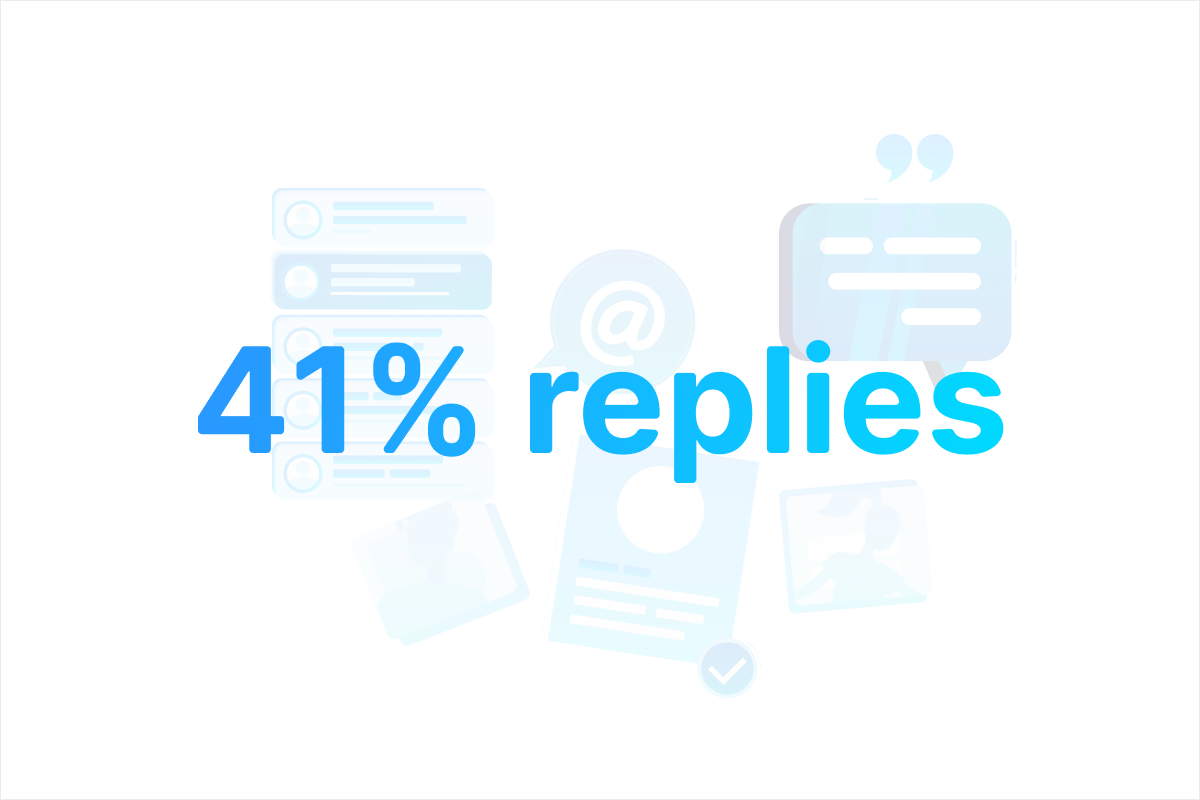
The way to 41% responses
In this real-life example I sourced for a niche Lead EVM Engineer role for a blockchain startup (Ethereum Virtual Machine is a core technology of the Ethereum blockchain).
Blockchain lead engineers are candidates who earn six figure salaries already elsewhere, are generally hard to find and even harder to convince.
Since these candidates do not always have a clear presence on LinkedIn, I added GitHub and Stack Overflow to my recruitment sources.
From an outreach perspective, I chose email as the main outreach channel because it’s scalable (no limitations as with connection invites and InMails), it's fairly cheap compared to alternatives and because emails allow for far going automation.
I sent a series of highly personalized messages including follow ups to the candidates I found. I know from our data that a single follow up message can double response rates.
See here the results:
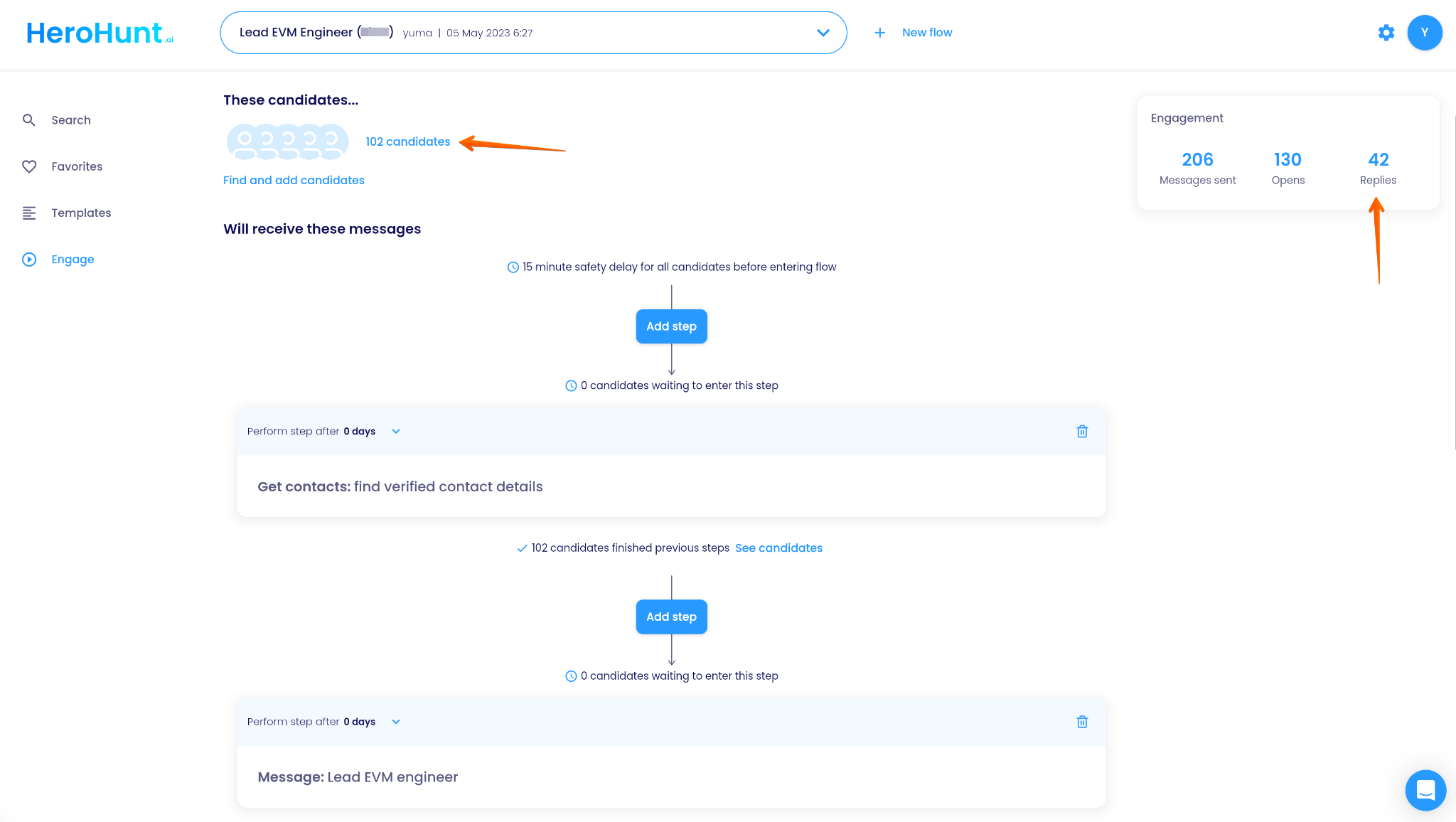
42 out of 102 candidates replied to my outreach (41%), 30 of them were interested replies and 5 currently under review and interviewing.
To get to these results I:
- Chose the right tool for my goal: one that can find all the candidates I needed, can find verified personal email addresses and automates the entire outreach flow.
- Followed a couple of core principles in candidate outreach
These are the rules I followed:
- Target the right candidates
- Use verified contact details
- Hyper-personalize messages
- Always send follow ups (if not replied yet)
- Track everything
This is what that means:
1. Target the right candidates
Although it is not part of the direct messaging, your targeting is key in getting many (and relevant) responses. If you’re reaching out to a candidate who’s actually unqualified or just not interested in the job it’s very likely they won’t respond to you (why should they if it’s just not relevant).
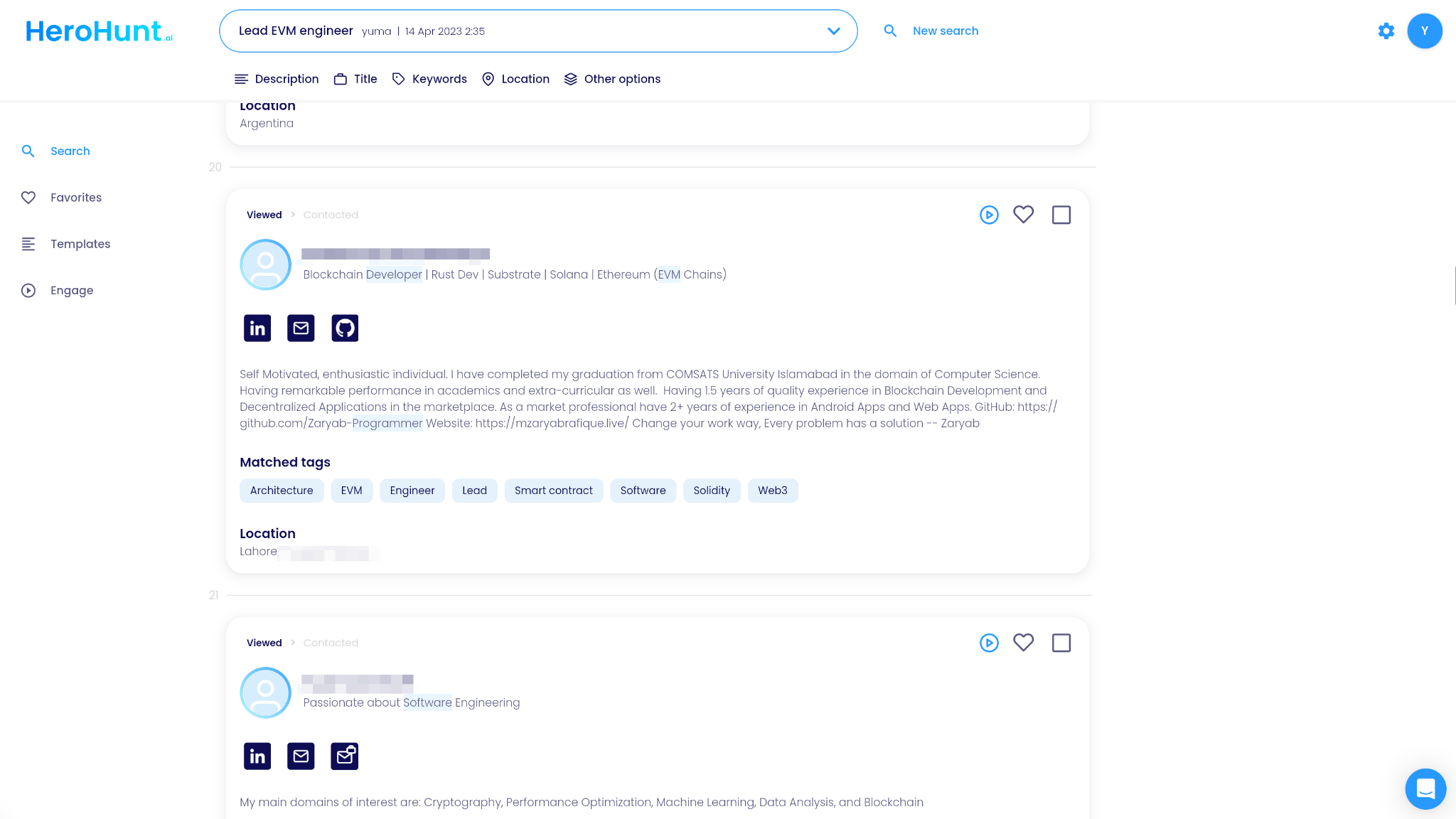
Tips to target right:
- Make use of the right search tool, again LinkedIn is not the only tool out there, use a cross platform talent search engine that is more powerful and more affordable
- Go beyond LinkedIn (LinkedIn can be very competitive), check other channels that are relevant for your search (for this req I chose to add GitHub and Stack Overflow)
- Let the engine of choice do the pre-screening but do a last check on the profiles yourself, spend some time to build the right search and understand how things like keywords, job title and location influence your search results
HeroHunt.ai
Rule 1 is the one that decided this campaign. The 41% came from a list built off GitHub and Stack Overflow as well as LinkedIn, because a Lead EVM Engineer often has a thin LinkedIn profile and a deep commit history. That is the specific job HeroHunt.ai does: search across those platforms in one query rather than one tab per source, then return verified personal email addresses so rules 1 and 2 are handled by the same tool instead of a search seat plus a separate data vendor. The honest caveat is that personal email coverage is never 100% on a niche technical list, so expect a tail of profiles you enrich or contact another way, and if you already pay for a sourcing tool and a contact database you should price the overlap before switching rather than stacking a third subscription on top.
2. Use verified contact details
Bad contact details are bad for so many reasons. If you use an inactive or even undeliverable email address you not only waste time and money but also risk being marked as spam by your email service provider.
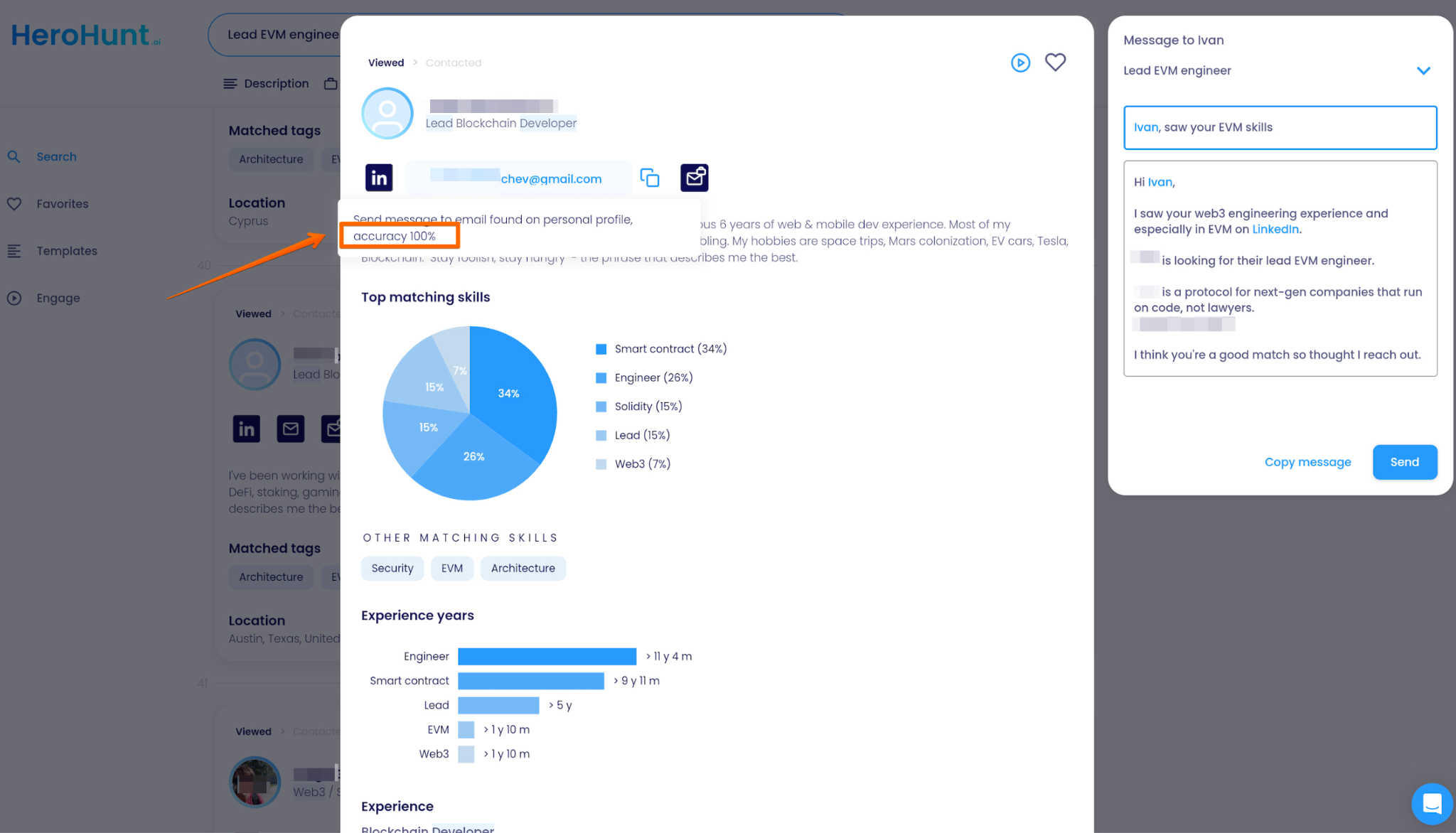
Tips to use the right contact details:
- Use software that automates the email retrieval so you don’t have to waste time on manually getting contact details
- Make use of an automated verification service to make sure the email addresses that you use are actively being used and your emails are deliverable
- Use a tool that finds personal email addresses because candidates appreciate you reaching out to their personal email a lot more than to their work email
Deliverability is now a hard requirement, not a nice-to-have
Since February 2024 this stopped being advice and became policy. Google's own sender guidelines require every sender, at any volume, to authenticate with SPF or DKIM and to keep the spam rate reported in Postmaster Tools below 0.3%. Send more than 5,000 messages a day to Gmail addresses and you cross into "bulk sender": you then need SPF and DKIM and DMARC, plus one-click unsubscribe on marketing mail. Yahoo introduced an equivalent set of rules at the same time.
Two things follow for a campaign like the one in this article. First, a 102-candidate sequence is nowhere near bulk-sender volume, so the authentication bar you have to clear is low: SPF or DKIM on your sending domain, once, and you are done. Second, the 0.3% spam-rate ceiling applies to you anyway, and it is unforgiving at small volumes. At 102 recipients, a single person hitting "report spam" is roughly 1% and already over the line. That is the real argument for verified addresses and tight targeting: not politeness, but the fact that a handful of complaints from irrelevant candidates can quietly degrade delivery for every campaign you run afterwards.
3. Hyper-personalize messages
Candidates typically do not respond to standardized emails that clearly don’t include anything in the message that directly relates to them personally. Including personalizations in your message is key to get them interested and get their reply.
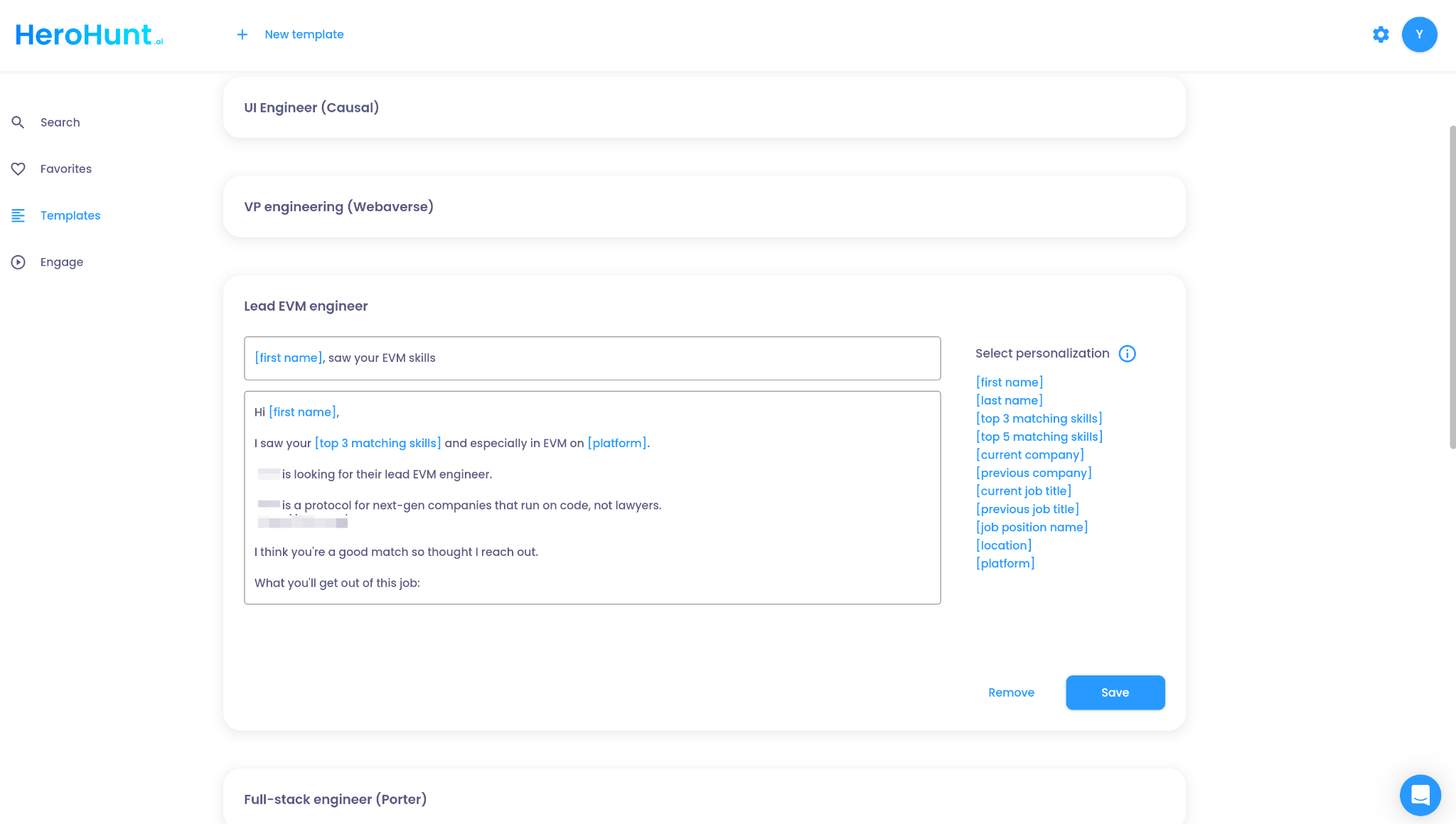
- Use automated personalizations like [first name], [current job title] and [top 3 matching skills] to relate to the candidate’s actual skills and background.
- Test several templates and see which perform best to get a good idea of what to use, iterate on your best template to make it perfect
- Keep your templates in a list so you can always go back to them and reuse them for next roles
4. Always send follow ups (if not replied yet)
Sending follow ups can dramatically increase your response rates. Here are some of the statistics from our data to back this up: 1st email on average gets an 8% reply rate, a single follow up message doubles that response rate to 16%, the third message (so the second follow up) adds another 4% reply rate.
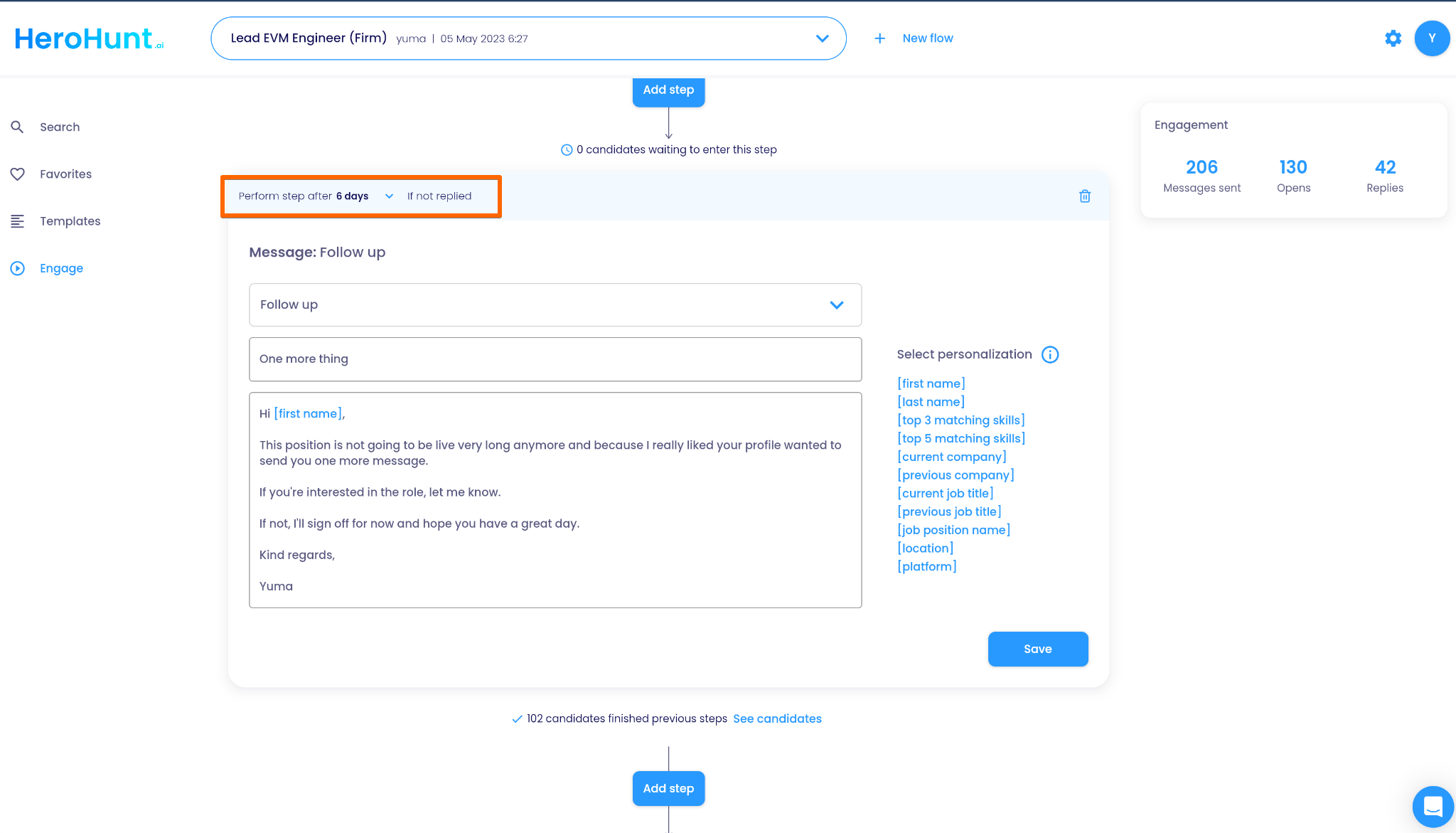
- Send 3 messages in total (so two follow ups after your first message), this is the optimal amount of messages, after the third message the additional reply rate is just 1% and that is not worth the backlash of sending too many messages
- Keep a 6 day interval between messages because 6 days is on average the interval (delay) between messages that performs best
- Use a tool that has ‘if not replied’ function so you can make sure that your follow up messages are not sent to candidates when they did already reply to your earlier message(s)
That last rule is the one you cannot fake with a spreadsheet and a calendar reminder. At 102 candidates, three touches and a 6 day interval, you are tracking roughly 300 sends and the exact moment each one becomes obsolete. Miss one and a candidate who already replied gets a "just following up" email, which is the fastest way to undo the goodwill the first message earned. If you run your sourcing and email finding elsewhere and only need the cadence layer, a dedicated sequencer like Reply.io handles this: it builds sequences as conditional steps that branch on what the candidate does, and it removes contacts from the sequence automatically when they reply, bounce or opt out.
Reply.io
Rule 4 above is really a tooling requirement, and Reply.io is built around exactly it: conditional sequence steps that branch on candidate behaviour, with repliers pulled out of the sequence automatically so touch 2 and touch 3 never land on someone already sitting in your inbox. Its entry tier starts at $29 per user/month, which is a reasonable price for the cadence and analytics half of this article (rules 4 and 5). Be honest with yourself about the other half, though: Reply.io is a B2B sales tool, so it does none of the sourcing this campaign actually depended on. It will not search GitHub or Stack Overflow, and it will not find the personal email addresses that rule 2 argues for. You bring the list and the verified addresses, Reply runs the follow-ups on top. Tiers also climb quickly past the entry plan ($59 and $99 are the next steps up), so price the plan you will really be on rather than the headline. If your list is 20 candidates, a calendar reminder is still the honest answer.
5. Track everything
Having no idea of how successful your outreach efforts are is a key mistake that keeps recruiters doing things that just don’t work. If your outreach doesn’t convert to replies, that means that you should do something about your approach. But many recruiters don’t use analytics to get a good sense of this. By using sending analytics you have a full view of the performance of your sequences.
- Use a tool with a clear dashboard on sending performance so you always have a view on if your sequence is working
- Launch a new sequence for every new role so you can keep track of the performance per role
- Improve based on your results, bad reply rate? Try to improve your targeting and outreach messages
If you think “this is a lot of work” you can have a look at HeroHunt.ai which integrates all these principles in one tool: cross-platform search, verified personal email addresses, sequences with follow ups and the sending analytics behind them.
RecruitGPT covers the targeting step from rule 1: you describe who you are looking for in a few lines and the top matches are returned in seconds, instead of building the boolean search by hand.