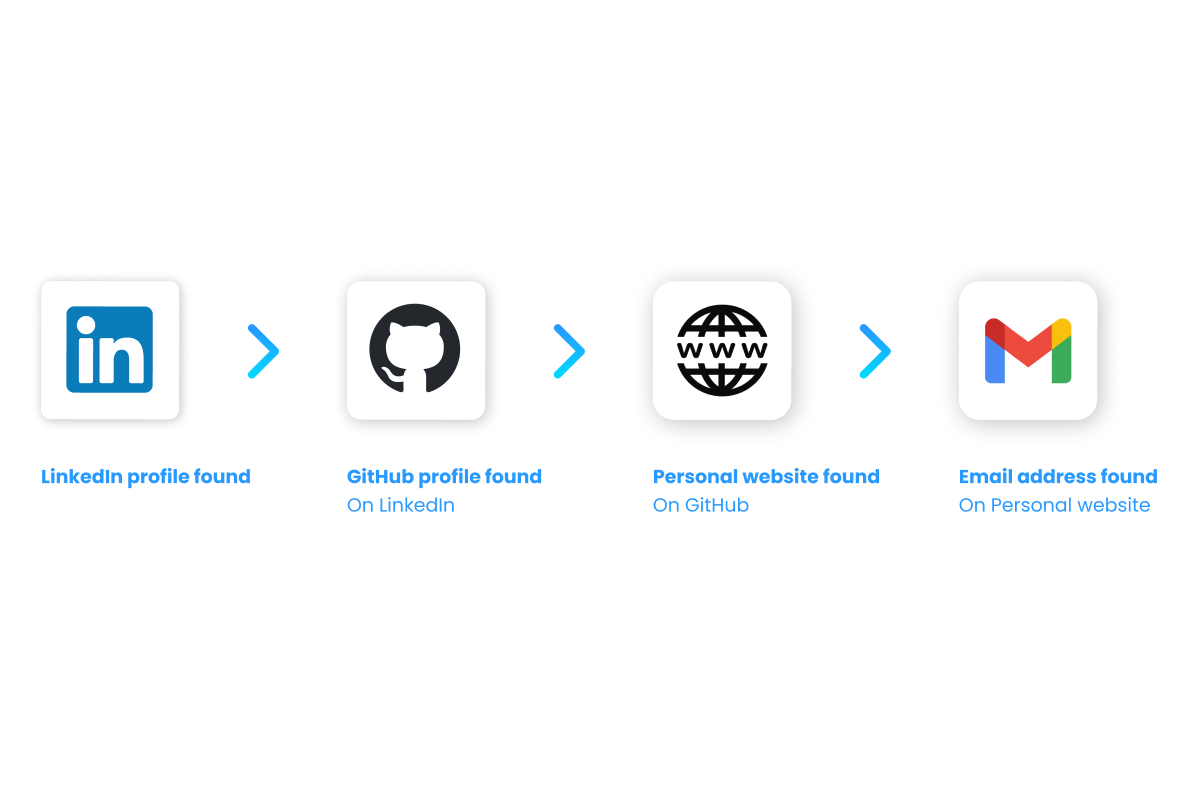



Why cross referencing candidate information is important
The average social media user is active on 6.5 different platforms every month (GWI data for Q4 2025). Cross referencing is about taking the profile data you have on one person and using it to find what they have on the other platforms they are active on. You want to learn as much as you can about a person before you decide to reach out to them.
This helps you to match your job to candidates based on complete and accurate information so you can do relevant and well informed outreach.
There is a second reason to cross reference now, and it has nothing to do with personalisation: verification. Gartner predicts that 1 in 4 candidate profiles will be fake by 2028, and in a survey of 3,000 candidates 6% admitted to interview fraud, either posing as someone else or having someone else pose as them - HR Dive. A polished profile that exists on exactly one platform and nowhere else, with no commit history, no talk, no old colleague mentioning them, is the cheapest fraud signal available to you. A real career leaves a trail across platforms. Cross referencing is how you check that the trail is there.
The challenge with cross referencing data however is that not everyone goes by the same name on different platforms. Sometimes they use a nickname, sometimes only their first name and sometimes their full name. In addition, for a lot of people there are dozens of other people with the exact same name.
Therefore you need more information than only the name to find someone on other platforms and you can help yourself by using the right tools.
Here's how to cross reference candidate information from different platforms using an engineer profile as an example.
Cross referencing example
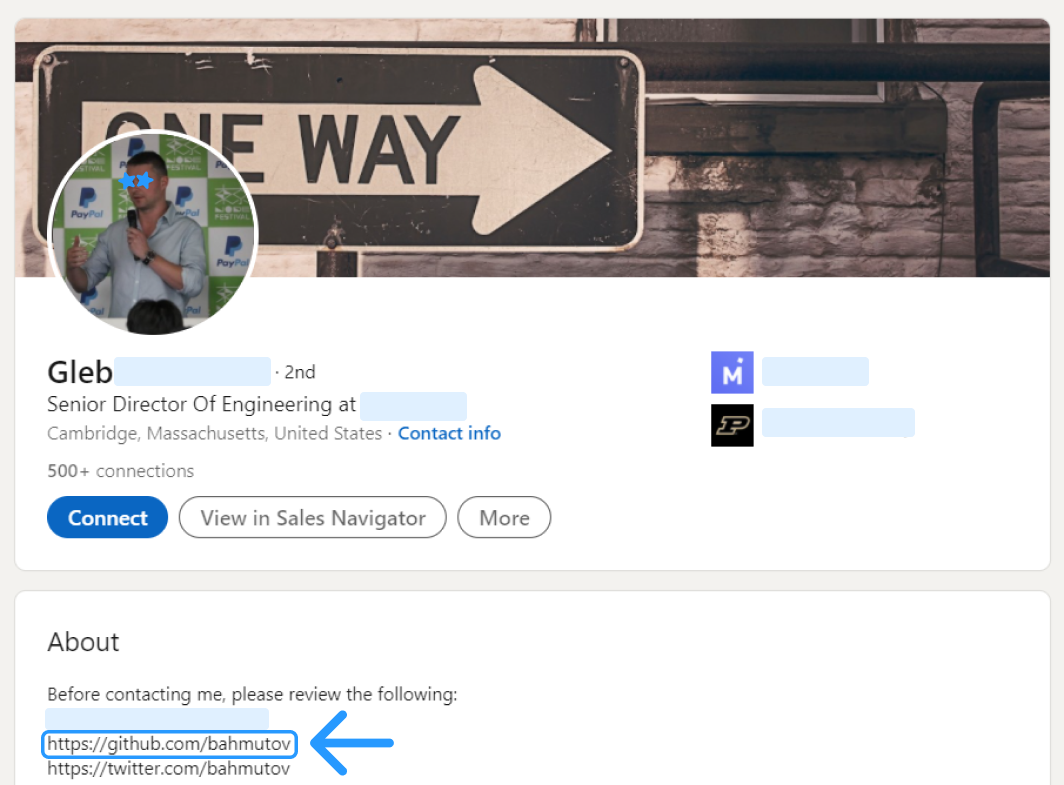
1 - You found a LinkedIn profile with a GitHub reference
When you find a profile on LinkedIn, in quite some cases there are links provided to other social media channels.
They can be either in the Contact Info or they are somewhere in the descriptions provided by the candidate like in this case.
You can also use a contact finder or sourcing tool so you can find all the contact details and social links of the candidate in one place.
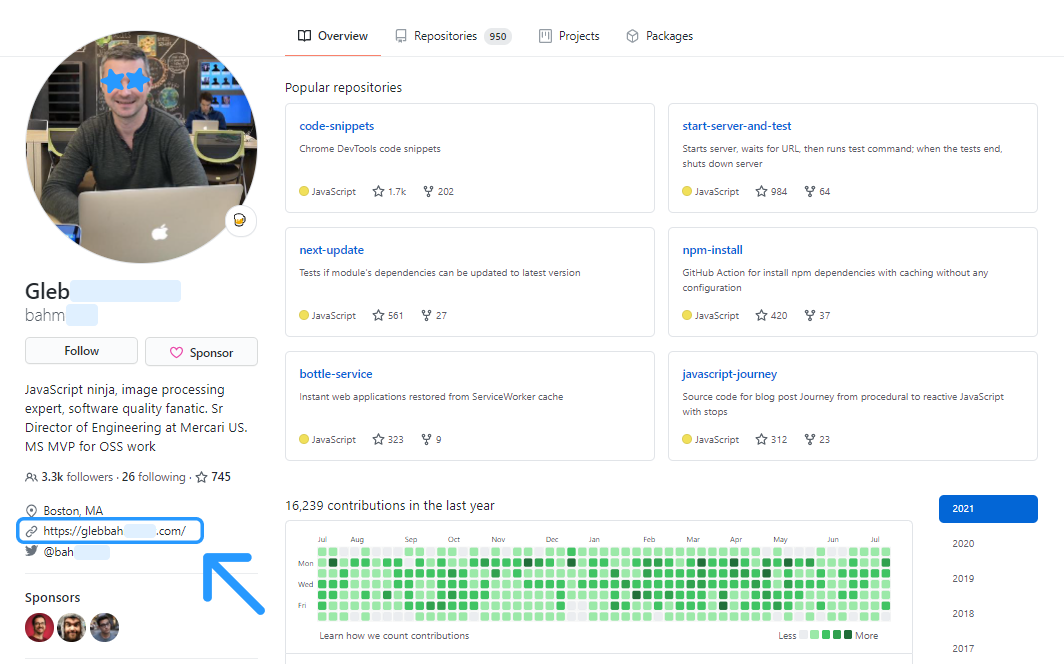
2 - You find a personal website on their GitHub profile
You follow one of the social links provided by the candidate, in this case GitHub.
Next to all the additional information you get to see, here you also find several other links that you haven't found yet on their LinkedIn page. That's helpful. You see the personal website provided and click on that link.
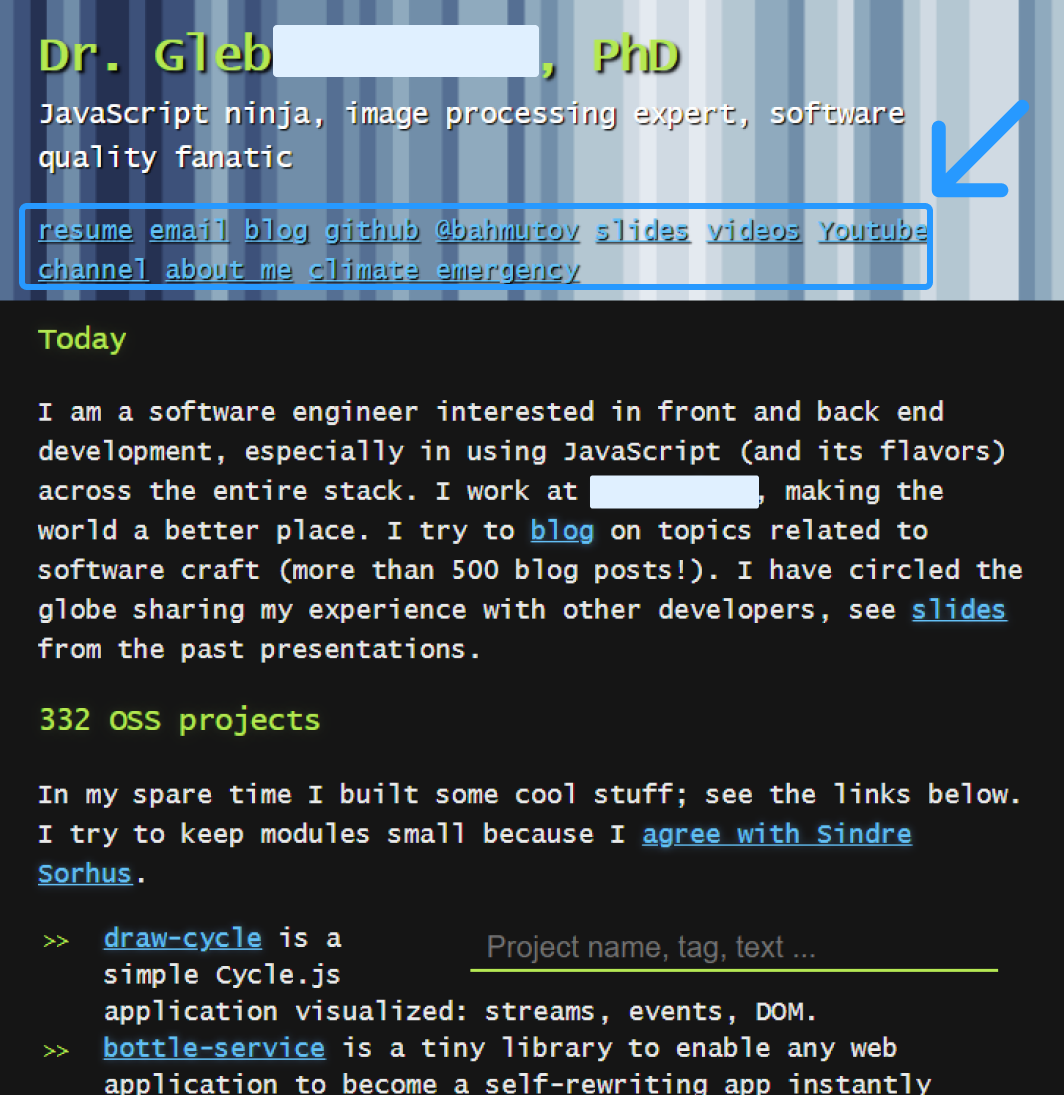
3 - On the personal website you can find all his projects and contact details like email
The personal website provides more information about the projects of the candidate.
You can use this as a reference to make a proper judgment on whether the candidate is a good match. This is also the step where the profile either holds up or does not: the projects on the personal site should line up with the commit history on GitHub, and both should line up with what the LinkedIn profile claims. When those three disagree, you have learned something more valuable than an email address.
In addition, here are his contact details provided so you can reach out to his preferred channels in case there seems to be a good match.
Tips in cross referencing profiles
To find people across platforms and to build the full view of the candidate, you can guide yourself by following a few simple guidelines:
- Use google to do a cross reference search on a candidate.
- Use the candidate’s email address in your cross reference (google) search if you can find one. Email addresses are unique and if candidates have their email address on other platforms you can find them through a google search.
- If you cannot find people in your initial google search you can use the ‘site:’ operator to search on specific platforms. For example site:linkedin.com/in
- Use the candidate’s profiles to look for any urls to other platforms. On GitHub for an example, in many cases there are contact details and links to LinkedIn, Twitter or personal websites provided.
- Use tooling to build a full view on the candidate (see ‘Tools’ below).
One caveat before you make this a habit. If you are hiring in the EU, stitching data points from several platforms into a single candidate profile is profiling under the GDPR, and because you did not collect the data from the candidate directly, Article 14 obliges you to tell them where you got it, normally at first contact. The practical line most recruiters hold: use only what the person published publicly and made professionally relevant, keep only what actually informed your decision, and leave their personal life out of it. Being able to say "I found your GitHub from your LinkedIn" is good outreach anyway. Being unable to explain how you know something is the tell that you went too far.
Tools
Username cross reference tool
These take one username and check it against a list of sites, which is the fastest way to turn a single handle into a map of someone's footprint. They work because most people reuse a handle: the developer who is jsmith_dev on GitHub is usually jsmith_dev on Reddit and Stack Overflow too. Expect false positives on common handles, and note that a hit only proves the name is taken, not that your candidate took it. Confirm with a second data point (an avatar, a bio, a linked site) before you believe it.
Of the two, WhatsMyName is the one to reach for on technical roles. It runs on an open, community maintained dataset of 700+ sites, free and with nothing to install, and it covers the developer corners (GitLab, Keybase, HackerNews, Docker Hub) that a mainstream name checker ignores. Be careful which site you land on: the tool is popular enough that a cluster of copycat domains now outranks it, so go via the GitHub project or whatsmyname.app itself.
Contact finders
Find the right contact details of candidates like public email addresses, phone numbers and social media links (here's how to use contact finders).
Run these as a shortcut, not as a replacement for the chain above. A contact finder is a database lookup: it is fast and it is right often enough to be worth it, but it only knows what it has already indexed. Coverage is also the reason the list has three names rather than one. The same candidate will resolve in one tool and come back empty in another, so sourcers who do this daily tend to keep one paid tool and fall back to the manual chain when it misses, rather than paying for two.
Lusha
The chain in this guide (LinkedIn to GitHub to personal site) costs you about ten minutes a candidate, so you only want to walk it for people who are worth ten minutes. That is what a contact finder buys: Lusha's browser extension resolves the LinkedIn-to-email step while you are still on the profile, so the manual work goes only to the shortlist that survives. Its entry paid tier is $49.90 per user per month (Lusha's pricing page splits the cents into a separate element, which is why half the internet quotes it as "$49"), with $69.90 and $399.90 tiers above it, and there is a free tier to test coverage on your own roles before you pay. Two honest limits. It is credit-metered rather than unlimited, so bulk enrichment burns an allowance you have to plan around. More importantly for this guide, Lusha is a B2B database keyed to work identity: it is strong on people with a corporate footprint and weak on exactly the person in the example above, the developer whose only real address is the personal Gmail on his own site. For that half of your list, no database has the answer and you still walk the chain yourself.
Updates on changes
Get updates on changes, mentions or posts of the candidate by using (here's an example how to use Google Alerts).
This is the step most sourcers skip, and it is the one that compounds. Cross referencing gives you a snapshot of a candidate on the day you looked. An alert on a unique identifier (their full name plus employer, or better, their personal domain) turns that snapshot into a feed, so you hear about the conference talk, the side project or the new job when it happens rather than six months later. Alerts on common names are noise, so save them for people distinctive enough to track.
Data extractors
Extract (scrape) data at scale with these tools. Some data scrapers like Phantombuster also find contact details.
Scale is where cross referencing gets legally and practically expensive, so be deliberate. Automated collection runs against the terms of service of most platforms, LinkedIn in particular, and aggressive scraping gets accounts restricted rather than gets you hired candidates. The pattern that survives: scrape the cheap public layer (a conference speaker list, a GitHub org's contributors, a job board) to build a candidate list, then cross reference the handful of people who matter by hand. Bulk scraping a network you have an account on is the part that costs you the account.
Good old Google search
Google is still the most accurate search engine for most profiles.
- Google reverse image search (now runs on Google Lens: right click a picture and choose 'Search image with Google')
- Google search (use unique identifiers like an email addresses)
Reverse image search deserves more attention than it gets, and it is the cheapest answer to the fake profile problem at the top of this article. Run the profile photo through it and you get one of three answers: the same face on the candidate's other accounts (good, that is a cross reference), the same face on a stock photo library or someone else's account (bad), or no match at all, which is what an AI generated portrait usually returns because it does not exist anywhere else. None of the three is proof on its own, but a photo that only exists on one profile is worth thirty seconds of doubt.
The reason Google still beats the tools is that it indexes the long tail no database bothers with: the meetup page, the university project, the old forum post. Search the most unique identifier you have and work down. An email address or a personal domain is close to unambiguous, a handle is usually good, and a full name alone is the last resort. Put the exact phrase in quotes, and when a name is too common, anchor it with a second fact you already know ("jane smith" "kubernetes" amsterdam).
The fastest way to skip the chain on the candidates who have a corporate footprint, and to see where it stops working.
Learn in our other blogs on cross platform talent sourcing how to search the different platforms out there, or start with finding GitHub and Stack Overflow profiles.