


Overcoming the restrictions of LinkedIn
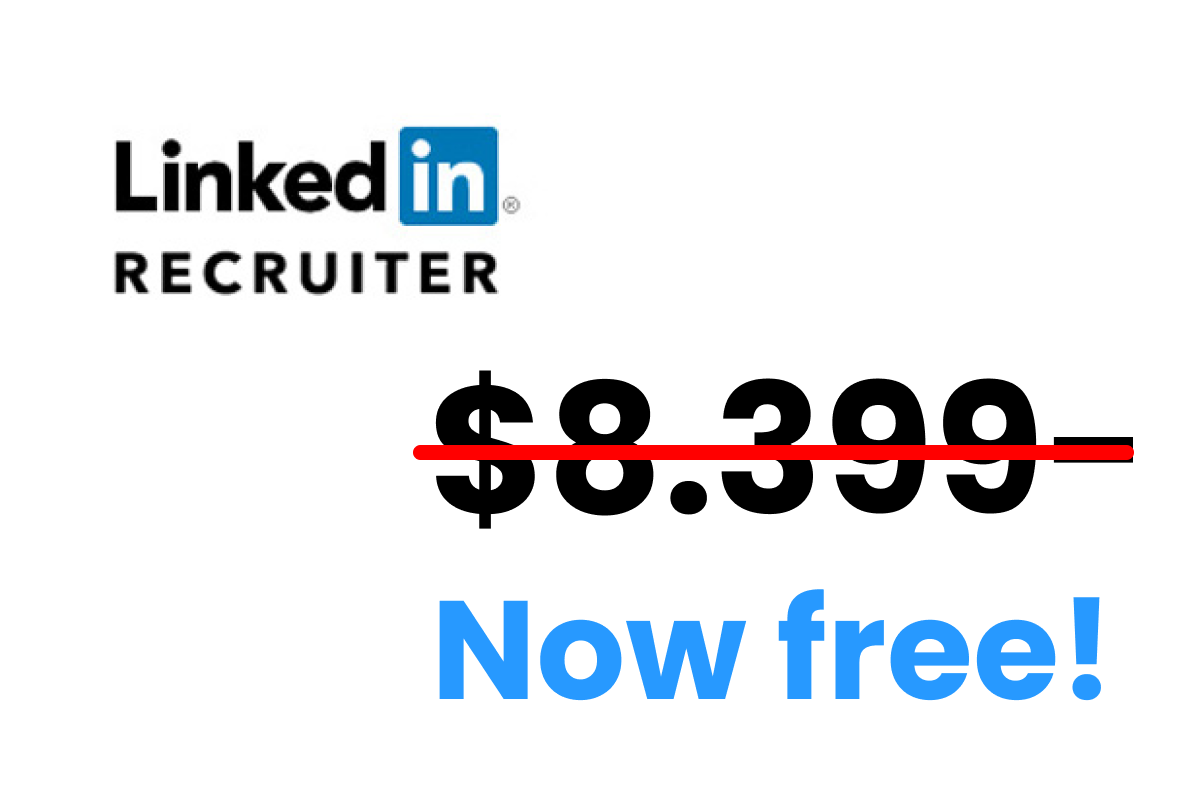
LinkedIn is notoriously expensive, constantly changes its pricing and has been increasing its restrictions for users.
Next to that LinkedIn is very unclear about their pricing.
Try to google LinkedIn pricing and chances are very small you get a reliable answer. That is not your search skills failing. LinkedIn publishes the price of some products and simply does not publish the price of the ones recruiters actually want.
What LinkedIn does publish on its own pages (checked July 2026):
- Premium Business: $69.90 per month per license, or $539.88 per year (about $44.99 per month). Includes 15 InMail credits a month.
- Sales Navigator Core: $119.99 per month per license, or $1,079.88 per year. 50 InMail credits a month.
- Sales Navigator Advanced: $159.99 per month per license, or $1,799.88 per year. Also 50 InMail credits a month.
What LinkedIn does not publish: the price of Recruiter Lite or Recruiter. Both product pages quote the InMail allowance (30 InMails per license per month on Lite, up to 150 on full Recruiter) and then ask you to talk to sales. Reported figures put Lite at roughly $170 per month or about $1,680 a year, and Corporate in five figures per seat per year, but those are quotes people have shared, not list prices. LinkedIn prices Recruiter per account and per market, so the number you are given is not necessarily the number your competitor is given. See our full breakdown of LinkedIn Recruiter pricing.
Prices many of us would have to break their piggy bank for.
There is a second restriction that costs you nothing and stops you anyway: the commercial use limit. Search enough profiles on a free account and LinkedIn decides you are "likely using LinkedIn for commercial use, like hiring or prospecting" and cuts you off until midnight PST on the 1st of the next calendar month. LinkedIn will not tell you how many searches you have left, and states plainly that it cannot lift the limit on request. So a free account does not just lack filters. It has a hidden monthly ceiling you cannot see coming.
Fortunately, there are ways around all of this.
The three hacks below map to the three things a paid seat actually sells you: search, contact details, and messaging. None of them need a subscription.
Option 1. X-ray LinkedIn
By X-raying LinkedIn you can search candidates without having to pay for advanced search filters and unlimited searches in LinkedIn.
The point most guides miss is why this works, and it is worth understanding because it decides how you should use it. The commercial use limit counts searches you run on LinkedIn. X-ray moves the search step to Google, so building and refining search strings costs you nothing against your LinkedIn quota, however many you run. Be realistic about the boundary though: opening the results is still a profile view on LinkedIn. X-ray protects the searching, not the browsing, so it pays to get the string right before you start clicking rather than opening fifty profiles to see who is relevant.
Many social media and professional platforms can be searched for candidates using a search string in Google. LinkedIn is no exception.
For a detailed instruction, see this guide on how to X-ray LinkedIn.
But here’s a short overview of what you can do.
The most basic search string you can create to X-ray LinkedIn for candidates is:

By using the site: operator you only search for search results from the linkedin.com domain.
And with the /in addition you only get profiles as results.
To make the search more targeted you can include a couple of things in your search like Boolean operators, title keywords and country codes.
1. Adding standard Boolean operators to specify your search syntax
Boolean operators are words you can use to connect your search words together to either narrow or broaden your search results.
The three basic Boolean operators are: AND, OR, and NOT (-).
AND: Tells the search engine to look for keyword X AND keyword Y. Here's an example: site:nl.linkedin.com/in engineer JavaScript node.js
OR: Tells the search engine to look for keyword X OR keyword Y. Here's an example: site:nl.linkedin.com/in engineer (Angular OR node.js)
NOT (-): Tells the search engine to exclude keywords, phrases or domains. Here's an example: site:nl.linkedin.com/in engineer (Angular OR node.js) -"Team lead"
For a deep dive on how to search in Google for LinkedIn profiles see our guide on how to X-ray LinkedIn.
2. Add specific operators like intitle: to make your search more targeted
The intitle: operator lets you search in the current job title section of profiles.
You can use the intitle: operator to find job titles (like SaaS Sales Executive) but also for the companies the candidates work at (like Salesforce). Here’s an example: site:linkedin.com/in intitle:"Sales Executive" intitle:"Salesforce"
3. Search for specific countries or regions
You can include country codes to your search string and find candidates from only those countries.
Here you can find all the country codes.
Add the country code that you need to your search string, for Canada the search string looks like this: site:ca.linkedin.com/in
You can also include defined area names to your search, for Cologne the search string can look like this: site:de.linkedin.com/in (Koln OR Cologne)
Here's a detailed guide on Boolean search.
Option 2. Get contact details outside LinkedIn so you never need InMail
Finding the right profiles is only half the job. X-ray hands you a list of people and no way to talk to them, and this is exactly where most people give up and buy a seat.
Look at what that seat actually costs per message. Premium Business is $69.90 a month for 15 InMail credits. That is about $4.67 per message, before anyone replies. Recruiter Lite's 30 InMails a month at the reported $170 works out around $5.67 each. You are not buying access to the candidate, because their profile is public and you already found it with Google. You are renting permission to send them a note.
The way around it is to skip the message rail entirely: find the person's work email or phone number, and contact them the way you would contact anyone else. A contact database with a Chrome extension does this. You open the LinkedIn profile you found through X-ray, the extension matches the person, and it returns an email address.
Two are worth knowing, and they are not interchangeable.
Lusha
Lusha is the one with the free tier whose limits are published plainly, which matters when the entire point is not spending money. Its pricing page states the free plan gives you up to 40 credits a month, and prices each action: a verified email address costs 1 credit, a phone number costs 10. It is strongest on direct dials, which is the one thing X-ray plus a free account genuinely cannot give you.
Apollo.io
Apollo.io is the broader platform: a large B2B contact database with email and phone lookup, a Chrome extension, and sequencing built in, so you can find the address and run the follow-up in one place rather than exporting to a spreadsheet. It also has a free plan. Be aware that Apollo has changed its free credit allowance more than once and does not state the current number on a page we could verify, with third-party write-ups quoting figures as far apart as 100 credits a month and 10,000. Check what your account actually shows before you build a process on it. Its data also skews to sales-oriented B2B roles, so coverage on engineers at small companies is thinner than the database size suggests.
For a wider comparison, see our guide to the best contact finder tools for recruiters.
Lusha
You are on this page because you will not pay $69.90 a month for 15 InMails. Lusha's free plan is the version of that trade you can actually take today: 40 credits a month, and a verified email costs 1 credit, so 40 profiles you found through X-ray can become 40 email addresses without a LinkedIn subscription at all. Read the credit table before you plan around it, though. A phone number costs 10 credits, not 1, so that same free plan is really only 4 direct dials a month, and 40 lookups is a shortlist, not a pipeline. If you are sourcing a whole role rather than picking off a handful of names, you will hit the ceiling inside a week and you are then comparing Lusha's entry paid tier at $49.90 per user per month (a 35% promo is currently shown on the pricing page, taking that tier to $32.45) against the LinkedIn seat you were trying to avoid.
Option 3. Use the free account's own free messaging properly
The third hack is the one people skip because it sounds too obvious: a free LinkedIn account already lets you message strangers. It just does it quietly and with limits nobody reads.
Open Profile members are free to message. LinkedIn's own help page confirms that Open Profile "allows anyone on LinkedIn to contact a Premium member for free, even if they're not in the sender's network", and these messages do not consume InMail credits. The catch is real and worth stating: it only works on people who both pay for Premium and switched the toggle on, so it is a minority of any candidate list. Check for it rather than plan around it. It costs nothing to look.
Connection requests with a note still outperform InMail. A connection request is free, and a candidate who accepts becomes a 1st degree connection you can message forever at no cost. LinkedIn does not publish the weekly invitation cap (widely reported at around 100, higher on older accounts), and its invitation limit page only says the restriction "typically lasts one week". One detail from that page is worth committing to memory, because it is the mistake everyone makes: withdrawing pending invitations will not remove the restriction. Cancelling the invites you already sent does not buy your sending privileges back early. Send fewer and better ones instead.
You get one free job post. Per LinkedIn's free versus promoted jobs page, a free job is "one free job at a time over 30 days", the free applicant limit "typically ranges from 10 to 30, depending on the role", and the post is paused after 14 days unless you promote it. When it hits the applicant cap it is hidden from search but still reachable by direct link and from your company's job page. That last part is the useful bit: once it is capped, the link still works, so keep sharing it yourself rather than assuming the post is dead.
Putting the three together
Used on their own, each hack has a hole in it. Used in order, they cover the whole job a paid seat does:
- Search with X-ray on Google, which keeps the search step off your commercial use limit entirely.
- Contact by pulling the email with a free contact-database tier, so InMail stops being the only route in.
- Message through Open Profile and connection notes for the people worth a LinkedIn touch, and keep your one free job post working.
Be honest about where this stops. If you hire continuously, at volume, as a team, a Recruiter seat buys collaboration, shared pipelines and reporting that no combination of the above replaces, and at that point the price is defensible. These hacks are for the recruiter making a handful of hires a year who is being asked to pay team pricing for a solo problem. That is most of us.
Start on the free 40 credits a month and only pay once X-ray is producing more shortlist than you can email.
Pricing and limits checked July 2026 against LinkedIn's and Lusha's own pages. LinkedIn does not publish Recruiter pricing and negotiates per account, so treat the Recruiter figures as reported ranges, not list prices.